



Foreign cards pay more at Indian ATMs than locals do, and the gap is wider than most travellers expect
A Singapore-issued card pays a fee an Indian cardholder simply doesn’t. That fee stacks with your own bank’s charges and, if you’re not careful, a currency-conversion markup on top. Below: which banks charge the least, how much a real withdrawal costs, and why declining the currency-conversion prompt saves you more than any fee comparison will.
| What | Answer |
|---|---|
| Can a Singapore card withdraw rupees? | Yes. Visa and Mastercard are widely accepted at ATMs across India’s National Financial Switch (NFS) network, one of the largest interbank ATM networks in the world |
| Does India charge foreign cards an ATM fee? | Yes, nearly always. SBI confirms 100 INR (~S$1.35) + 3.5% + GST; other banks’ published fees are harder to pin down, but private banks (HDFC, ICICI, Axis) are reported to run higher, up to ~335 INR (~S$4.51) |
| Per-transaction limit | Commonly around 10,000 INR (~S$135) for a foreign-issued card at many banks, though this isn’t a published national rule and some banks allow more. ⚠️ Confirm on screen |
| Should I accept the currency conversion? | No. Always choose rupees (INR), never SGD, when the screen offers to convert |
| Can locals’ UPI cash withdrawal help you? | No. The QR-code, no-card UPI withdrawal you’ll see Indians use needs an Indian bank account and a UPI app, not a foreign card |
| Cheapest way | Fewer, larger withdrawals on a card with no FX markup. YouTrip: first S$400/month in overseas ATM withdrawals free, 2% after, 0% FX |
Table of Contents
- Can You Use a Singapore Card at Indian ATMs?
- How to Withdraw Rupees at an Indian ATM
- Which Bank’s ATM Is Best for Foreigners?
- Indian ATM Fees at a Glance
- India ATM Withdrawal Limits
- Always Decline the Conversion (DCC)
- Why Locals’ UPI Cash Withdrawal Won’t Work for You
- Common ATM Mistakes That Cost You Money in India
- How Much Cash to Bring to India
- Can I Use a YouTrip Card in India?
- Should You Carry Cash From Singapore Instead?
- Safety Tips for Using ATMs in India
- FAQ
Can You Use a Singapore Card at Indian ATMs?
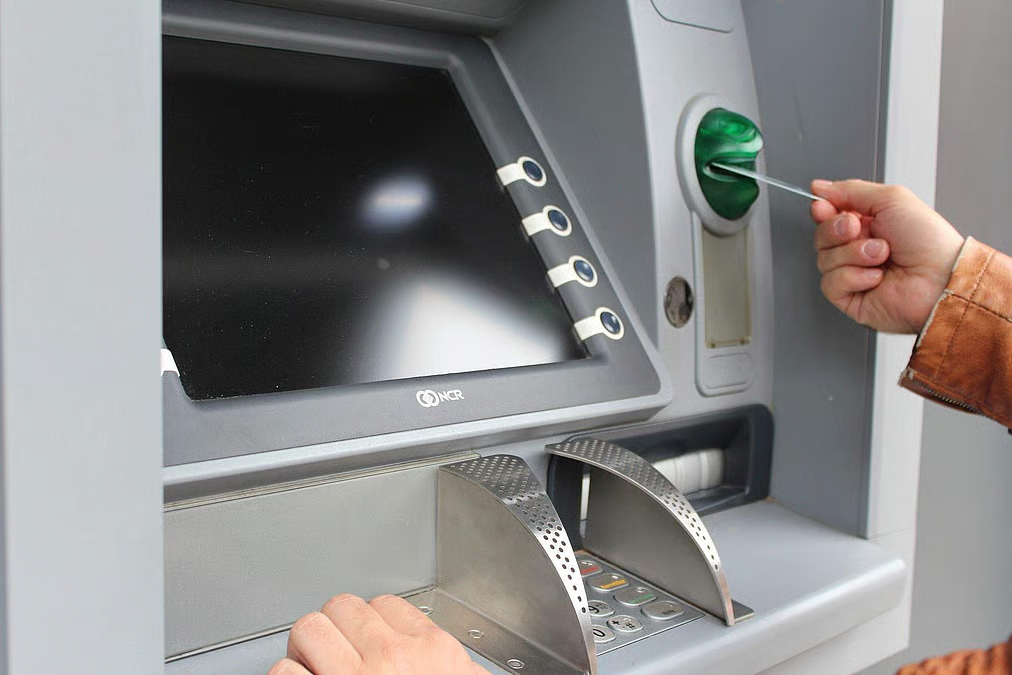
Image Credits: The New India Express
Yes, and acceptance isn’t the issue. India’s ATM network runs on the National Financial Switch (NFS), operated by the National Payments Corporation of India. It’s one of the largest interbank ATM networks in the world. Visa and Mastercard are both widely accepted across NFS-connected machines, so a standard Singapore-issued Visa or Mastercard works at most ATMs you’ll come across.
What foreign cardholders actually need to know:
- Public-sector banks (State Bank of India, Bank of India, Punjab National Bank) are generally the cheaper option for a foreign card
- Private banks (HDFC, ICICI, Axis) tend to charge more, both as a flat fee and a currency-conversion markup
- Your own bank’s charges stack on top, a foreign transaction fee of roughly 3-3.5% plus whatever flat overseas ATM fee your card carries
The card works fine everywhere. The fees are where it gets expensive.
📖 Related Guide: How to Get the Best Exchange Rate in Singapore
How to Withdraw Rupees at an Indian ATM
The process is the same as any ATM, with two local details worth knowing before you’re standing at the machine.
- Find a machine, insert your card and select English
Look for a bank logo. SBI, HDFC, ICICI, Axis or Indian Bank are the most common, rather than an unbranded kiosk. Bank-branded machines tend to be more reliable and easier to get help at if something goes wrong. Once you insert your card, most Indian ATMs default to a language menu on the first screen, so select English if it isn’t already set.
- Choose Savings as the account type
Foreign cards almost always map to the “Savings” account option, even though you don’t actually hold a savings account in India. Current or Credit are for Indian account holders with those account types.
- Enter the amount and your PIN
Pick a preset amount or enter your own, then key in your 4-digit PIN, covering the keypad with your other hand.
- Decline the currency conversion if asked
If the screen offers to charge you in Singapore dollars, choose rupees instead. See the DCC section below for why this matters more than any machine fee.
- Read the fee notice before confirming
Indian ATMs are required to show the withdrawal fee on screen before you confirm. If it looks high, you can cancel at no cost and try a different machine.
- Take your card, then your cash, then your receipt
Indian ATMs dispense cash after returning the card, the reverse of some countries. Don’t walk off before you’ve collected everything.
Which Bank’s ATM Is Best for Foreigners?

For a foreign card, a public-sector bank machine, SBI, Bank of India or Punjab National Bank, is usually the cheaper pick. A private bank or an unbranded standalone kiosk tends to cost more.
Public vs private banks
SBI’s official fee schedule lists a foreign-card ATM withdrawal charge of 100 INR (~S$1.35) minimum, plus 3.5% of the transaction amount, plus GST. That percentage is the part that adds up fast on a larger withdrawal. Other public-sector banks publish similar structures, though not all post a clean fee schedule online. ⚠️ Confirm the on-screen fee at a Bank of India or PNB machine.
Private banks tend to run higher. HDFC doesn’t publish a clean fee table. Foreign cardholders report paying roughly 110-125 INR (~S$1.48-S$1.68) plus tax, sometimes up to 200-335 INR (~S$2.69-S$4.51) once markup is added. ⚠️ Check the on-screen fee before you confirm.
Standalone kiosks
Unbranded ATMs in tourist-heavy areas, airports, major stations and markets, are run by independent operators. They’re not necessarily more expensive by rule, but they’re harder to predict and worth checking the on-screen fee carefully before confirming.
Bottom line: if you see SBI, Bank of India or Punjab National Bank signage, use it over an unbranded kiosk or a private bank where you have a choice. The fee difference on a single withdrawal is small, but it compounds if you’re pulling cash several times over a trip.
Finding a machine: SBI’s branch and ATM locator covers the country’s largest network. If you’d rather search by card scheme, Visa’s Global ATM Locator and Mastercard’s equivalent finder both work anywhere.
ATM fees are subject to change; verify on screen before withdrawal.
Indian ATM Fees at a Glance
Three charges can stack on a single withdrawal in India, and the total adds up fast.
| Charge | Typical cost for a Singapore card |
|---|---|
| Indian bank’s own fee | SBI confirms 100 INR (~S$1.35) + 3.5% + GST. Other public-sector banks (Bank of India, PNB) are reported similar; private banks (HDFC, ICICI and similar) report higher, up to ~335 INR (~S$4.51). ⚠️ Not all banks publish a clean fee schedule — check on screen |
| Your home bank’s charges | A foreign transaction fee of roughly 3-3.5%, plus an overseas ATM fee on most standard cards |
| Conversion, if you accept it | Typically a few percent on top of everything above, set by the ATM operator rather than your own bank |
Take a 10,000 INR (~S$135) withdrawal, a common per-transaction ceiling for a foreign card, at an SBI machine, the one bank with a fully published fee formula. SBI’s own fee schedule works out to 100 INR minimum plus 3.5% of the amount, plus GST on that fee, which lands around 531 INR (~S$7.16).
Your own bank adds 3-3.5% on top, roughly 300-350 INR (~S$4.04-S$4.71). That’s close to 880 INR (~S$11.86) gone before you’ve spent a single rupee, nearly 9% of the withdrawal, and it’s before any DCC markup if you accept the conversion. A private-bank ATM can run this figure higher still.
ATM fees are subject to change; verify on screen before withdrawal.
📖 Related Guide: SGD to INR Exchange Rate Guide
India ATM Withdrawal Limits
Two limits apply, and whichever is tighter wins.
- The machine’s per-transaction limit. Commonly around 10,000 INR (~S$135) for a foreign-issued card, with a few banks stretching to 20,000 INR (~S$270). ⚠️ No single bank publishes this as a blanket rule, so check the on-screen limit
- Your own card’s daily overseas limit. This is bank-set, not India-set, and it’s usually adjustable. DBS caps combined local and overseas cash withdrawals at S$9,000 a day regardless of how many cards you hold, and limits you to 3 overseas ATM attempts daily before blocking the card. OCBC lets you choose S$1,000, S$3,000 or S$5,000 as your shared local-and-overseas daily limit. UOB lets you pick anywhere from S$1,000 to S$10,000, though overseas ATM use needs enabling first. Check and adjust yours before you fly if you’re planning several withdrawals
| Question (PAA) | Answer |
|---|---|
| Can I withdraw 20,000 INR at once? | Only at some banks. 10,000 INR per transaction is the more common ceiling for a foreign card, with a handful of banks stretching to 20,000 INR. Worth checking the on-screen limit if a bigger single withdrawal matters to you |
| Can I withdraw only 100 INR? | Technically yes, ATMs dispense in multiples of 100 INR, but there’s no reason to. Both the Indian bank’s flat fee and your home bank’s percentage fee apply the same whether you withdraw 100 INR or the full 10,000 INR, so a tiny withdrawal wastes most of what you take out on fees |
One large withdrawal beats several small ones here, purely on the maths. If your bank charges a flat fee plus a percentage, that flat portion is the same whether you pull out 1,000 INR or the full 10,000 INR. Seeking out a bank with a higher per-transaction cap, or simply repeating the transaction fewer times across your trip, cuts your total fee load.
Always Decline the Conversion (DCC)
Dynamic Currency Conversion is the costliest mistake you can make at an Indian ATM, and it can add more than any single bank fee above.
When you withdraw, the screen may offer to charge you in Singapore dollars instead of rupees. It’s framed as a convenience. It isn’t.
This is Dynamic Currency Conversion (DCC). Choose SGD, and the ATM operator sets your exchange rate instead of your own card network. That rate typically runs a few percent worse than what your bank or card issuer would give you on the same transaction. Choose rupees, and your own card handles the conversion, almost always the cheaper route.
The rule doesn’t change: when the screen asks, choose INR, never “charge in SGD” or “with conversion.”
The same prompt appears when you pay
DCC isn’t only an ATM thing. Tap or insert your card at a hotel, a shop or a restaurant with a terminal, and it may ask the same question.
The answer is identical: always choose rupees. Declining the conversion protects more of your trip budget than picking the cheapest ATM.
💡 Pro tip: declining doesn’t make the withdrawal free
The Indian bank’s own fee and the DCC markup are two separate charges. Declining the conversion removes the markup, but the bank’s fee, if any, still applies. You might decline the conversion and still see a small charge on your statement. That’s normal.
Why Locals’ UPI Cash Withdrawal Won’t Work for You
You’ll see QR codes on Indian ATMs advertising cash withdrawal with just a smartphone, no card needed. That’s UPI cash withdrawal, and it’s not built for foreign cardholders.
UPI (Unified Payments Interface) links directly to an Indian bank account through apps like Google Pay, PhonePe, Paytm and BHIM. Scan the QR code, approve the withdrawal in the app, and cash comes out without a physical card. It’s genuinely popular with locals, and it’s the reason you’ll see those QR-code prompts on nearly every machine.
The catch: UPI requires an Indian bank account and an Indian mobile number tied to a UPI app. A Singapore-issued card and a foreign SIM don’t qualify. Stick to inserting your physical card and using the standard cash-withdrawal flow covered above. The UPI option on screen simply isn’t for you, and that’s fine, your card still works the normal way at the same machine.
Common ATM Mistakes That Cost You Money in India

A few habits do more damage to your trip budget than the fees in the table above.
- Using a credit card for cash. A credit card withdrawal at an ATM is a cash advance, not a purchase. Cash-advance fees run high, DBS charges 8% in Singapore, and interest starts accruing immediately with no grace period. Use a debit or multi-currency card for ATM withdrawals, never a credit card
- Several small withdrawals instead of one larger one. As covered in the limits section, flat fees hit the same regardless of amount, so topping up every day or two multiplies your fee total for no reason
- Accepting the DCC prompt “to be safe.” It feels like it removes uncertainty. It’s the opposite, it locks in the operator’s worse rate instead of your own card’s
- Not telling your bank you’re travelling. A sudden overseas withdrawal can trigger a fraud block. Set a travel notice or check your card app allows international use before you land
How Much Cash to Bring to India
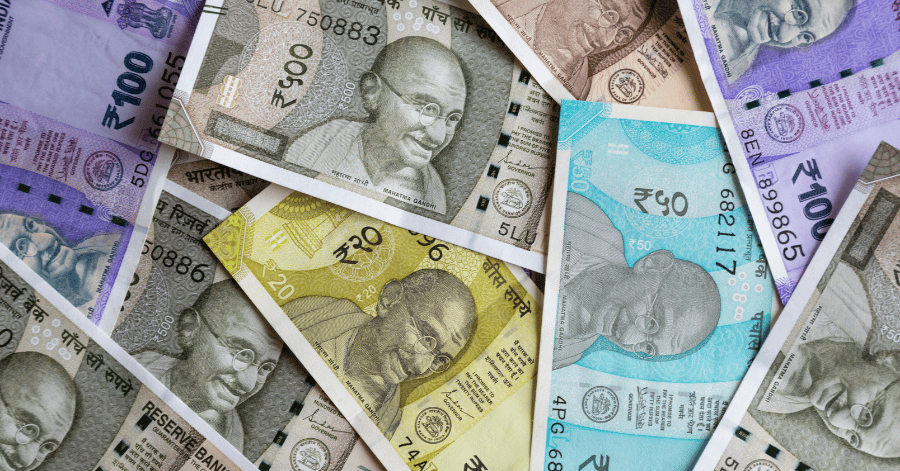
India is still largely a cash-based economy outside major hotels, malls and chain restaurants. Street food, local markets, small eateries, auto-rickshaws and tips all tend to run on cash, even in cities where card terminals are common.
Plan for cash across your trip rather than one lump sum. A rough starting point:
- Withdraw 5,000-10,000 INR (~S$67-S$135) shortly after you land, enough for the first few days of local transport, food and small purchases
- Top up again as needed, adjusting based on how card-friendly your specific stops turn out to be. Major cities and tourist hubs take cards more readily than smaller towns and markets
A note on carrying currency into India: there’s no cap on how much foreign currency you can bring in. Declaring it is required above certain thresholds though, on the Reserve Bank of India’s Currency Declaration Form. Foreign cash over 5,000 USD, or total foreign exchange (cash plus traveller’s cheques plus drafts) over 10,000 USD, needs that form filed at customs. For most travellers withdrawing as they go, this never comes up. It matters more if you’re carrying a large amount of cash from home.
Can I Use a YouTrip Card in India?
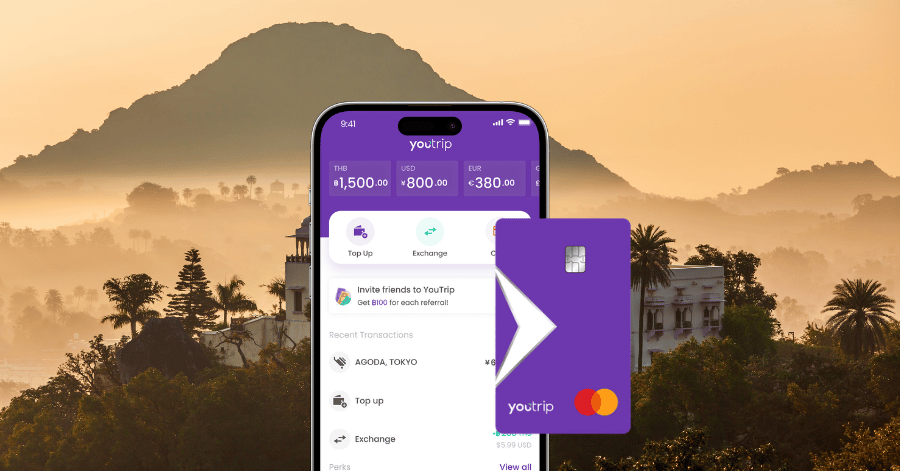
Yes. YouTrip runs on the Mastercard network, which is accepted on India’s NFS ATM network and at card terminals nationwide.
INR isn’t one of the 12 currencies you can hold and lock in the YouTrip wallet, but that doesn’t change how well the card works here. Every tap or withdrawal auto-converts from your SGD balance at the Mastercard wholesale rate, the same benchmark rate banks use between themselves, with zero foreign transaction fee. That already beats a standard Singapore credit card, which typically adds 3-3.5% FX on every overseas spend.
On ATM withdrawals, you get your first S$400 per calendar month free, with a flat 2% fee after that. The Indian bank’s own ATM fee (covered in the fees table above) still applies on top, since that’s charged by the Indian ATM operator, not YouTrip.
To withdraw rupees with YouTrip:
- Find an SBI, Bank of India or Punjab National Bank machine for the lower local fee, and insert your YouTrip card
- Select Savings when asked for account type
- Enter your 4-digit YouTrip card PIN
- Choose your amount and, when prompted, withdraw in rupees, not SGD
That last step matters as much on YouTrip as on any card. Decline the conversion so you get YouTrip’s wholesale rate rather than the machine’s marked-up one.
📖 Related Guide: Best Multi-Currency Cards in Singapore
Should You Carry Cash From Singapore Instead?
No, withdraw on arrival instead. It’s tempting to sort your rupees out before you fly, but airport money changers and currency counters bake a markup into the rate they quote. You get fewer rupees for your Singapore dollars, and that markup applies to your entire trip budget rather than a single withdrawal.
Withdrawing on arrival at the wholesale rate, even accounting for the Indian bank’s own fee, usually comes out ahead across a trip of any real length. If it helps you sleep, bring a small emergency buffer of rupees or USD, but don’t change your full budget at a counter before you leave.
Safety Tips for Using ATMs in India
ATM use in India is generally safe, but the same basics that apply anywhere apply here too, and busy tourist areas draw the usual pickpocket risk.
- Use bank-branded machines inside or attached to a branch where possible, rather than standalone street kiosks
- Check the card slot and keypad for anything loose or unusual before inserting your card
- Cover the keypad when entering your PIN, even if nobody’s around
- Don’t accept help from strangers at the machine, no matter how friendly the offer
- Withdraw deliberately and less often. Fewer, larger withdrawals is both the cheaper and the safer approach
- Turn on transaction alerts in your banking or card app before you travel
- If a machine keeps your card, contact your issuer immediately. YouTroopers can freeze the card instantly in the app
FAQ
For a foreign cardholder, the main ones are cash withdrawal and balance enquiry. Domestic UPI cash withdrawal, deposits and bill payments through the ATM are generally tied to an Indian bank account and aren’t available on a foreign-issued card.
Insert your card, select English, choose Savings as the account type, enter your amount and PIN, decline the currency conversion when asked, and take your card, cash and receipt in that order. See the full step-by-step above.
Only at some banks. Many Indian ATMs limit a foreign-issued card to around 10,000 INR (~S$135) per transaction, though this isn’t a single published rule, and a few banks allow up to 20,000 INR (~S$270) in one go. At a bank with the lower cap, you can usually repeat the withdrawal a second time the same day instead.
Technically yes, machines dispense in multiples of 100 INR. It’s not worth doing. Your Indian bank’s flat fee and your home bank’s percentage fee apply the same regardless of the amount, so a small withdrawal loses a much larger share to fees than a larger one.
Yes, almost always. SBI’s published fee is 100 INR (~S$1.35) plus 3.5% of the transaction plus GST. Private banks like HDFC are reported higher, roughly 110-125 INR (~S$1.48-S$1.68) plus taxes, though not every bank publishes a clean fee table. Your own bank’s foreign transaction fee applies on top.
There’s no single national daily limit for foreign cards. The binding figure is almost always your own card’s daily overseas withdrawal cap, which varies by issuer. DBS caps combined withdrawals at S$9,000/day (3 overseas attempts max), OCBC lets you choose S$1,000, S$3,000 or S$5,000, and UOB lets you pick between S$1,000 and S$10,000. Check and adjust yours with your bank before you travel if you’re planning a large withdrawal.
Country ATM Guides
Heading somewhere else next? Explore our country-specific withdrawal guides:
🇲🇾 Malaysia | 🇯🇵 Japan | 🇹🇭 Thailand | 🇰🇷 South Korea | 🇹🇼 Taiwan | 🇭🇰 Hong Kong | 🇮🇩 Indonesia | 🇻🇳 Vietnam | 🇦🇺 Australia | 🇲🇴 Macau | 🇨🇳 China | 🇺🇸 US | 🇿🇦 South Africa | 🇵🇭 Philippines | 🇫🇷 France | 🇬🇧 UK | 🇳🇿 New Zealand | 🇮🇹 Italy | 🇰🇭 Cambodia | 🇨🇦 Canada | 🇨🇦 Switzerland | 🇪🇸 Spain | 🇩🇪 Germany | 🇹🇷 Turkey | 🇰🇿 Kazakhstan | 🇳🇱 Netherlands | 🇦🇹 Austria | 🇦🇪 Dubai | 🇲🇻 Maldives | 🇬🇷 Greece | 🇮🇳 India
Get more rupees for your money in India

Most India ATM advice is written for Indian accountholders counting their free monthly withdrawals. As a visitor, your numbers are different: the Indian bank’s fee, your own bank’s markup, and the conversion prompt you should always decline.
Do it with YouTrip and the second and third charges disappear. Wholesale exchange rate, zero FX fees, and your first S$400 in overseas ATM withdrawals free every month. More of your budget goes on where you’re actually going, not on surcharges.
Not a YouTrooper yet? Singapore’s go-to multi-currency wallet helps you save with great FX rates and zero fees. Skip the money changer and get a free YouTrip card + S$5 YouTrip credits with code YTBLOG5.
Then head over to our YouTrip Perks page for exclusive offers and promotions. We promise you won’t regret it. Join our Telegram (@YouTripSG) and Community Group (@YouTripSquad) for travel tips, event invites, and more!
Happy travels!
The information stated above is true as of October 2026
Related Articles:
Revolut vs YouTrip Singapore: Which Card Saves You More?
YouTrip vs Wise: Which Card Is Best for Singaporean Travellers?