


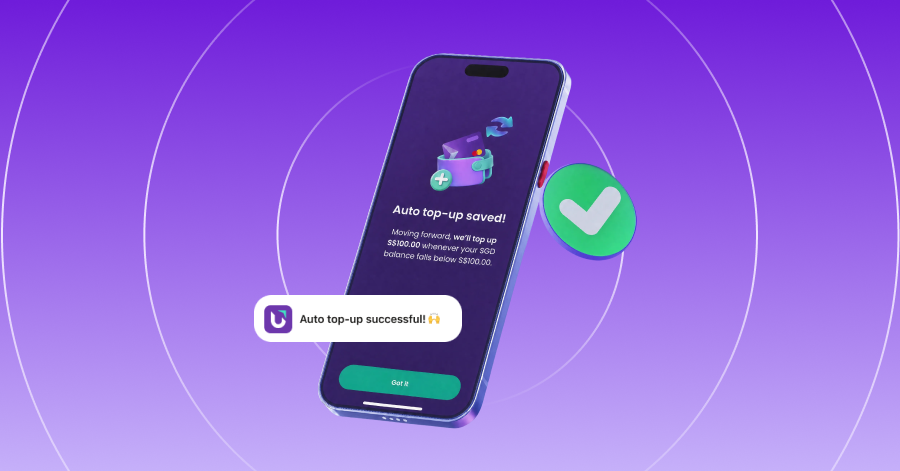

Reload your YouTrip wallet automatically when your balance runs low.
We’ve all had that moment: you’re paying for something overseas, only to get hit with an “insufficient balance” message, and end up holding the queue while you top up.
With Auto top-up, you can now skip the manual top-ups. Set your balance threshold once, and your SGD wallet will automatically reload whenever your balance drops below it.
No stopping to check your balance. No scrambling to top up at checkout. Just set it once and continue spending seamlessly.
How to Set Up Auto Top-Up
Setting it up takes just a few taps, so you can get it sorted before your next trip:
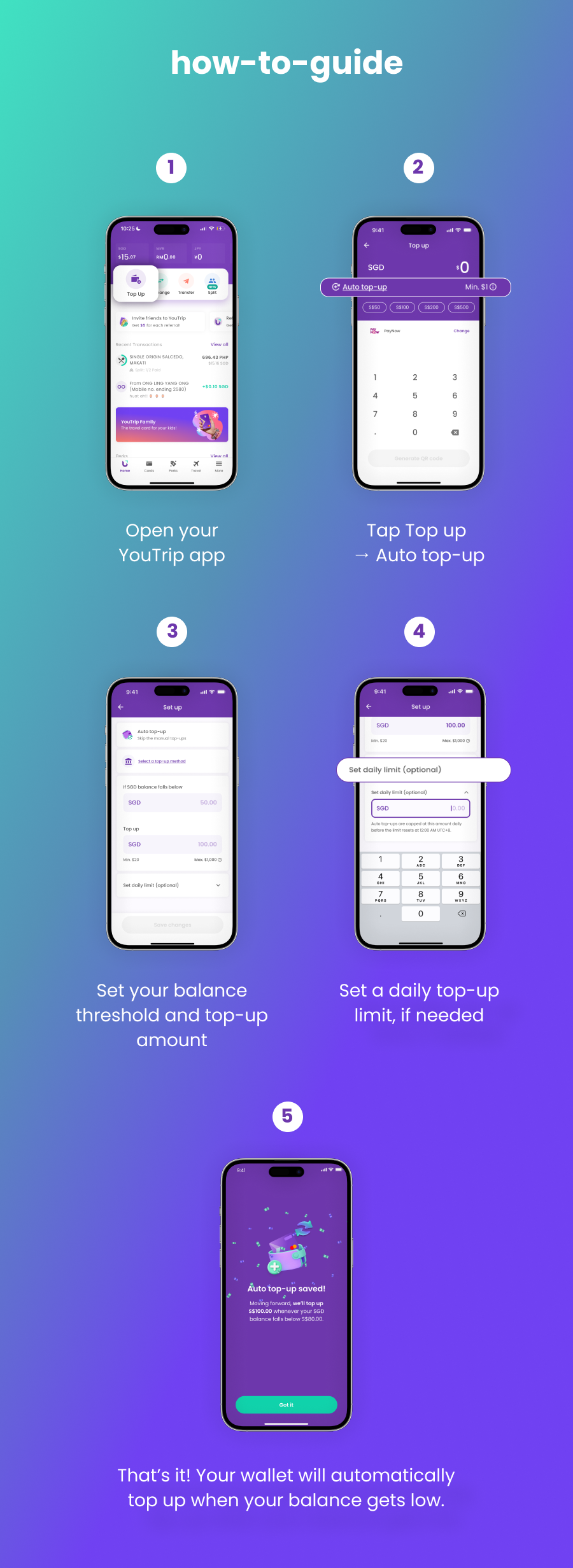
- Open your YouTrip app.
- Tap Top up → Auto Top-Up.
- Set your balance threshold.
This is the balance at which Auto top-up kicks in.
- Set your top-up amount.
Decide how much you want to add each time.
- Set a daily top-up limit, if needed.
- That’s it! Your wallet will automatically reload when your balance drops below your threshold 🎉
How It Works
Say you set your balance threshold at S$100 and your top-up amount at S$200.
When your wallet balance drops below S$100, Auto top-Up will trigger and reload S$200 to your wallet. It triggers once each time your balance drops below your threshold.
What if your top-up amount is lower than your threshold?
Auto top-up won’t keep triggering repeatedly just because your balance remains below the threshold. It will only trigger again only when a new transaction causes your balance to drop below the threshold.
For example:
- Balance Threshold: S$40
- Auto top-up amount: S$20
- Your balance drops to: S$10 → Auto top-up triggers: +S$20 → your new balance is S$30
- You make another transaction and your balance drops to: S$20 → Auto top-up triggers: +S$20 → your new balance is S$40
Even though your balance is still below the S$40 threshold, Auto top-up won’t trigger again immediately. It only triggers again when you make another transaction that causes the balance to be below the threshold.
You can also set a daily top-up limit for an extra layer of control. If you don’t set one, the daily limit defaults to S$1,000.
What you need to know
| Auto Top Up detail | What it means |
|---|---|
| Top-up method | Linked bank account via eGIRO or a linked card |
| Fees | eGIRO and debit cards (Mastercard/Visa Debit): free. Visa Credit: 1.5% service fee applies, same as a manual top-up |
| Minimum top-up | S$20 |
| Maximum top-up | S$1,000 per day |
| Daily limit | Optional; defaults to S$1,000 |
| Balance threshold | Required — choose when Auto top-up should kick in |
| Top-up amount | Required — choose how much to add each time |
Your own eGIRO bank limit may be lower than S$1,000. If so, your bank’s lower limit applies.
FAQs
No. Auto top-up itself doesn’t carry a fee. Normal top-up terms for your chosen payment method (eGIRO or card) still apply.
• PayNow: Free
• Linked Bank Account: Free
• Mastercard Debit & Credit Card: Free
• Visa Debit Card: Free
• Visa Credit Card: 1.5% service fee (shown in the app before you confirm)
You can’t set it below S$20; that’s the minimum per top-up, same as a manual top-up.
Yes. Head back to Top Up → Auto top-up in the app any time to adjust your threshold, amount, daily limit, or switch it off entirely.
No. It only triggers once each time your balance drops below your threshold; it doesn’t loop or add top-ups beyond your daily limit.
No. Switching Auto top-up on doesn’t trigger an immediate top-up. It only fires the next time your balance drops below your threshold after you’ve turned it on.
One less thing to worry about
Whether you’re heading overseas or simply using YouTrip for everyday spending, Auto top-up helps keep your SGD wallet ready when you need it.
Set your threshold. Pick your top-up amount. Then get on with your trip.
Happy travels! 💜