



Learn how to buy from Taobao directly and shop as an international buyer easily without agents in this Taobao Shopping English guide!
We understand the struggle when it comes to deciphering all the chim Mandarin words and figuring out how to buy from Taobao, so the Taobao Queen (aka me) is here to give you an extremely detailed step-by-step guide on how to buy from Taobao and shop wherever you go. As the saying goes, “If something exists, it’s probably on Taobao!”
Table of Contents:
1. Register For A Taobao Account
2. Choose A Product
3. Checkout Your Taobao Cart
How To Buy From Taobao To Singapore In 3 Steps:
1. Register For A Taobao Account
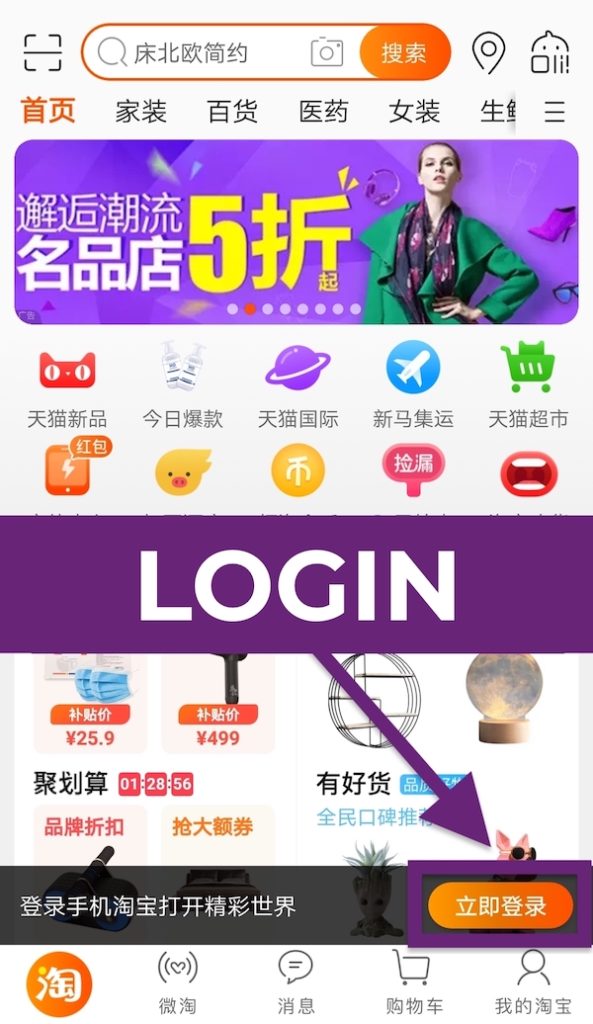
Download the Taobao app and you’ll be prompted to grant the app permission to access your camera, gallery and location. Register for an account by tapping “立即登录” (Login Now). On the login page, tap on “立即注册” (Register) to register for a Taobao account.
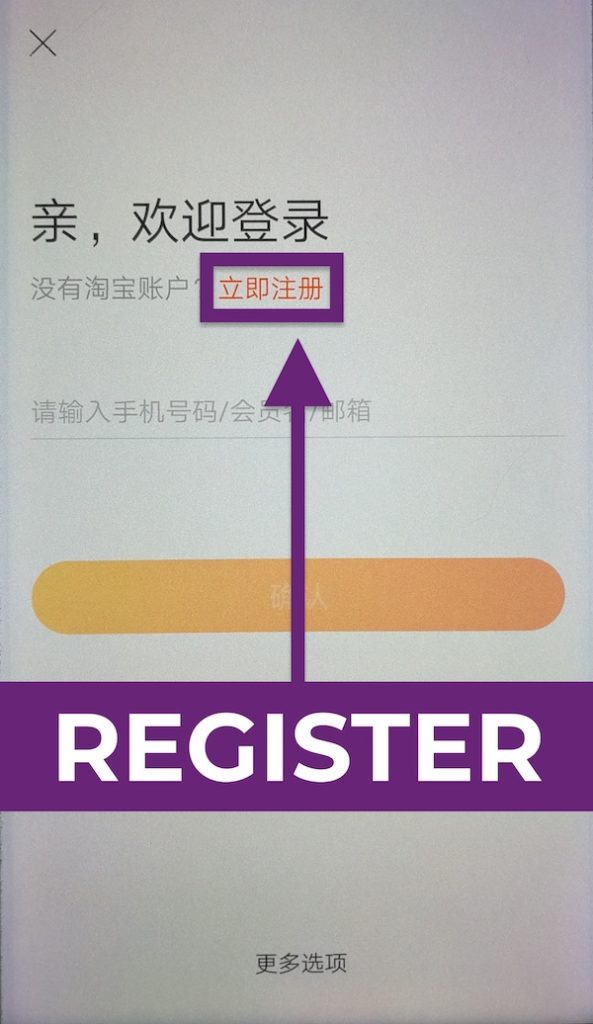
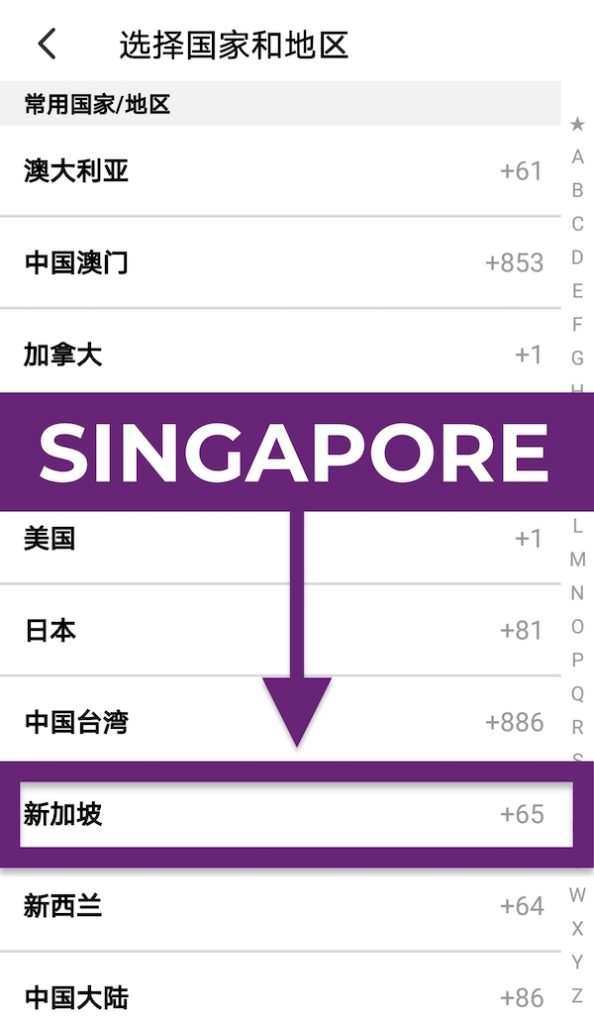
Before keying in your mobile number, tap on “+86” to change your country code. Look for “新加坡 +65” (Singapore) in the list of countries and territories.
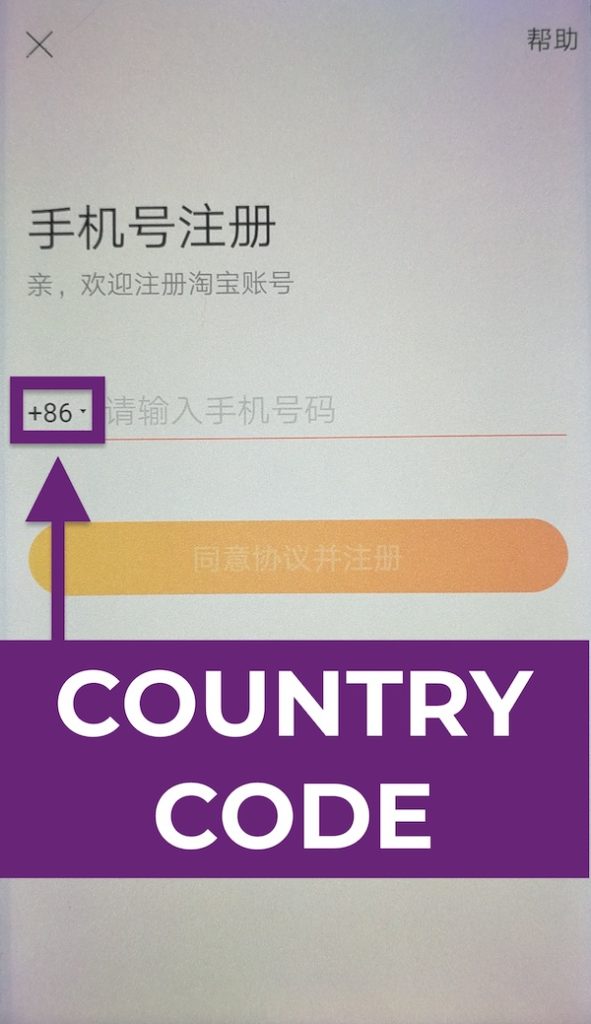
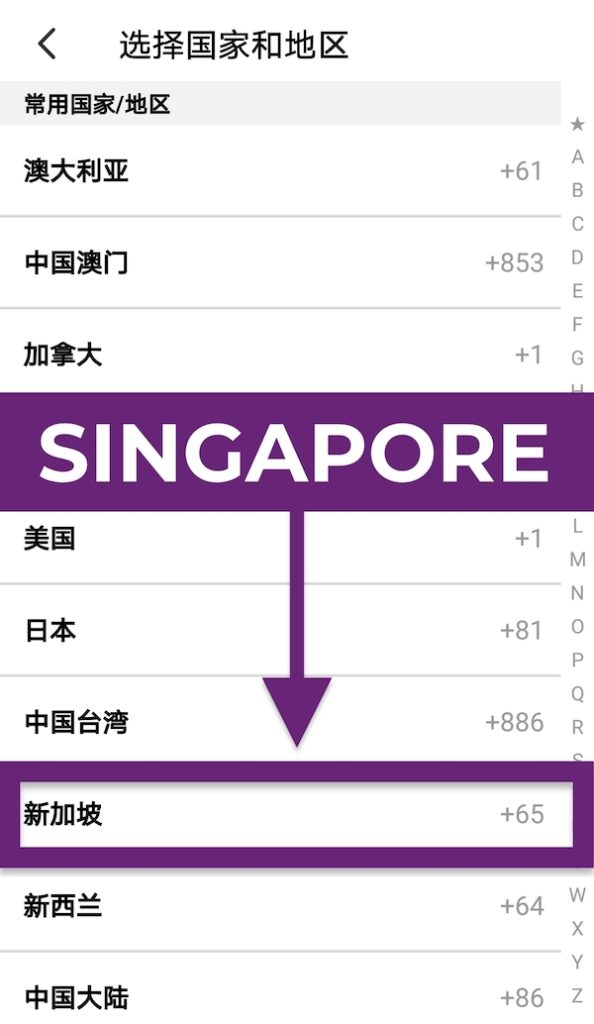
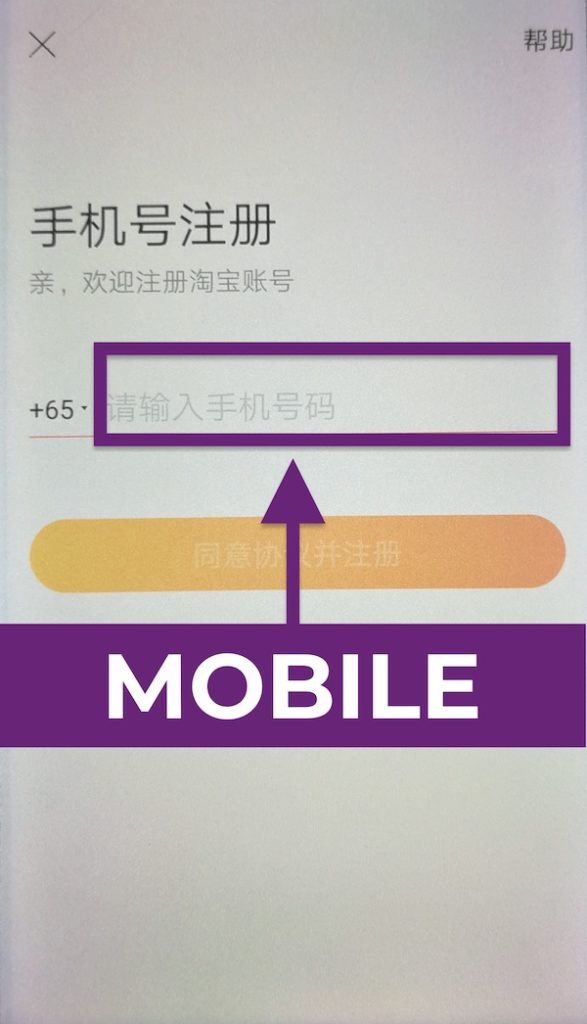
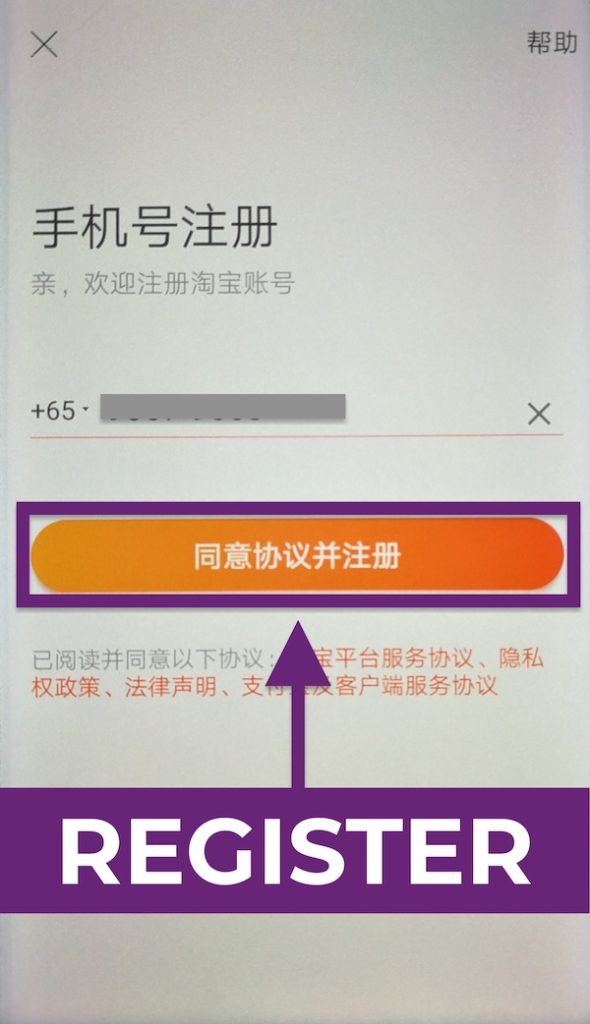
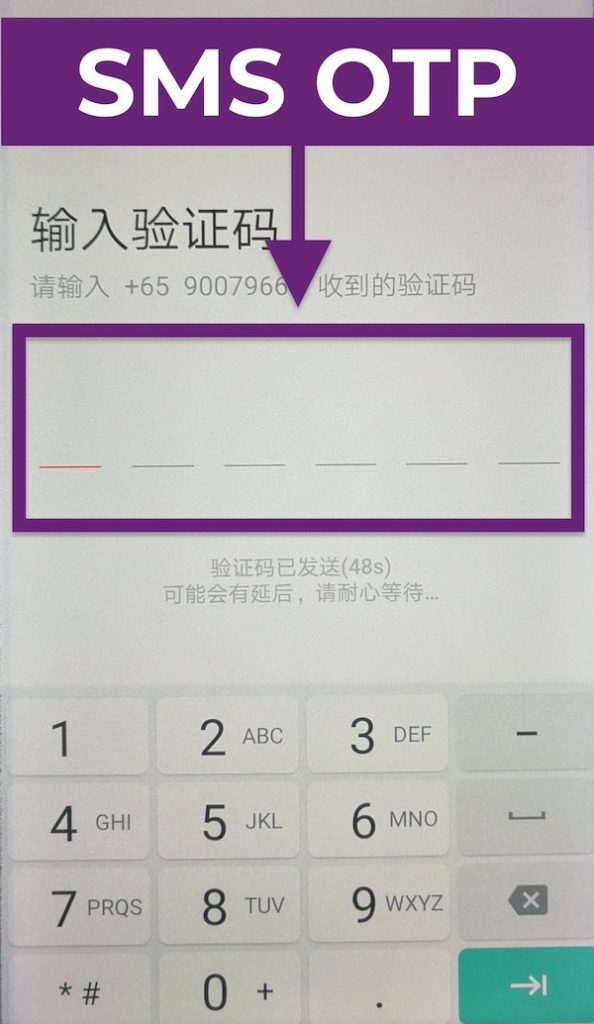
Enter your local mobile number and tap on the orange bar “同意协议并注册” (Agree to Terms & Conditions and Register) to register your Taobao account. You’ll receive a 6-digit One-time Password (OTP) via SMS to verify your local mobile number. Your Taobao account is set up successfully once you’ve entered your SMS OTP.
2. Choose A Product
Now that you’ve set up your Taobao account, we can begin the fun part: Shopping!
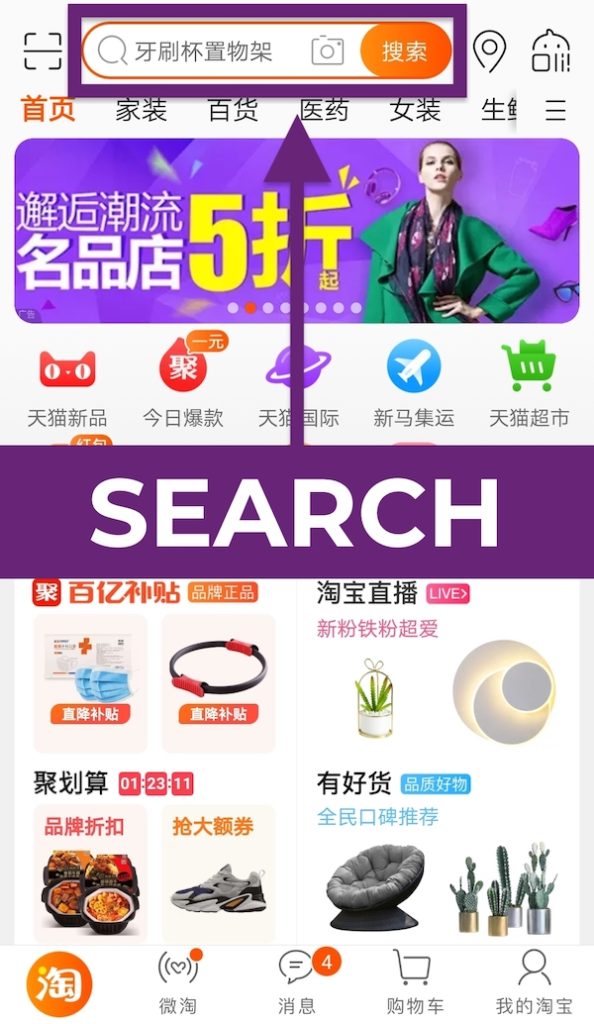
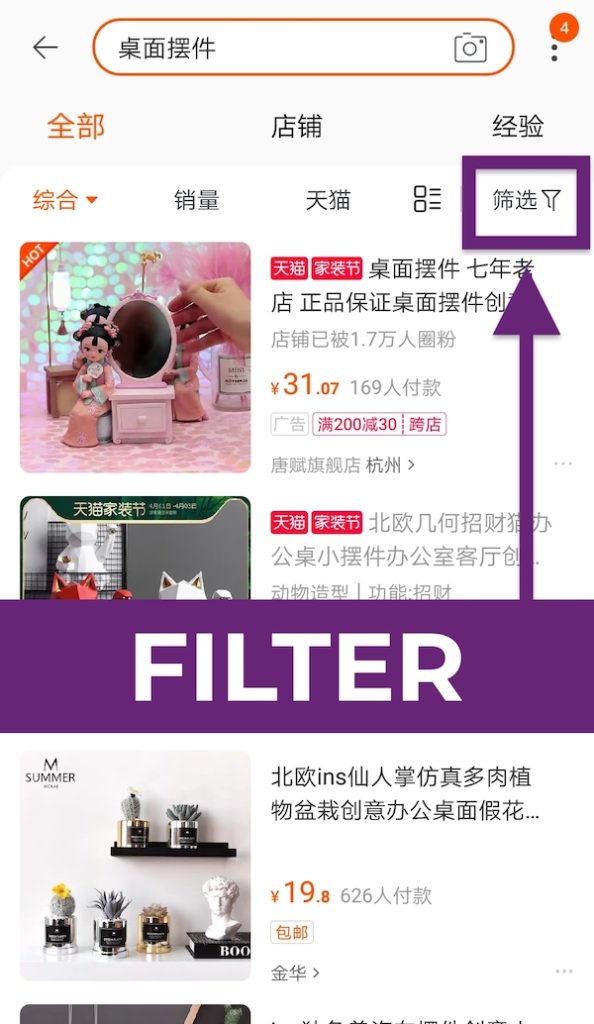
To search for items, enter keywords into the white search bar located at the top of the home page. Scroll through the wide selection of items and select the one that catches your eye. To filter your search results, tap “筛选” (Filter). You can filter results according to price range, brand, etc.
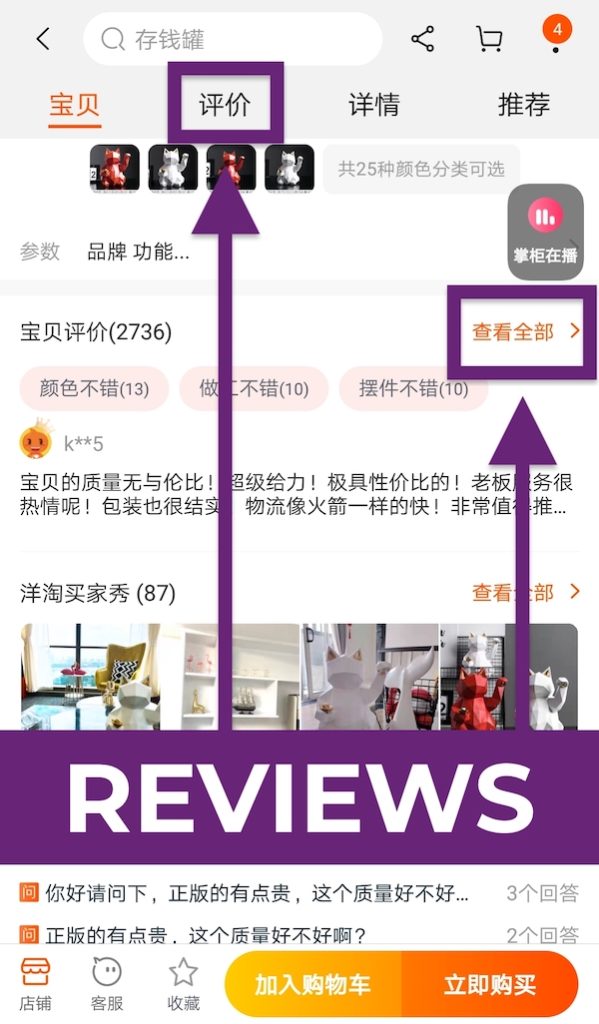
Tap on the desired product and you’ll see its product page. To check the reviews, scroll down and look under “宝贝评价” (Reviews), where buyers upload their feedback and images of the item. To read more reviews, press on “查看全部” (View All).
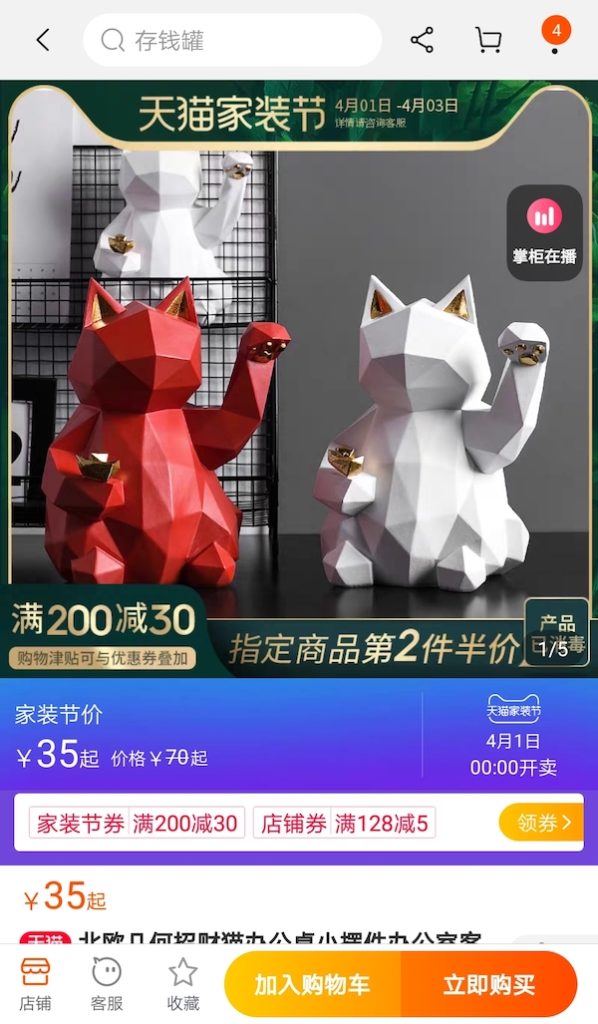
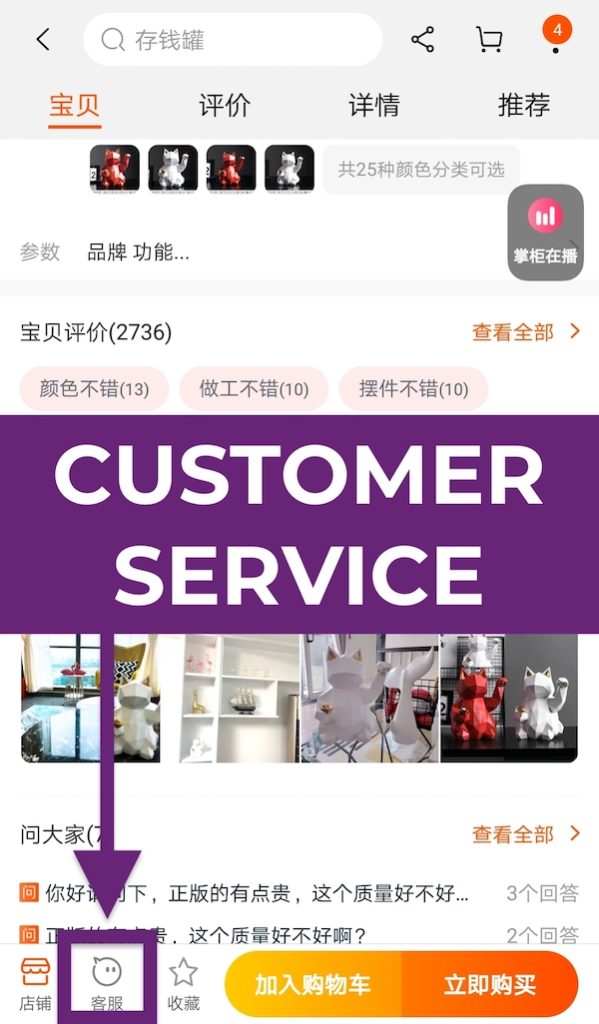
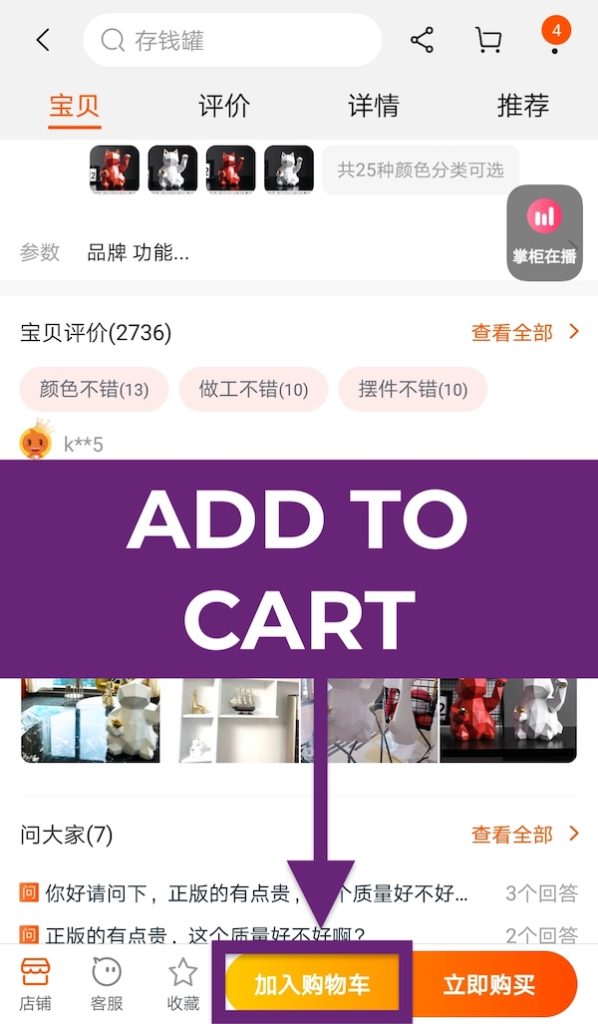
Press the speech bubble icon “客服” (Customer Service) to chat with the seller if you have queries. The seller may use “宝贝” (precious item) to refer to the item and “亲” (dear) to address you, as these are amicable terms frequently used in China’s booming digital age. To add an item to cart, tap on the light orange “加入购物车” (Add to Cart).
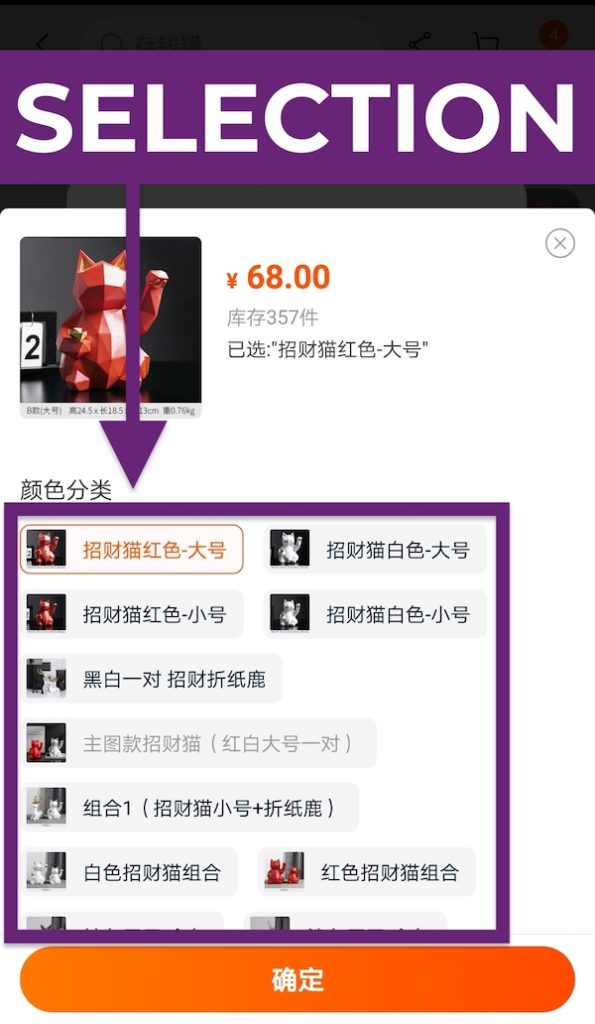
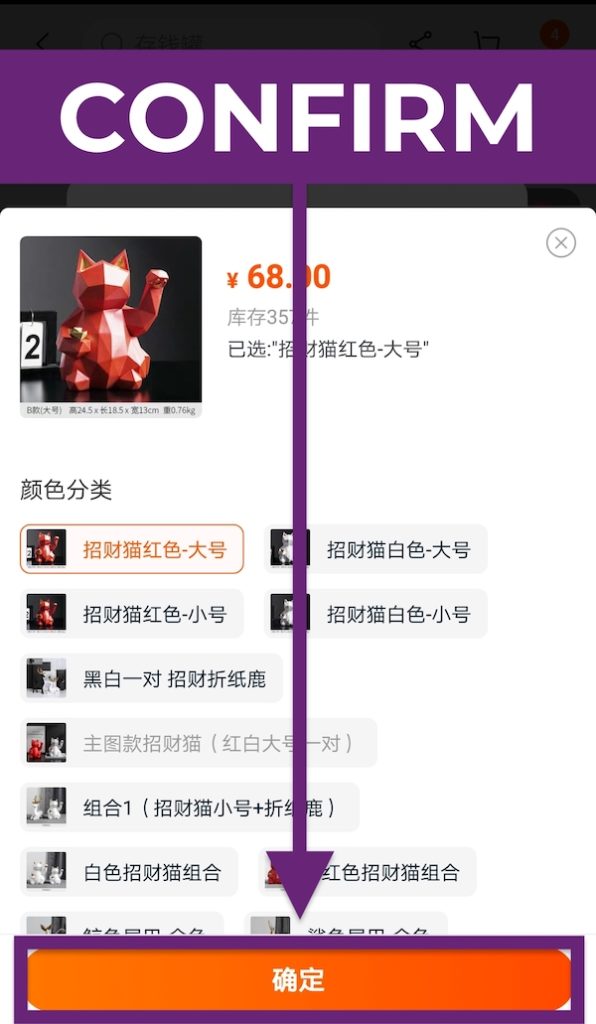
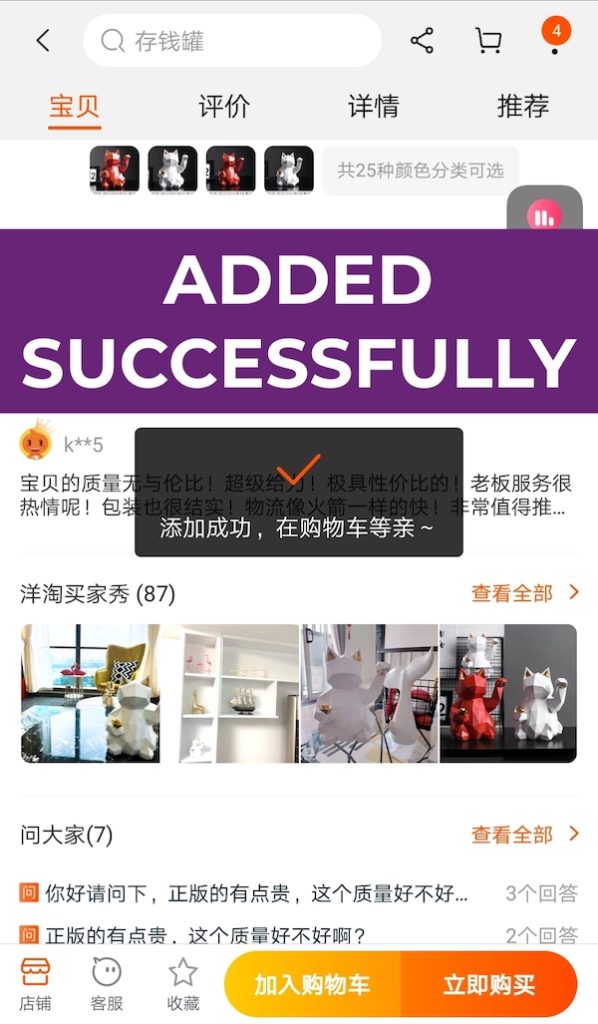
Select the colour or style you want and press “确定” (Confirm). Once you’ve added an item to your cart, you will receive a notification which translates to “Added to cart successfully, your item is waiting for you in your cart~”.
3. Checkout Your Taobao Cart
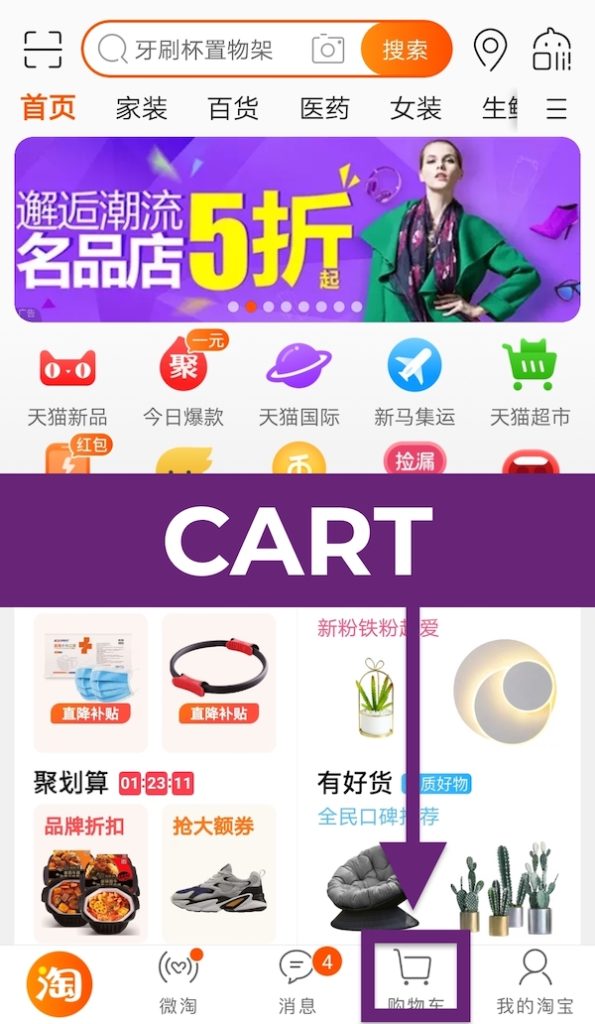
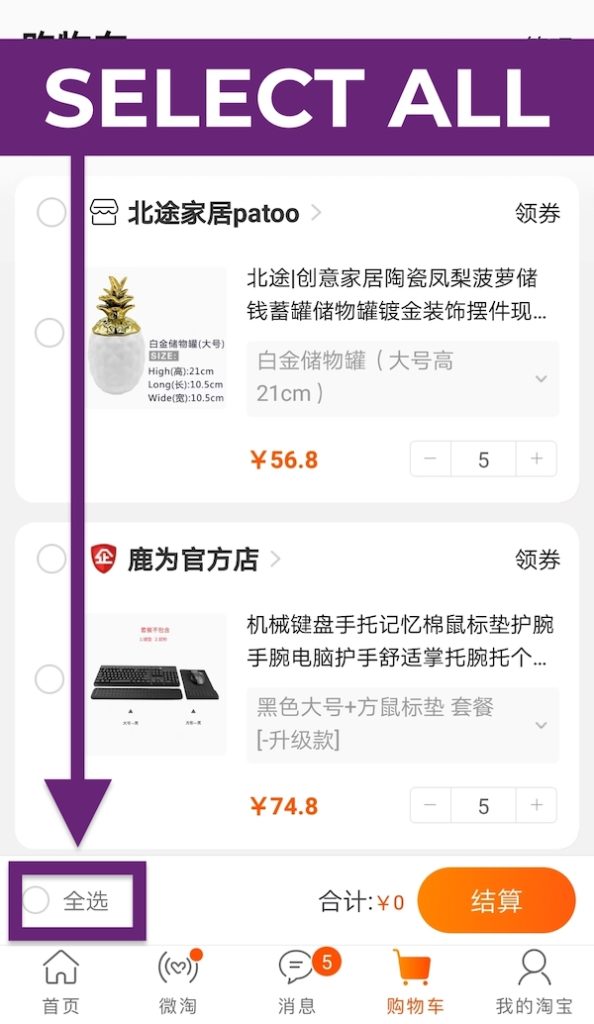
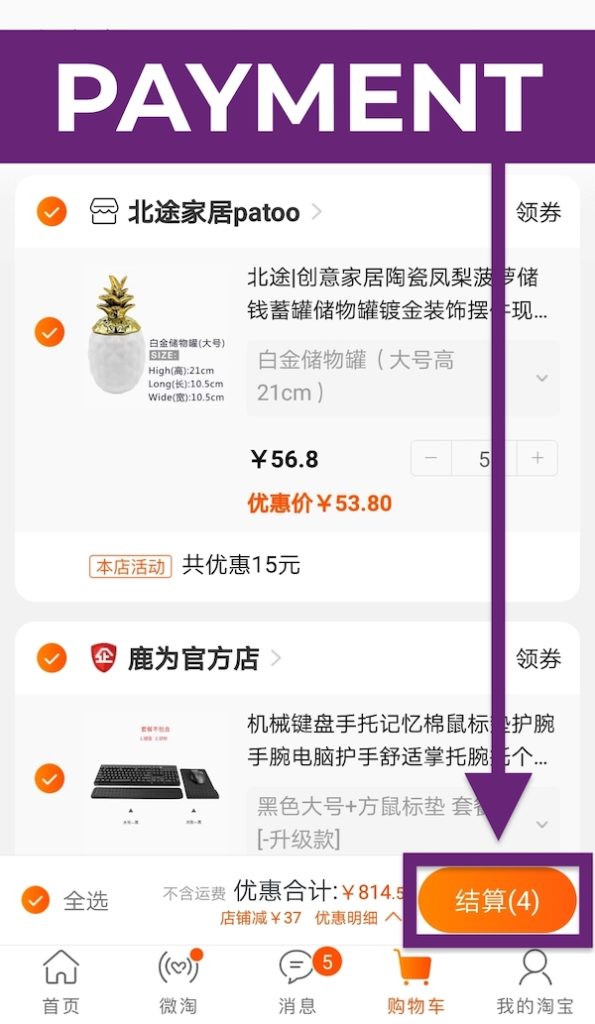
Once you’re ready to checkout, go back to the home page and tap the shopping cart icon “购物车” (Shopping Cart). Select the items that you want or simply tap on “全选” (Select All) to select everything in cart. Then, tap on “结算” (Payment) to start the payment process.
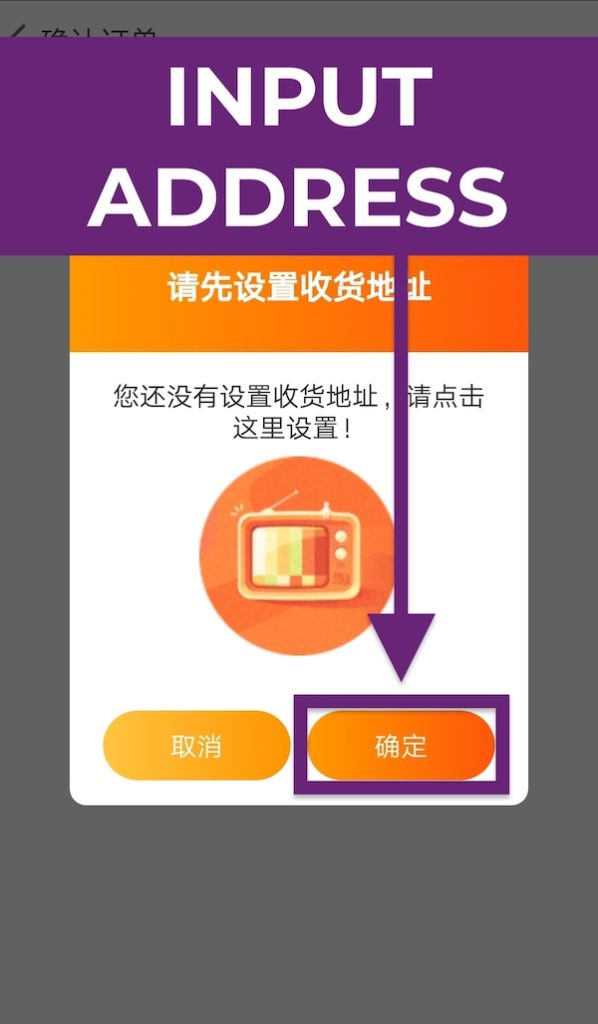
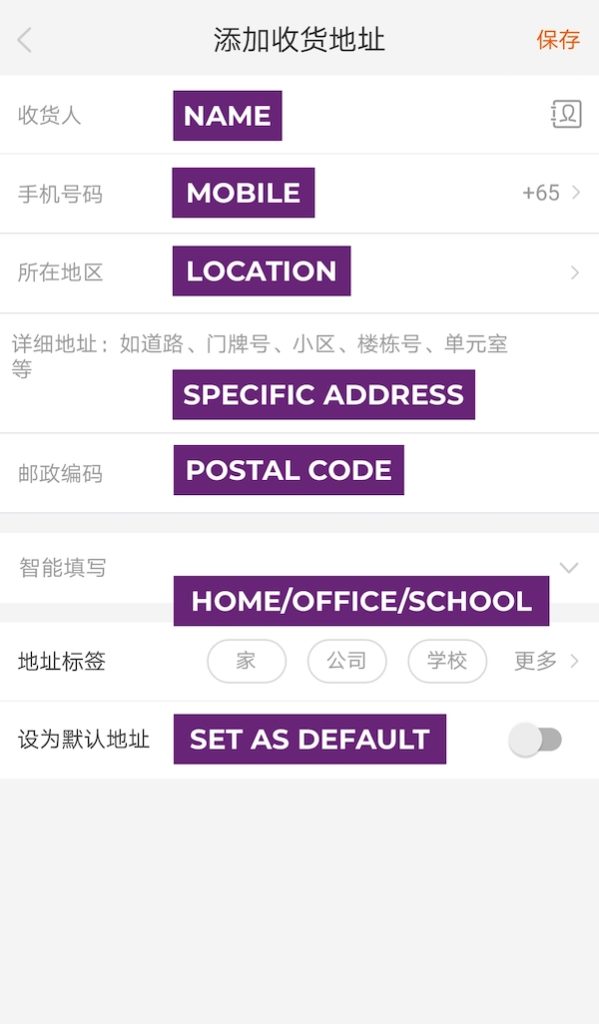
You’ll be prompted to add your shipping address. Tap “确定” (Confirm) on the right and fill up the form. Before you fill anything, tap on the “+86” field first to change your country’s mobile number. Again, look for “新加坡 +65” (Singapore) in the list of countries and territories.
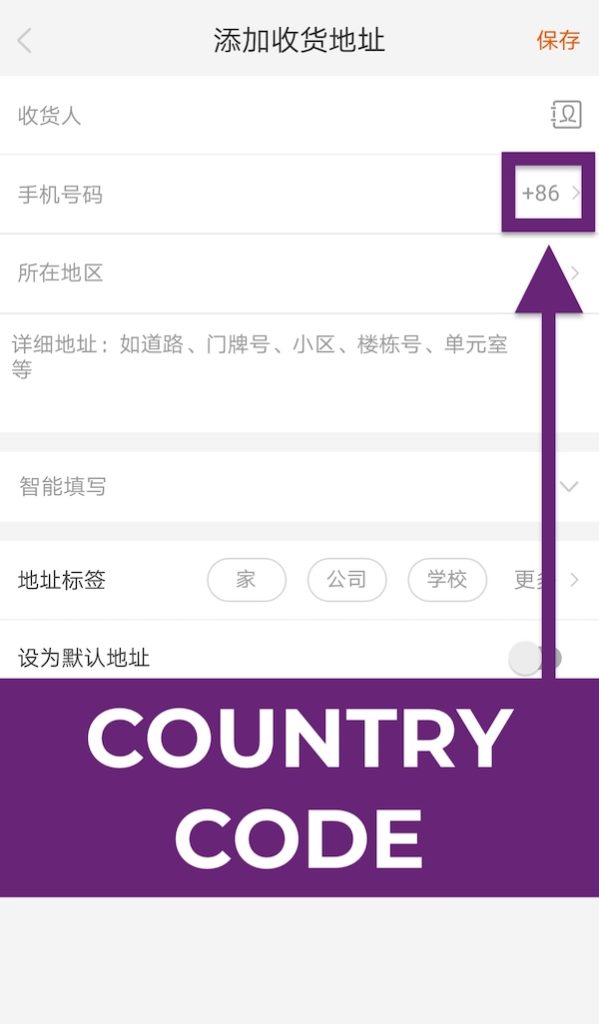
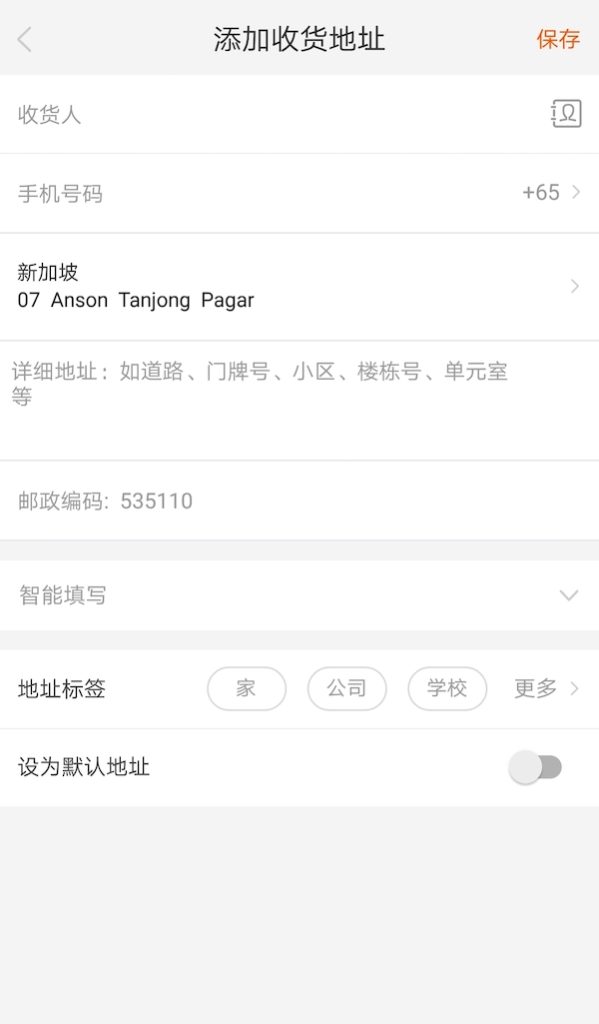
Enter your name, mobile number, location, specific address (building number, unit number, etc.), and postal code. You can also tag your address e.g. home, office or school to make it your default address.
Tap into the form’s third field “所在地区” (Location) to set your country. Select “海外国家/地区” (Overseas Countries/Territories) and look for “新加坡” (Singapore) in the list.
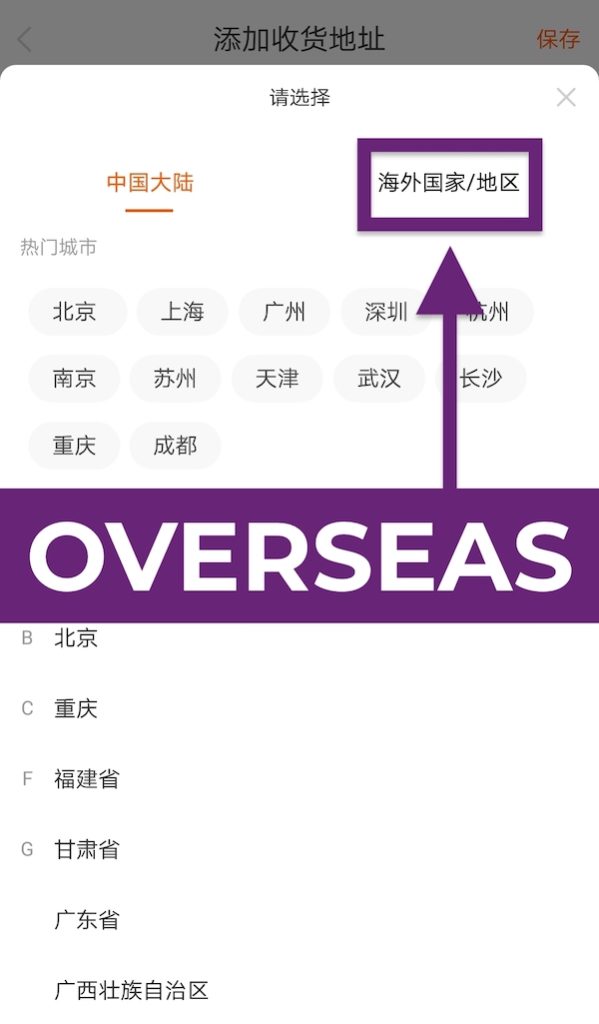
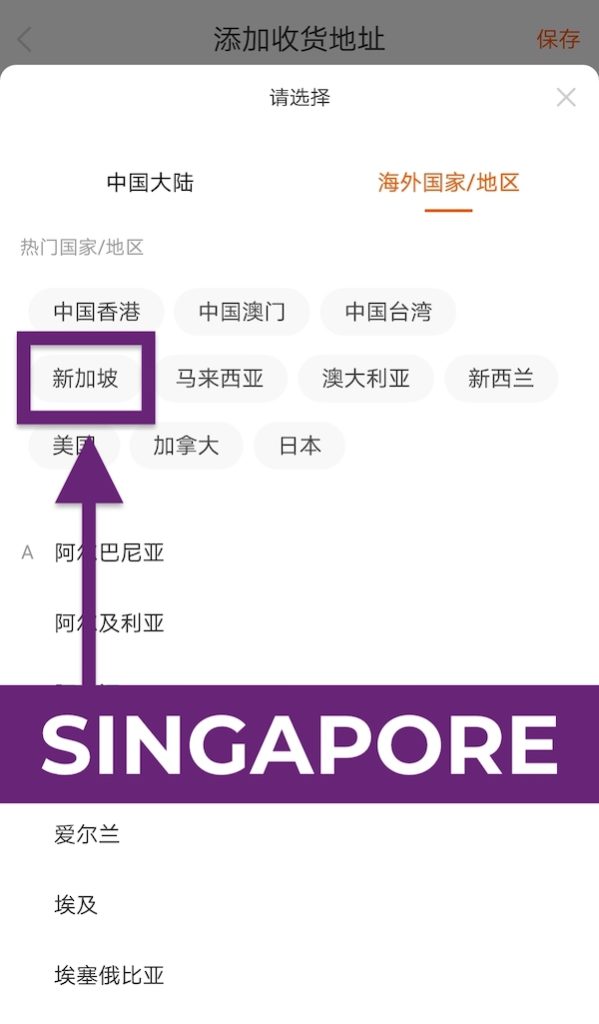
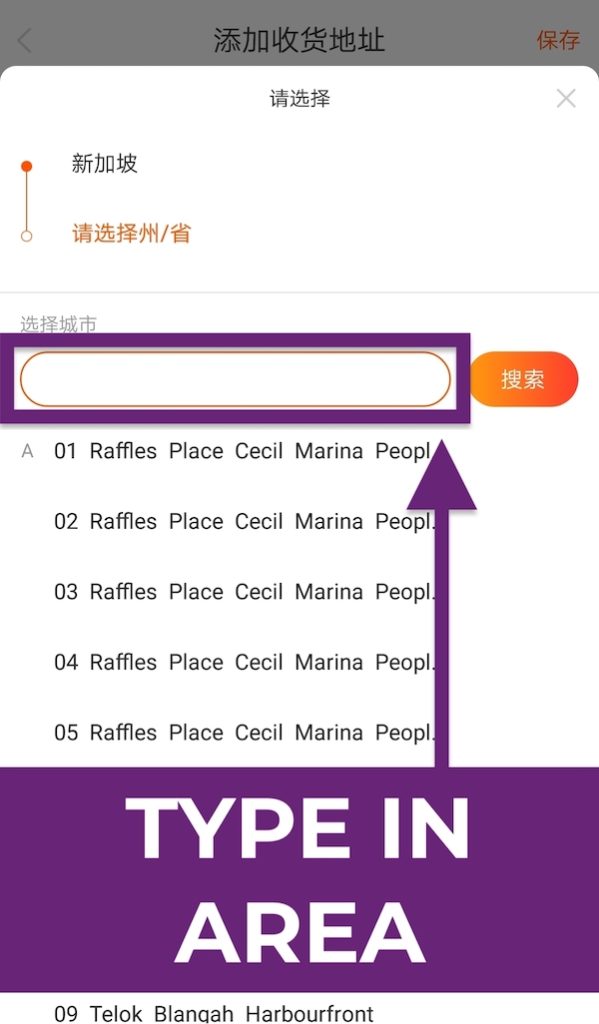
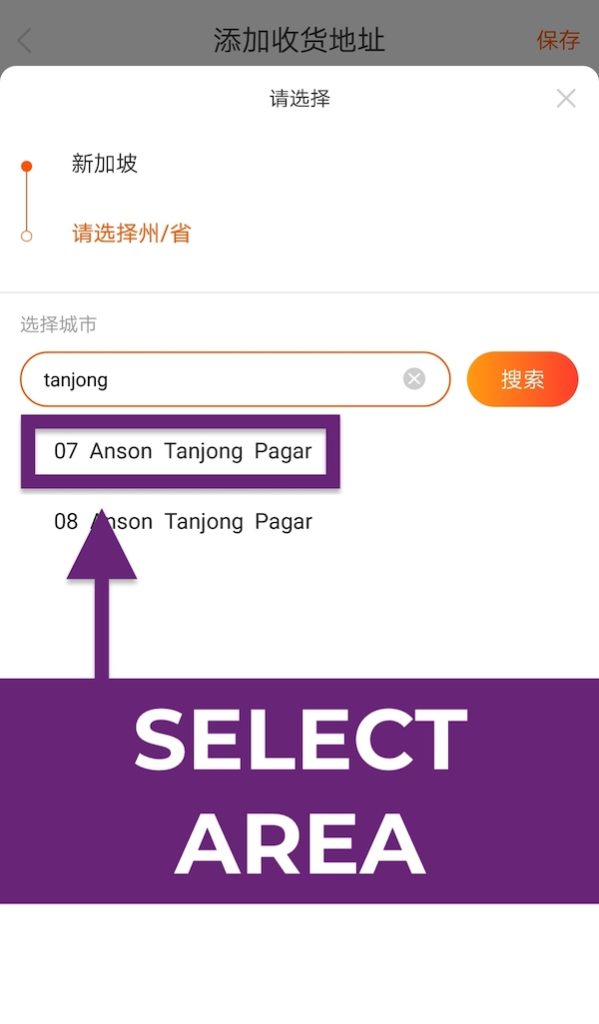
Once you’ve selected Singapore, you’ll also be prompted to key in the generic area of your delivery address. Note that this may not be the most accurate, but Taobao still requires you to select an area. My advice? Select the area that’s closest to your delivery address.
For example, if I stay in Tanjong Pagar, I’ll key in “tanjong” and select either “07 Anson Tanjong Pagar” or “08 Anson Tanjong Pagar”. This selection will then be reflected in your Taobao delivery address form. Fill up the remaining fields accordingly, especially your specific delivery address!
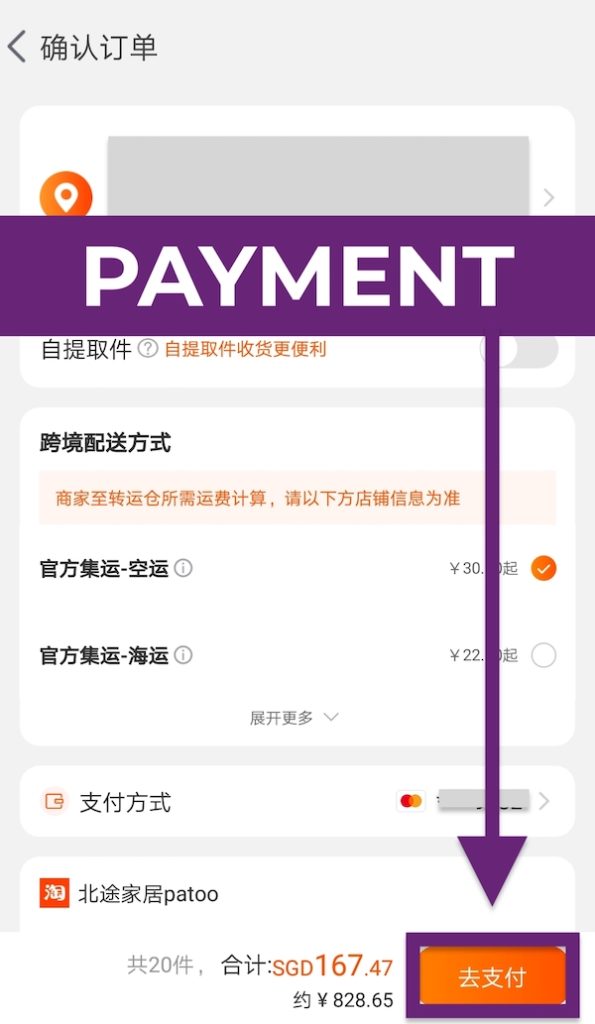
After filling your delivery address, you’ll be brought to the summary checkout page. Make sure you select “官方集运 – 空运” (Consolidated Air Freight). Tap on “去支付” (Payment) to process the payment for your order.
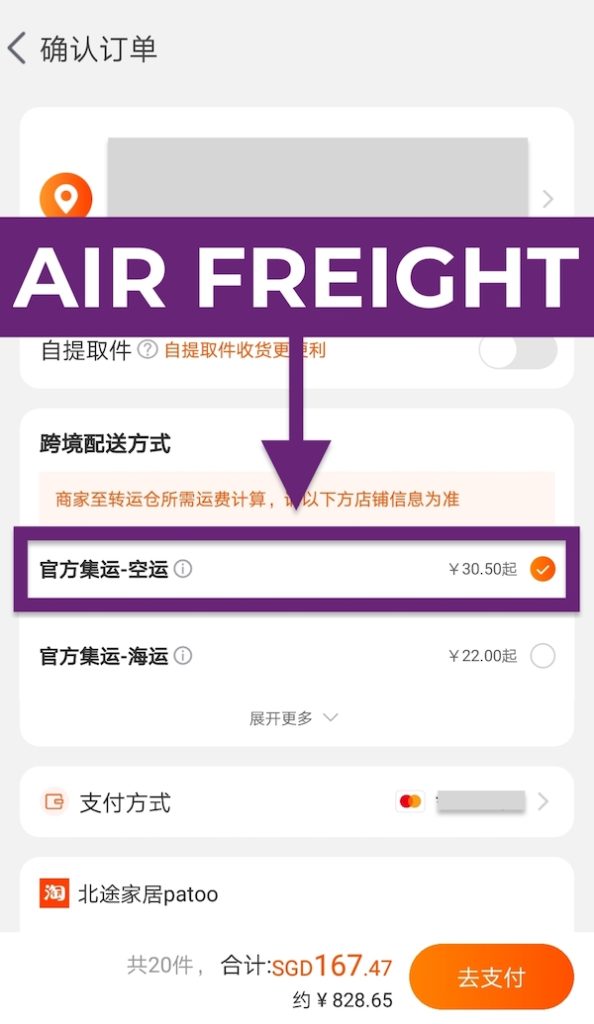
Pro tip: Some products are not allowed on air freights, hence “官方集运 – 海运” (Consolidated Sea Freight) will be selected by default. When you try to select “官方集运 – 空运” (Consolidated Air Freight) instead, you’ll notice that your cart value will drop – that’s because those prohibited items will not go through payment. When that happens, you can pay in two separate batches: (1) Pay for those items that qualify for Consolidated Air Freight first and (2) come back again to pay for items that require Consolidated Sea Freight.
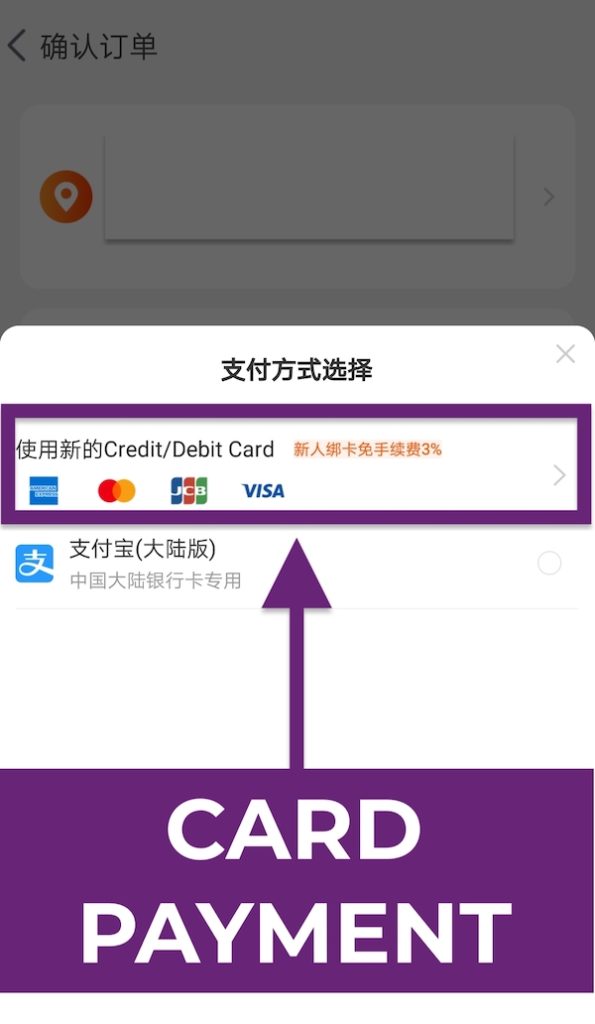
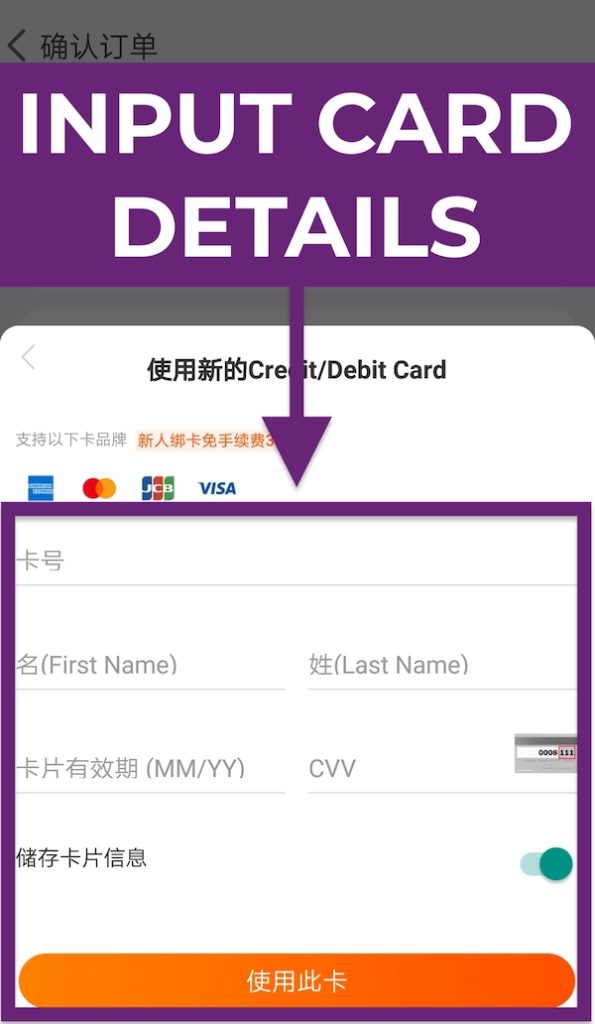
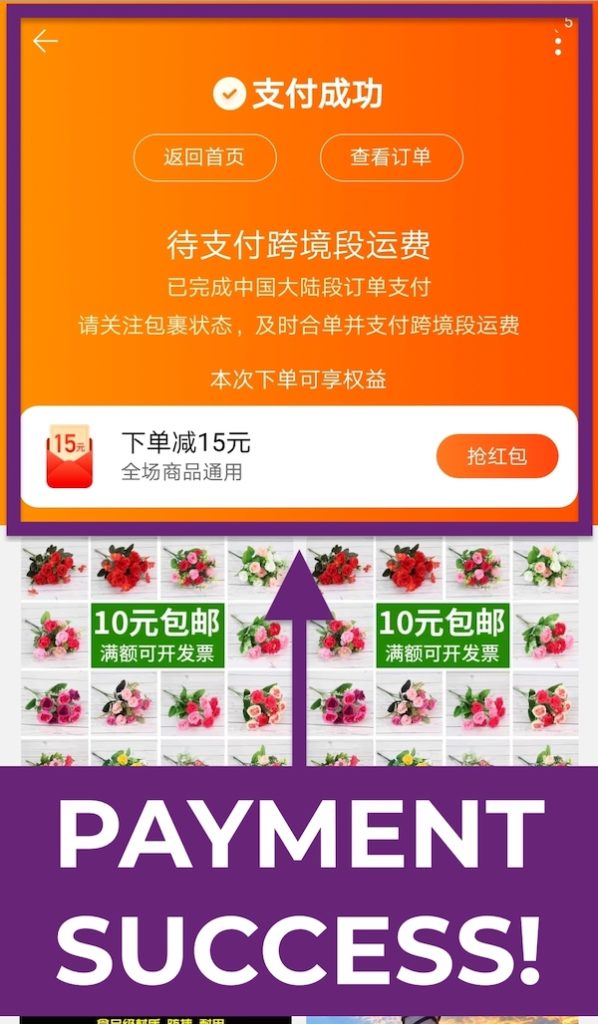
Select the Card Payment option and fill in your card details accordingly to confirm.
Is Taobao Cheaper If I Pay in Chinese Yuan (CNY) with YouTrip?
Yes, you can save some money when you pay in CNY with YouTrip!
However, most Taobao mobile apps will automatically charge in your home currency, according to your mobile number. To counter this, simply login to your Taobao account on desktop to pay instead, because payments on desktop will be charged in CNY.
👉 Learn how to pay in CNY with your YouTrip card on Taobao Desktop
Bonus: Taobao Shopping Keywords
To enhance your shopping experience, here’s a list of common keywords to help you search for the items you want! Click here for the full list of keywords and categories.
| Taobao Keywords (English) | Taobao Keywords (Mandarin) |
| Shirt | 上衣 |
| Shorts | 短裤 |
| Pants (knee length / calf length / ankle length) | 长裤 (五分长 / 七分长 / 九分长) |
| Skirt | 裙子 |
| Dress | 连衣裙 |
| Heels | 高跟鞋 |
| Sneakers / White Sneakers | 球鞋 / 小白鞋 |
| Sports shoes | 运动鞋 |
| Active wear | 运动服 |
| Off shoulder | 一字领 |
| Korean style | 韩版 / 韩风 |
| Slimming effect | 显瘦 |
| Minimalist | 简约 |
Master the Taobao guides to open up a whole new world of unbeatable bargains!
The Complete Consolidated Taobao to Singapore Guide:
Step-by-Step Shopping Guides
• How to Buy From Taobao: 2021 Step-by-Step Shopping Guide
• How to Refund on Taobao: 2021 Step-by-Step Refund Guide
• How to Navigate Taobao: 2021 Keywords Search Guide
• How to Image Search on Taobao and Find Products
• 4 Key Taobao Shopping Festivals To Look Out For
• #YouTripHauls: Taobao Product Recommendations (Taobao Singapore)
• My Experience Buying From Muji’s Official Store On Taobao
• ShopBack Taobao: How to Earn Taobao Cashback on Purchases
Step-by-Step Shipping Guides:
• How to Use Taobao Free Shipping Zone
• How to Ship From Taobao: 2021 Step-by-Step Shipping Guide (Updated!)
• How to Ship Bulky Items From Taobao: China CBM Shipping Guide 2021 (Updated!)
• Taobao Shipping: Taobao Direct vs ezbuy vs ezShip
• Best China Freight Forwarders Singapore 2021 (Agent Comparison)
Join YouTrip Taobao Alley on Telegram for more tips and guides like this.
Did we miss out any Taobao tips and tricks? Let us know in the comments below or buzz us at content@you.co!
If you still haven’t gotten your YouTrip card yet, don’t miss out. Use promo code <TAOBAO5> to sign up and get up to S$5 off your next Taobao purchase with YouTrip!
For more great tips and guides like this, join our Telegram (@YouTripSG) and subscribe to our free weekly newsletter here or down below!
Related Articles
Taobao Shopping: Taobao vs ezbuy Price & Shipping Cost
Muji Singapore vs Muji Taobao: Which is Cheaper?
Aesthetic Room Ideas & Decors Under $10