


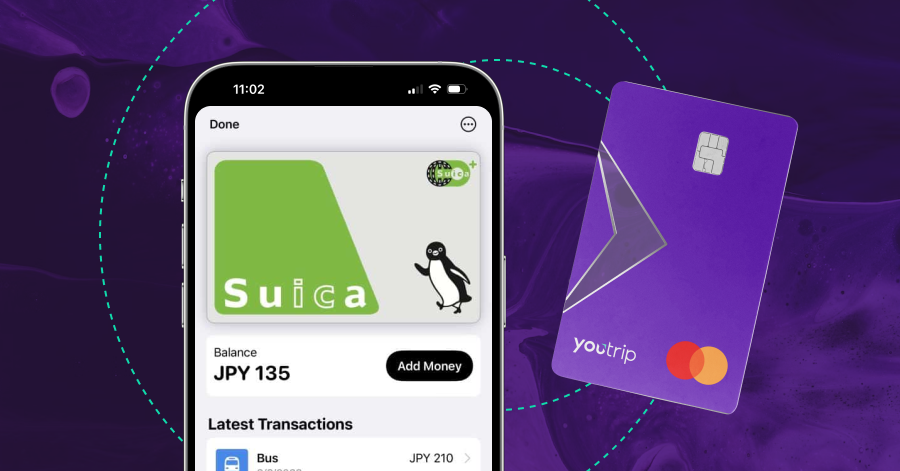

Heading to Japan and wondering how to pay for trains, buses, and vending machines? The Suica card is your best friend, and the virtual version is even better.
Skip the ticket queues, tap straight through the gates, and pay for onigiri and hot vending-machine coffee with the same card. Top it up instantly with your YouTrip card via Apple Pay. Here’s your guide to using the Suica card in Japan in 2026.
⚠️ What’s changed since 2025: the Suica shortage is over. JR East resumed selling unregistered Suica cards on 1 March 2025, so physical cards are back on sale at station machines. You’ve now got four routes to a Suica, and unfortunately, the most convenient route depends on whether you’re carrying an iPhone.
💜 Stay Up To Date:
– Things to Do in Kamakura: Best Day Trip From Tokyo
– Universal Studios Japan (USJ) Guide: Tickets, Rides & Express Passes
– 15 Best Things to Do in Shirakawago
📌 Table of Contents: Suica Japan Guide (2026)
- What’s New for Suica in 2026
- What is a Suica Card in Japan?
- How to Get a Virtual Suica Card on Apple Wallet
- How To Top Up Your Suica Card with YouTrip
- Suica Hack: Express Mode
- Suica Card Alternatives for Android Users
- Suica Card Price
- Can I Use the Suica Card Outside Tokyo?
- Suica Card Japan: Key Tips For Tourists
- FAQ: Suica Card Japan
What’s New for Suica in 2026
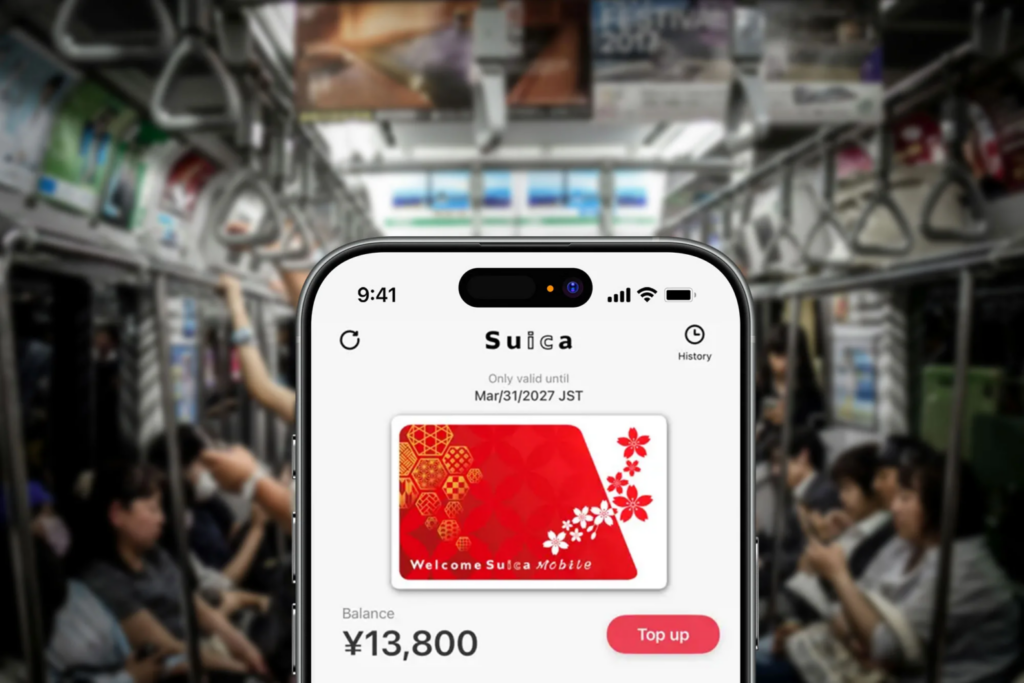
Image Credits: ps.travelshots
Three things have shifted since this guide first went up:
1. The card shortage is over. JR East and PASMO suspended sales of unregistered cards in June 2023 during the global chip shortage. Personalised cards came back in September 2024, and unregistered Suica and PASMO returned on 1 March 2025. If a guide still tells you physical Suica cards are impossible to find, it’s out of date.
2. Welcome Suica Mobile launched in March 2025. It’s JR East’s own tourist app, and it’s iPhone-only. You get 180 days of validity instead of the paper card’s 28, no deposit, and an English interface that doesn’t need a Japanese Apple ID. It also runs Touch de Go! Shinkansen, which lets you tap onto non-reserved Shinkansen seats on JR East lines without a paper ticket.
3. A much bigger change lands this autumn. JR East is adding a QR payment layer called teppay to the Mobile Suica app in autumn 2026, with Mobile PASMO following around spring 2027. It carries a separate wallet capped at 300,000 JPY (~S$2,390), well above the 20,000 JPY (~S$160) ceiling on the tap-to-ride balance.
👉 Bottom line for visitors: teppay is built for people living in Japan. Topping it up leans on a Japanese bank account or a VIEW card, so it’s unlikely to be much use on a two-week holiday. Worth knowing about, but not worth waiting for.
Related Guide: Read all about the Welcome Suica Mobile App here.
What is a Suica Card in Japan?
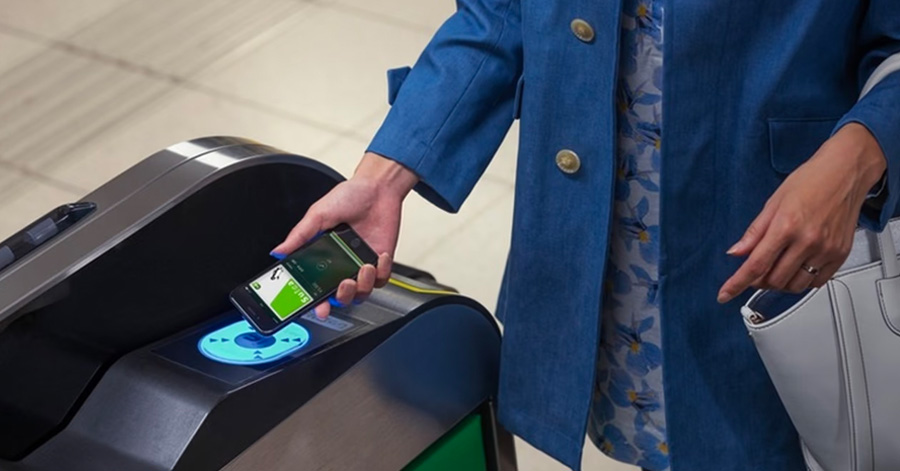
Image Credits: Gizmodo
The Suica card is a rechargeable contactless smart card used for public transport and cashless payments across Japan. It’s issued by JR East, and it works on trains, buses, vending machines, convenience stores, and plenty of restaurants.
Think of it as an EZ-Link card that you can also use to buy food. You tap in at the gate, tap out at the other end, and the fare comes off the stored balance. No squinting at a fare chart, no queuing for a paper ticket.
The useful part for tourists is that Suica isn’t locked to JR East’s own network. 10 major IC cards, including PASMO, ICOCA, TOICA and Kitaca, were made mutually compatible back in 2013. One Suica covers subways, private railways, buses and shops in most cities you’re likely to visit.
There’s one hard limit worth knowing up front: a Suica holds a maximum of 20,000 JPY (~S$160). That’s the ceiling, not a daily cap, so on a longer trip you’ll top up more than once.
How to Get a Virtual Suica Card on Apple Wallet
Apple users have the easiest route by a distance. You can set up a virtual Suica on your iPhone in minutes, before you’ve even left Singapore, and top it up with your YouTrip card for competitive JPY rates.
- Open your Wallet app and tap the ‘+’ icon in the top right corner
- Select ‘Travel Card’ and search ‘Suica’
- Tap ‘Continue’ and pick your starting amount, usually 1,000 / 2,000 / 3,000 / 5,000 / 10,000 JPY
- Read through the T&Cs and select ‘Agree’
- Double-click the side button to pay and load your balance
Tip: Pay with your YouTrip card via Apple Pay for competitive JPY rates with zero FX fees.
- That’s it, your virtual Suica is ready to use in Japan!
No deposit, no queue at the airport counter, and nothing to hand back when you leave. You can add PASMO and ICOCA the same way, but all three do the same job, so one is plenty.
💡 Pro tip: set it up before you fly, not in the arrivals hall. Adding a card needs data, and the moment you land is the worst possible time to find out your eSIM hasn’t kicked in.
Which card you top up with decides whether your Suica works at all.
Foreign Visa cards are unreliable for Suica top-ups in Apple Wallet. The block sits at the network level. Some overseas Visa cards have started going through on newer iOS versions, but it varies by issuer, and it fails often enough to ruin a morning. Mastercard and American Express go through consistently.
⚠️ If your top-up keeps getting declined, it’s the card, not the phone. That’s the most common reason a Suica refuses to load. Swap to a Mastercard or Amex in Apple Pay and try again. If it still won’t go through, top up with cash at any station ticket machine or convenience store till.
How To Top Up Your Suica Card with YouTrip
Follow us @YouTripSG on TikTok for more content like this!
YouTrip is a Mastercard, which is why it works here. Setting it up takes about a minute:
- Add your YouTrip Mastercard to Apple Pay
- Top up your Suica directly in the Wallet app
- Pay in JPY with no foreign transaction fees, at wholesale rates (the rates banks use when trading with each other)
Checking what’s left takes two seconds. Open the Wallet app and your balance sits on the front of the Suica card, with your recent taps underneath. On a physical card, the gate display shows the remaining balance each time you tap out, and any ticket machine or convenience store till will show it too.
Because the balance caps at 20,000 JPY (~S$160), you’ll be topping up every few days on a normal Tokyo itinerary. That’s exactly the pattern where a card with no FX fee quietly pulls ahead. Every top-up is a fresh currency conversion, so a card charging 3% costs you on each one.
So how much should you actually load? Most single rides in central Tokyo run about 160 to 320 JPY (~S$1.30 to S$2.60), and a normal sightseeing day is four to six of them. Call it 1,000 to 1,800 JPY (~S$8 to S$14) of travel a day, then add whatever you’ll spend at convenience stores.
Around 3,000 JPY (~S$24) at a time covers a full day comfortably. No need to max the card out on day one when topping up in the Wallet app takes seconds.
⚠️ Note: JR East raised fares in March 2026, its first increase in 39 years, by roughly 7.1% on average. The Yamanote minimum went from 150 to 160 JPY, and Tokyo Station to Shibuya jumped from 210 to 260 JPY (~S$2.10). Older guides will under-quote you.
💡 Pro tip: lock in your JPY inside the YouTrip app before you top up. JPY is one of the 12 currencies you can hold, so you can convert when the rate looks good and spend from that balance later.
Related Guide: From SGD To Yen, find out how to capitalise on the Japanese Yen now!
Suica Hack: How To Activate ‘Express Mode’ In Your Apple Wallet
💡 Pro tip: Express Mode lets you tap through gates without Face ID, Touch ID, or a passcode. Japanese ticket gates move fast, and the queue behind you moves faster.
Apple switches this on automatically for your first transit card, so it’s usually already running. Worth checking before you fly rather than at the gate:
- Open the Wallet app and select the virtual Suica card you just added
- Tap ‘More’, then ‘Card details’, then ‘Express Travel Settings’
- Turn on Express Travel Mode for your Suica card
- You’re now ready to enter Japan’s train stations in a single tap
Express Mode also survives a flat battery, which is the detail that saves you at the end of a long day. On iPhone XS and later, power reserve keeps the card tapping for up to five hours after iOS shuts down.
⚠️ Note: it won’t work if you power the phone off yourself, or if the battery drains completely. You also can’t top up or check your balance in that state, only tap.
Related Guide: Running out of cash? Read this Japan ATM Withdrawal Guide: Fees, Locations, Exchange Rates.
Suica Card Alternatives for Android Users
Android is where this gets tricky.
Mobile Suica on Android runs on Osaifu-Keitai, a Japanese mobile wallet standard built on FeliCa hardware. Phones sold in the Japanese market have it. Phones sold in Singapore almost never do, and the standard NFC in your Galaxy or Pixel is a different system entirely.
Google Wallet doesn’t get you around this. It does carry Suica, but only on a handset with that FeliCa hardware, so a Singapore-bought Galaxy or Pixel won’t even show the option. As of 2026, that’s unchanged.
So if you’re on Android, get a physical card. You’ve got two options:
- Regular Suica. Back on general sale since March 2025. Buy it from the green-screen ticket machines at any major JR East station. Valid for 10 years, and the deposit is refundable.
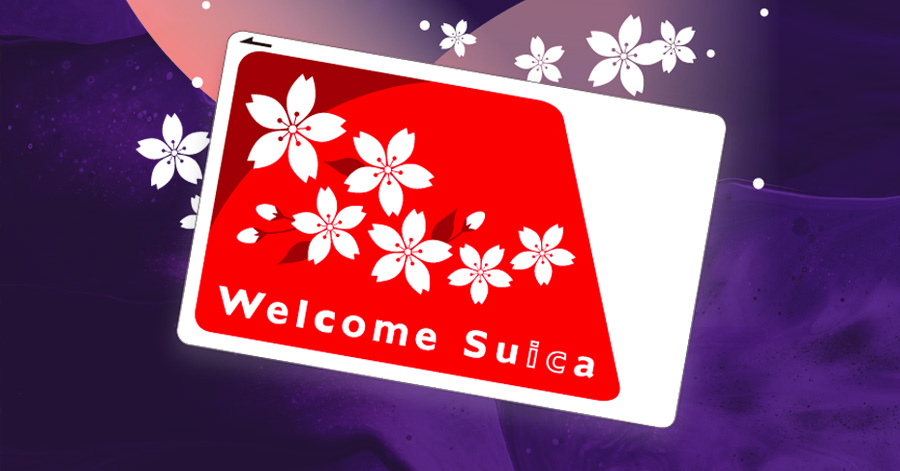
- Welcome Suica. A prepaid IC card made specifically for tourists. No deposit, valid for 28 days, and the remaining balance is not refundable at any point. You’ll get a paper slip showing the expiry date, because it isn’t printed on the card itself. Keep it, since JR staff may ask.
📍 Where to buy the Welcome Suica:
- JR East Travel Service Centres at Narita Terminal 1, Narita Terminal 2·3, and Haneda Terminal 3
- The dedicated Welcome Suica vending machines at those same stations
- JAPAN RAIL CAFÉ at Tokyo Station
- TAKANAWA GATEWAY Travel Service Centre (cashless payment only)
Limited to one card per person.
⚖️ Which to pick: if you’re in Japan for more than four weeks, or you’d like your leftover balance back, take the regular Suica. The Welcome Suica only wins if you’re landing at Narita or Haneda and want to skip the ticket machine entirely.
Suica Card Japan Guide: Sorting out your devices before you fly? Read our Japan Power Plug & Socket Guide.
Suica Card Price (2026)
| Suica Type | Cost | Validity | Top-Up Option |
|---|---|---|---|
| Virtual Suica (Apple Wallet) | Free | No fixed expiry | Apple Pay (Mastercard or Amex) |
| Welcome Suica Mobile | Free | 180 days | Apple Pay (foreign cards accepted) |
| Welcome Suica (physical) | Free | 28 days | Cash at stations |
| Physical Suica | 500 JPY (~S$4) deposit | 10 years | Cash at machines and kiosks |
Note:
- Buying a physical Suica costs more than the deposit. Machines sell them in set amounts from 1,000 JPY (~S$8) up to 10,000 JPY (~S$80), and the 500 JPY (~S$4) deposit comes out of that. Pay 2,000 JPY (~S$16), and you’ll have 1,500 JPY (~S$12) of actual credit.
- Getting the deposit back costs you too. Return a physical Suica at a JR East counter, and you’ll get the 500 JPY deposit plus your remaining balance, minus a 220 JPY (~S$1.75) handling fee. If your balance is under 220 JPY, the fee is waived, and you just get the deposit. Cards can only be refunded by the company that issued them, so a Suica bought in Tokyo can’t be returned in Osaka.
Tip: Spending the balance down at a convenience store on your last morning is faster than queuing at a counter, and the card keeps for 10 years if you’re coming back.
Can I Use the Suica Card Outside Tokyo?
Mostly, yes. Your Suica works for tapping in and out in Tokyo, Osaka, Kyoto, Nagoya, Sapporo, Fukuoka, and most other major cities, thanks to that 2013 interoperability agreement. It also works in shops nationwide wherever you see the IC logo.
The catch is that you can’t ride between separate IC card areas in one journey. Each region runs its own fare zone. Tap in at a Tokyo station and try to tap out somewhere in a different zone, and the system has no way to calculate your fare. You’ll be sent to a staffed window to settle it manually.
Tip: Use Suica freely within Tokyo, then freely within Osaka. Don’t try to tap your way from one to the other. Long-distance legs between cities need a Shinkansen ticket or a rail pass, which is a separate purchase.
⚖️ Suica or JR Pass? The JR Pass covers your long-distance intercity travel; Suica covers the subway rides, buses and convenience-store runs at either end. Most travellers end up carrying both.
⚠️ Note: JR East plans to merge its own regional zones into one area around spring 2027, covering Tokyo, Nagano, Sendai, Niigata, Morioka, Aomori and Akita. That won’t help for journeys crossing into another operator’s territory, like Nagoya.
Related Guide: Planning to travel from Tokyo to Osaka? Here’s our shinkansen guide on how to get started.
Suica Card Japan: Key Tips For Tourists
- Use a virtual Suica in Apple Wallet if you’re on iPhone, and set it up before you fly
- Top up with a Mastercard, since foreign Visa cards often get rejected
- Turn on Express Mode, so you’re not unlocking your phone at every gate
- Take note of the 20,000 JPY (~S$160) ceiling and top up before a long travel day
- Go physical if you’re on Android, and pick regular Suica over Welcome Suica for trips past four weeks
- Use your Suica at convenience stores, cafés, coin lockers and vending machines, not just on trains
- Keep some cash anyway, because smaller restaurants and rural stations still run cash-only
Related Guide: Here are 35 Best Things To Do In Tokyo: local picks and the big-name sights.
FAQ: Suica Card Japan
Yes. It covers nearly all public transport, it’s faster than buying single tickets, and it’s accepted at convenience stores and vending machines nationwide. For a first trip to Japan, it’s the single most useful thing to set up before you land.
No. JR East resumed selling unregistered Suica cards on 1 March 2025, and they’re available again from ticket machines at major JR East stations.
Only if your Android device supports Osaifu-Keitai, which in practice means a phone bought in Japan. Most overseas Android phones lack the hardware, so buy a physical card instead.
In Apple Wallet, yes, if it’s a Mastercard or American Express. Foreign Visa cards are frequently declined for Suica top-ups. YouTrip is a Mastercard, so it works.
In Apple Wallet, open the app and the balance is on the front of the card, with your recent taps below it. On a physical card, the gate display shows it each time you tap out, and you can check at any ticket machine or convenience store till.
Usually it’s the payment card. Foreign Visa cards are often declined for Suica top-ups in Apple Wallet. Switch to a Mastercard or Amex, or top up with cash at a station machine.
Only on a phone with Osaifu-Keitai (FeliCa) hardware, which in practice means an Android bought in Japan. A Singapore-bought Galaxy or Pixel won’t offer it.
The main Mobile Suica app is aimed at residents and lives on the Japanese App Store. Tourists have two better options: adding Suica straight to Apple Wallet, or downloading the Welcome Suica Mobile app, which is in English and takes foreign cards.
The maximum balance is 20,000 JPY (~S$160) across all card types.
Not a physical one. No retailer here sells them, and JR East doesn’t ship overseas. If you’re on iPhone, adding a virtual Suica to Apple Wallet before you fly does exactly the same job. On Android, buy on arrival, or use one of the online pre-order services that let you collect a card at Haneda or Narita.
Around 3,000 JPY (~S$24) at a time covers a normal day of travel plus convenience store stops. The card caps at 20,000 JPY (~S$160), but there’s no reason to go near that when a top-up takes seconds.
Regular Suica from ticket machines at major JR East stations. Welcome Suica from JR East Travel Service Centres and dedicated machines at Narita and Haneda. Or skip both and add one to Apple Wallet before you fly.
Yes, if you’re on iPhone. Add it to Apple Wallet or use the Welcome Suica Mobile app, both before arriving in Japan.
A prepaid IC card for tourists with no deposit, valid 28 days, sold only at select JR East locations. The remaining balance isn’t refundable when it expires.
A physical Suica goes dormant only if it sits unused for 10 years, and any single use resets that clock. A virtual Suica in Apple Wallet has no fixed expiry. Welcome Suica expires after 28 days, and Welcome Suica Mobile after 180 days.
Yes, for travel and shopping within Osaka. What you can’t do is tap in at Tokyo and tap out in Osaka on one journey, because they sit in different IC fare zones.
Virtual Suica in Apple Wallet is free. Welcome Suica is free; you just load a balance. A physical Suica carries a 500 JPY (~S$4) refundable deposit.
Get The Best JPY Rates With YouTrip!

And there you have it, a seamless way of travelling through the Land of the Rising Sun with the best JPY rates all day.
Not a YouTrooper yet? Singapore’s go-to multi-currency wallet helps you save with great FX rates and zero fees. Skip the money changer and get a free YouTrip card + S$5 YouTrip credits with code YTBLOG5.
Then, head over to our YouTrip Perks page for exclusive offers and promotions, we promise you won’t regret it. Join our Telegram (@YouTripSG) and Community Group (@YouTripSquad) for travel tips, event invites, and more!
Happy travels!
Related Japan Travel Guides
Best Time To Visit Japan: Your Ultimate Guide
What to Buy in Japan: The Singapore Traveller’s Shopping Guide
teamLab Tokyo: Planets vs Borderless, Tickets & Tips