



Heading to China? Here’s a step-by-step guide on how to add your YouTrip card to WeChat Pay.
[UPDATE | 18 Sep 2026] The issue affecting YouTrip card linking on WeChat Pay has been resolved. You can now link your YouTrip card to WeChat Pay and use it as per usual.
Until recently, China didn’t accept foreign debit or credit cards, including PayPal, Apple Pay, and Google Pay. Add in the fact that China is now largely cashless, paying as a tourist could feel… complicated. But that’s changed.
Since July 2023, foreign visitors can link international cards to WeChat Pay — making everyday payments in China accessible for travellers. In this complete WeChat Pay for Foreigners guide, we’ll show you exactly how to use WeChat Pay as a foreigner.
Read on to explore WeChat Pay’s key features, fees, and benefits, plus a simple walkthrough on adding your YouTrip card — even without a Chinese bank account. You’re just one setup away from smooth payments and competitive CNY exchange rates across China.
💜 Stay Up To Date:
– Singapore Public Holiday: Complete Guide to Maximising Your Annual Leave
– Money Changer Near Me: 14 Best Money Changers In Singapore
– 15 Best Things to Do in Suzhou
⚡️ TL;DR: WeChat Pay at a Glance
| Topic | Key Details |
|---|---|
| What is WeChat Pay? | Digital wallet integrated into the WeChat messaging app for cashless payments across China |
| Can Foreigners Use WeChat Pay? | Yes! Foreign visitors can link international cards to WeChat Pay (available since July 2023) |
| Best Card to Link | YouTrip card for competitive CNY exchange rates with zero fees in 150+ countries |
| Setup Requirements | • Download WeChat app • Create/login to account • Verify passport details • Link foreign debit/credit card |
| WeChat Pay Transaction Fees | • FREE at/below 200 CNY (~S$38) • 3% above 200 CNY • New users: 3% waived under 1,000 CNY (~S$190) for first 60 days |
| WeChat Pay Spending Limits | • Per transaction: 6,500 CNY (~S$1,233) • Monthly: 50,000 CNY (~S$9,488) • Annual: 60,000–65,000 CNY (~S$11,385–S$12,334) |
| Payment Methods | • Scan merchant QR codes • Show your QR code to merchants • Use for metro/bus via mini-program |
| WeChat Pay Features | Money transfers, food delivery, transport, bill payments, hotel bookings, shopping, and more |
Information stated is accurate as of 16 June 2026
📚 Table of Contents: WeChat Pay For Foreigners
- What is WeChat Pay?
- Can Foreigners Use WeChat Pay?
- How to Set Up WeChat Pay
- Step-By-Step Guide: How to Link Your Foreign Card
- How to Make In-Store Payments
- Using WeChat Pay for Public Transport
- Is WeChat Safe?
- Can I Delete My WeChat Account After Leaving China?
- WeChat Pay FAQs: Fees and Things to Note
What is WeChat Pay?
WeChat Pay is a popular digital wallet service integrated into the popular all-in-one Chinese messaging app WeChat. It lets users make quick, cashless payments straight from their smartphones — whether they’re shopping online, paying in-store, or settling everyday expenses on the go.
Image credits: Ecommerce Strategy China
Here’s a list of services WeChat Pay provides:
- Money transfers
- Bank-to-bank card transfers
- Ordering food delivery and restaurant payments
- Transport payments
- Bill-sharing and splitting
- Payment of utility and credit card bills
- Share Bike Hiring (Scan and Go)
- Grocery shopping, general shopping, and online retail
- Food purchases and restaurant bills
- Event ticket purchases
- Selling your products and services
- Buying and selling second-hand goods
- Flash sales
- Insurance services
- Housing and accommodation payments
- Hotel bookings
- Taxi hailing
- Rail and flight bookings
📖 Related Guide: Alipay For Foreigners: How To Use Alipay In China
Can Foreigners Use WeChat Pay?
Yes — foreigners who aren’t Chinese citizens or permanent residents can use WeChat Pay. If you’re a Singaporean travelling to China, you can set it up before you go, as WeChat Pay is available in Singapore.
To make payments in China without a Chinese bank account, simply download the WeChat app and link your YouTrip card. You’ll be able to pay seamlessly and enjoy competitive CNY exchange rates throughout your trip (we’ll show you how below 👇).
❗️ Note: Not all merchants accept WeChat Pay. Look out for the WeChat Pay logo in-store or at checkout, or check with the merchant before paying!
📖 Related Guide: What To Do In Guangzhou: Ultimate Travel Guide
How to Set Up WeChat Pay
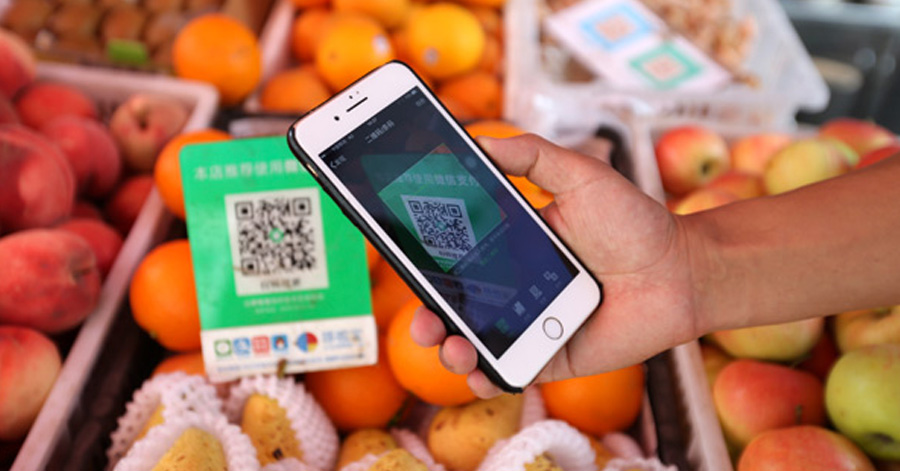
Image credits: China Daily
- Download the WeChat App on your phone via the App Store or Google Play
- Launch the app > tap ‘Sign Up’.
- Fill in your personal details > tap ‘Sign Up’.
- Follow the on-screen instructions until your account is successfully created.
❗ Signing Up or Logging Into an Old WeChat Account
If you’ve previously downloaded WeChat on another device and registered using your mobile number, WeChat can be a little… protective. When logging in on a new device with the same number, you’ll need to do one of the following:
- Use your original device to scan the QR code shown on the new device, or
- Ask a friend who’s already on WeChat to verify your identity by sending the verification numbers displayed in the app
If you’re unable to follow through with the above, opt to sign up for a new WeChat account using your Facebook or Apple ID instead.
📖 Related Guide: 10 Best Things To Do In Beijing
Step-By-Step Guide: How to Link Your Foreign Card to WeChat Pay
Tip: Link your YouTrip card for the best CNY rates
YouTrip is a multi-currency travel wallet that lets you pay in over 150+ countries (including China!) with zero fees. Making payments in China? All you have to do is top up your YouTrip wallet in SGD within the app.
Once your YouTrip card is linked to WeChat Pay, our SmartExchange™ technology will automatically convert SGD to CNY at the point of payment — giving you the best Chinese Yuan rates.
Ready to set it up? Here’s a step-by-step guide to adding your YouTrip card to WeChat Pay.
How to link your YouTrip Card to WeChat Pay:
- Sign up for a YouTrip account and complete the verification process
Sign up with code <YTBLOG5> for FREE S$5!
- Top up your YouTrip wallet
Via PayNow, a linked bank account (eGIRO), or with a debit/credit card
- Once your YouTrip account is funded (in SGD), open the WeChat app and navigate to the ‘Me’ tab.
- Select ‘General’ > ‘Tools’ > ‘Weixin Pay’ > ‘Enable’ > You’ll receive a Weixin Pay notification
- Tap ‘Activate Weixin Pay’ and verify your full details
Including your passport details and an image of your passport
- Head to ‘Me’ once again.
This time you should be able to see ‘Services’ that was not in your WeChat app previously — tap on it.
- Tap ‘Wallet’ > ‘Cards’ > ‘Add a card’ > Enter your payment password (you would’ve already set this up under the verification process)
- Enter your YouTrip card details, including the card number, expiry date, and CVV.
After entering your card details, the system should automatically select ‘MASTERCARD’ under Card Type
- Follow the prompts to verify your card
This may involve receiving a one-time password (OTP) via SMS or email.
- Once your YouTrip card is successfully added to WeChat Pay, you can start using it for seamless payments and transactions throughout China! 🎉
Information stated is accurate as of 16 June 2026
📖 Related Guide: Ultimate Shenzhen Travel Guide: Things to Do, Itineraries & Tips
How to Make In-Store Payments with WeChat Pay in China
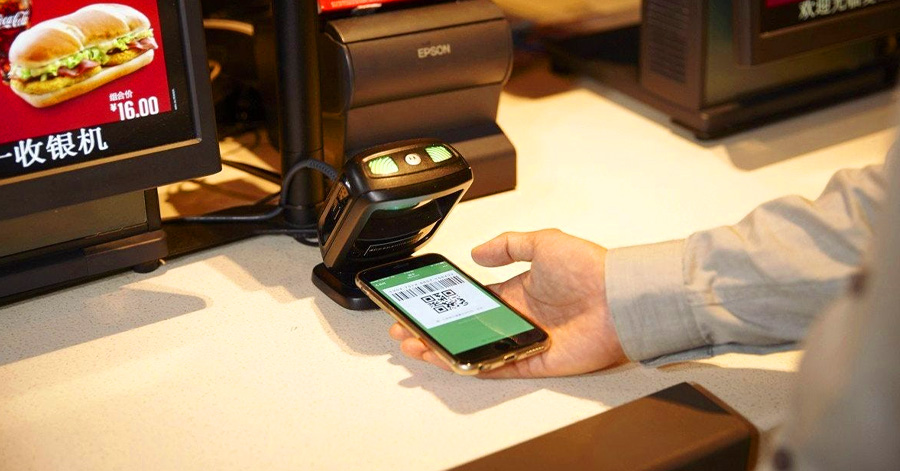
Image credits: Medium
Using WeChat Pay to make payments is a straightforward process. Once you’ve linked your bank card to your WeChat Pay account, you can proceed to make payments in two ways.
Here are two ways you can pay with WeChat Pay in China:
1. Scan the QR code provided by the merchant or by entering their WeChat ID
- Click on the ‘+’ sign on the WeChat homepage
- Select ‘Scan’ to scan the QR code
- Enter the amount you’d like to transfer
- Confirm the transaction with your payment password
- Upon successful completion, you’ll receive a notification confirming the transaction.
2. Utilise Quick Pay and have your QR code ready for the vendor to scan
- Click on ‘Me’ > ‘Services’
- Click on ‘Money’ at the top left-hand corner of the screen
- Display your QR code to the vendor for scanning
💡 WeChat Pay also supports online payments within the app and through integrated mini-programs.
📖 Related Guide: China Power Plug & Socket Guide: Types, Voltage, Adapters & Tips
How to Use WeChat Pay to Pay for Public Transport in China?
WeChat users can use the WeChat app to pay for metro and bus rides. But first, you’ll need to activate a mini-program. Note: This QR code is different from the one used for regular point-of-sale payments!
How to set it up:
- Open WeChat > ‘Me’ > ‘Pay and Services’
- Under Travel & Transportation, select ‘Travel Service’
- Click ‘公交地铁’ to activate the QR code > agree to the T&Cs > ‘Activate now’
- Choose your preferred deduction method > tap ‘Enable’ and ‘Agree’ to authorise automatic deduction of funds
- Enter your WeChat payment password > hit ‘Enable’
- There you have it! A new QR code will be generated every time you pay for public transportation in China.
💡 Tip: If you’re unable to locate the mini-program as mentioned above, search for “Chengchema (乘车码)” in the “Search” section of WeChat and activate accordingly.
Information stated is accurate as of 16 June 2026
📖 Related Guide: 20 Best Things To Do In Chengdu, China
Is WeChat Safe?
WeChat uses multiple security measures, including encryption and established security protocols, to protect user data and transactions. According to WeChat’s official statements and privacy policies, user privacy and data protection remain a key priority across the platform.
📖 Related Guide: 15 Best Things to Do in Chongqing: Top Attractions, Night Views, Food & Day Trips
Can I Delete My WeChat Account After Leaving China?
Yes, you can delete your WeChat account after leaving China. Just note that once it’s deleted, all account data will be permanently lost. This includes your chat history, contacts, and any linked services or payment information.
If you think you might use WeChat again in the future, you’ll need to set up a brand-new account.
❗️ Before deleting anything, make sure all payments and transactions linked to your account are fully settled.

Image credits: Unsplash
To delete your WeChat account when leaving China, follow these steps:
- Log in to your WeChat account and navigate to ‘Me’ or your profile section.
- Click on ‘Settings’ > ‘Account Security’ > ‘WeChat Security Centre’
- Head to ‘Safety Tools’ and select ‘Account Cancellation’ You may need to submit an application, delete all data, and verify your identity or provide additional information to proceed.
- Follow the on-screen prompts to confirm the deletion of your account. This may involve agreeing to terms and conditions or entering a verification code sent to your phone number.
- Once confirmed, your WeChat account will be deleted permanently, and you will lose access to all associated data.
- If prompted, log out of the WeChat app to ensure that your account deletion is finalised.
📖 Related Guide: How to Use DiDi in China: Full Guide for Foreigners
WeChat Pay FAQs: Fees & Things to Note
Not all merchants accept WeChat Pay. Look out for the WeChat Pay logo in-store or ask the staff before paying. As a backup, you can also use Alipay — check out our Alipay for Foreigners guide for setup tips.
At the moment, foreigners using WeChat Pay can’t send or receive red packets.
Yes, but only in certain cases.
· No fees for purchases of 200 CNY (~S$38) or less
· 3% fee for purchases above 200 CNY
· New international-card users get a sweeter deal: the 3% fee is waived on daily transactions under 1,000 CNY (~S$190) for 60 days from your first payment, up to 30 CNY (~S$6) saved per transaction
A: Yes, there are a few caps to be aware of:
· Per transaction: 6,500 CNY (~S$1,233)
· Monthly spending limit: 50,000 CNY (~S$9,488)
· Annual spending limit: 60,000–65,000 CNY (~S$11,385–S$12,334), depending on your identity-verification status
WeChat Pay’s international-card service is built for mainland China, and Hong Kong and Macau run on separate systems, so don’t count on your mainland setup carrying over.
In Hong Kong, an Octopus card, cash, or a contactless card like YouTrip are your safest bets; in Macau, cash and cards still go a long way. Plan your payment mix before you cross the border.
WeChat Pay accepts the major international networks: Visa, Mastercard, American Express, JCB, Discover, Diners Club and UnionPay. Your YouTrip card runs on Mastercard, so it links fine. Debit-style cards often go through more smoothly than credit, and it’s worth telling your bank you’ll be spending in China so the payment isn’t flagged.
Two quick ones. WeChat’s auto-debit setting lets merchants charge your linked card automatically; if that makes you uneasy, switch it off under Me > Pay > Settings. And if you’re running a VPN in China, disconnect it before you pay, since payments can get blocked when the app sees a mismatched location.
📖 Related Guide: 31 Things To Do In Shanghai: Top Attractions & Local Food
Have You Added Your YouTrip card to WeChat Pay Yet?

Using WeChat Pay during your travels in China offers unparalleled convenience. Bookmark this WeChat Pay guide and share it with your friends and family! Don’t forget to link your YouTrip card to WeChat Pay to save extra with the best CNY rates!
Not a YouTrooper yet? Singapore’s go-to multi-currency wallet helps you save with great FX rates and zero fees. Skip the money changer and get a free YouTrip card + S$5 YouTrip credits with code <YTBLOG5>.
Then, head over to our YouTrip Perks page for exclusive offers and promotions — we promise you won’t regret it. Join our Telegram (@YouTripSG) and Community Group (@YouTripSquad) for travel tips, event invites, and more!
Happy travels!
Related Articles
Suica Card Japan Guide: How To Use, Where To Buy & Tourist Tips
T-Money Card Guide: The Essential Korea Transportation Card For Tourists
Octopus Card Hong Kong: The Ultimate Guide For Tourists