


Your tap-and-go pass for almost everything in Hong Kong
The Octopus card is how Hong Kong pays for the MTR, the bus, the ferry and the 7-Eleven run. For a Singapore traveller, it’s the first thing to sort on arrival and the last to hand back. Here’s what it costs, where to grab one, and how to load it without losing money on the exchange rate.
| Quick answer | Detail |
|---|---|
| What it costs | Standard adult card: 150 HKD (~S$24.60), which is 100 HKD (~S$16.40) of usable value plus a 50 HKD (~S$8.20) refundable deposit |
| Where to buy | Hong Kong airport, any MTR Customer Service Centre, or 7-Eleven. Counters take HKD cash only |
| On your phone | iPhone works via the Octopus App for Tourists. Android non-residents can’t add one (Huawei aside) |
| Max you can load | 3,000 HKD (~S$491.80) |
| Refund | Deposit plus leftover balance back at any MTR counter, minus an 11 HKD (~S$1.80) fee if returned within 90 days |
Table of Contents
- What Is The Octopus Card In Hong Kong?
- Why Get An Octopus Card In Hong Kong?
- Octopus Card Hong Kong Price
- Where To Buy An Octopus Card In Hong Kong
- Octopus Card On Apple Pay & Google Pay
- Octopus Card Hong Kong Top Up: Easy Ways To Reload
- Octopus Card Expiry: Does It Expire?
- Octopus Card Refund: How To Get Your Money Back
- FAQs
What Is The Octopus Card In Hong Kong?
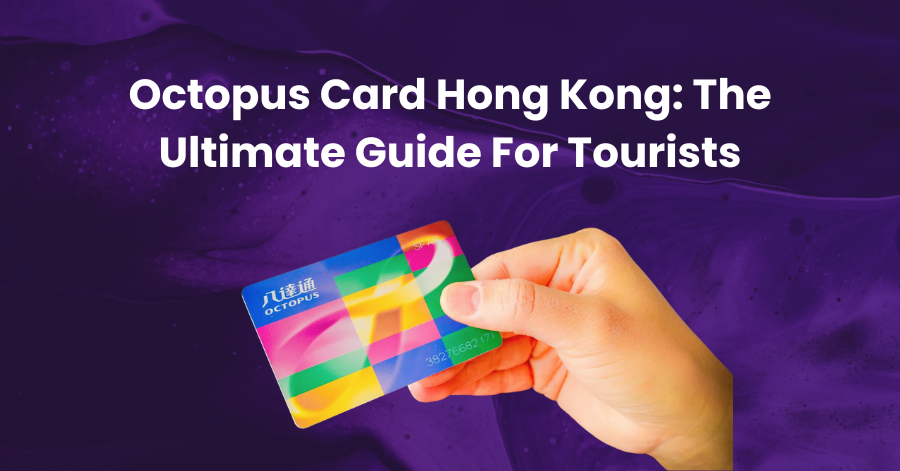
The Octopus card is a rechargeable, contactless smart card you tap to pay for transport and everyday purchases across Hong Kong. You load money onto it, then tap it at a reader. No PIN, no signature, no app needed.
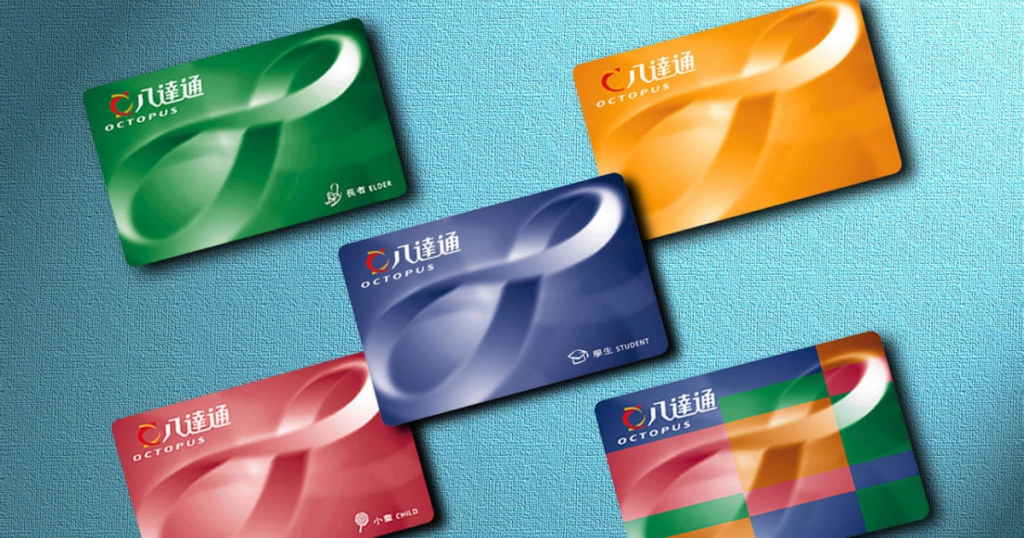
It launched back in 1997 as a transit card and quietly took over the city. Octopus says 98% of Hong Kong residents carry one, with tens of millions of taps a day. You’ll use it on the MTR, buses, trams, the Star Ferry and minibuses, then again at 7-Eleven, Circle K, McDonald’s, supermarkets, vending machines and plenty of cafes.
If you’ve tapped a Suica card in Japan or a T-money card in Korea, it’s the same idea, and just as central to getting around.
Why Get An Octopus Card In Hong Kong?
Because Hong Kong’s transport runs on it, and tapping is faster and cheaper than the alternatives. Single MTR tickets cost more than the Octopus fare, and a lot of small merchants would rather you tap than count out cash.
Do you strictly need one? If you’re in town for a night, plan to walk or grab taxis, and don’t mind buying single journey tickets, you can technically skip it. Some newer MTR gates and shops also take contactless bank cards now.
But you’d pay more for less convenience, so for almost every visitor the answer is a clear yes. It pays for itself in saved queuing alone, and the deposit comes back when you leave.
Planning where all that tapping goes? Our 7D6N Hong Kong itinerary maps out a first trip, and our guide to brands that are cheaper in Hong Kong covers where the shopping’s worth it.
Octopus Card Hong Kong Price
A standard adult Octopus card costs 150 HKD (~S$24.60). That splits into two parts:
- Stored value to use immediately: 100 HKD (~S$16.40)
- Refundable deposit: 50 HKD (~S$8.20)
So the real cost of the card is just the 50 HKD (~S$8.20) deposit, and you get that back when you return it. The standard card also lets you dip up to 50 HKD (~S$8.20) into negative before it locks, so a low balance won’t strand you mid-journey.
There’s also a Sold “Tourist” Octopus from 39 HKD (~S$6.40). It has no deposit, but that card fee isn’t refundable, so it only really makes sense on a very short trip or if you want to keep the card as a souvenir. Everyday value and top-ups work exactly the same.
How much should you load? Single MTR and bus fares run roughly 3 to 30 HKD (~S$0.50 to S$5) depending on distance. For a 4 to 5 day trip, 300 to 500 HKD (~S$49 to S$82) is a comfortable starting load, and you can top up anytime.
Anything left over is refunded when you leave. To see what your dollars are worth before you go, check our SGD to HKD rate guide.
Where To Buy An Octopus Card In Hong Kong
You can buy an Octopus card the moment you land. The three easiest spots are the airport, any MTR station, and 7-Eleven. One thing first: the airport and MTR counters take HKD cash only for the card, so have some Hong Kong dollars ready before you queue.
- Hong Kong International Airport: Head to an MTR Customer Service Centre in the arrival hall after customs, or the counters by the Airport Express platforms, which are usually much quieter. Self-service vending machines run 24/7 for late-night arrivals. Buy your card here and tap straight onto the Airport Express into the city.
- MTR Customer Service Centres: Every MTR station except Racecourse sells and refunds Octopus cards, so this is the no-detour option on day one.
- 7-Eleven and Circle K: Convenience stores across the city sell the Sold “Tourist” Octopus and handle top-ups. Some travellers even grab one before immigration.
If you land without any cash, our Hong Kong ATM withdrawal guide covers where to get HKD without paying over the odds, and our Hong Kong hotels guide helps you sort where to stay.
Octopus Card On Apple Pay & Google Pay
Yes, you can carry an Octopus on your phone, but the setup isn’t the same as adding a Suica in Japan, and it depends heavily on whether you’re on iPhone or Android. This is the part most guides gloss over, so here’s the straight version.
Apple Pay (iPhone and Apple Watch)
Don’t start in the Apple Wallet app. As a tourist, download the free Octopus App for Tourists from the App Store, then follow the prompts to create a virtual card. You’ll need an iPhone X or later. During setup, you make a first top-up, and after that you just tap your phone at any reader, exactly like the physical card.
The reason for the separate app is simple. Adding an Octopus straight into Apple Wallet needs a Hong Kong-issued card, which most visitors don’t have. The tourist app is what lets a foreign card work, and you can top up inside it using a non-Hong Kong Mastercard, Visa or UnionPay.
The stored-value limit on a phone is the same 3,000 HKD (~S$491.80) as a physical card. You can also use an Apple Watch (Series 3 or later), but the card lives on the phone or the watch, not both at once.
Google Pay (Android)
Here’s the catch. Adding an Octopus via Google Wallet needs a Hong Kong phone number, so as a visiting tourist you effectively can’t. The one workaround is a Huawei phone, which can add the card through the Huawei AppGallery version of the app.
If you’re on a standard Android phone, don’t burn time trying to make the digital card work. Just get a physical card. It’s cheaper than the hassle, and it works no matter what your phone does.
💡 YouTrip tip: When you top up the digital Octopus with a foreign card, it’s charged in Hong Kong dollars, so the rate matters. Fund it with a YouTrip card in the Octopus App for Tourists and every top-up converts at the wholesale rate with no foreign transaction fee. HKD is one of the currencies you can hold and lock in the YouTrip wallet, so you can even sort your rate before you fly.
Octopus Card Hong Kong Top Up: Easy Ways To Reload
There are two ways to reload: cash or card. Cash works on any physical card, and card top-ups go through the app.
Physical Card Top-Up
Use the Add Value Machines at MTR stations, or reload at 7-Eleven, Circle K and most supermarkets. MTR machines take 50 HKD (~S$8.20) and 100 HKD (~S$16.40) notes only, so keep a couple handy. It’s instant, and it’s the simplest option for a physical card. Most convenience-store counters only take cash for reloads.
Mobile Octopus Top-Up
If you’re using the digital Octopus in the Octopus App for Tourists, top up inside the app with a Mastercard, Visa or UnionPay. Minimum top-up is 100 HKD (~S$16.40), the balance updates on the spot, and the maximum stored value is 3,000 HKD (~S$491.80).
For the cash-only corners, taxis and market stalls, the smart move is to withdraw Hong Kong dollars from an ATM when you land rather than changing money before you go. HSBC, Hang Seng and Bank of China ATMs are everywhere.
With a YouTrip card, your first S$400 of overseas ATM withdrawals each month is free, then a flat 2%, at the wholesale rate rather than a money changer’s marked-up one. For the full breakdown, see our Hong Kong ATM withdrawal guide.
Octopus Card Expiry: Does It Expire?
No, an Octopus card has no fixed expiry date. You can keep it between trips and reuse it years later.
There’s one rule to know. If a card goes completely unused for three years, it becomes “inactive,” and a 15 HKD (~S$2.46) administrative fee is deducted from the balance, then 15 HKD (~S$2.46) a year after that until it’s used again or the balance runs out. Reactivating is easy: just tap it, or pop into any MTR Customer Service Centre. For a returning visitor, it’s rarely an issue.
Octopus Card Refund: How To Get Your Money Back
Returning an Octopus is straightforward, and you get your leftover balance plus the 50 HKD (~S$8.20) deposit back.
Physical Cards
Take the card to any MTR Customer Service Centre, including the ones at the airport. Refunds of 500 HKD (~S$82) or less are usually paid in cash on the spot; larger balances can take around nine working days to process.
If you return the card within 90 days of buying it, an 11 HKD (~S$1.80) handling fee applies, and it’s waived after that. A damaged card carries a 30 HKD (~S$4.92) fee.
Mobile Octopus
Request the refund inside the app, and your balance and deposit go back to the card you topped up with. Unlike an instant cash refund at the counter, a mobile refund can take a few weeks to land.
FAQs
Yes, absolutely. There’s no residency requirement for a physical Octopus card, and any tourist can buy one at the airport, an MTR station or 7-Eleven. The only limitation is the digital card on Android, which needs a Hong Kong phone number for non-Huawei devices.
A standard adult card is 150 HKD (~S$24.60): a 50 HKD (~S$8.20) refundable deposit plus 100 HKD (~S$16.40) of usable value. The Sold “Tourist” version starts from 39 HKD (~S$6.40) with no refundable deposit.
Both. At Hong Kong International Airport, use the MTR Customer Service Centres in the arrival hall or by the Airport Express platforms, or the 24/7 vending machines. 7-Eleven stores across the city also sell the tourist version and handle top-ups.
For most visitors, the standard On-Loan physical card is best, since the deposit is refundable and it works even if your phone dies. iPhone users who’d rather go card-free can use the digital Octopus through the Octopus App for Tourists.
Top up with cash at MTR Add Value Machines and convenience stores, or with a Mastercard, Visa or UnionPay inside the Octopus App for Tourists (minimum 100 HKD, ~S$16.40). Convenience-store counters take cash only.
No fixed expiry. It only goes “inactive” after three years of no use, at which point a 15 HKD (~S$2.46) fee applies until you reactivate it or the balance runs out. Tap it or visit any MTR counter to reactivate.
On iPhone, yes, via the Octopus App for Tourists (not the Apple Wallet app directly). On Android, non-residents can’t, unless you’re on a Huawei phone, because Google Wallet needs a Hong Kong number.
A standard Octopus works in Hong Kong only. For Macau and mainland China, look for the China T-Union Octopus sold at 7-Eleven, which works on transport across all three. Heading over the border? Our China ATM withdrawal guide covers getting yuan the smart way.
Return a physical card at any MTR Customer Service Centre for your balance plus the 50 HKD (~S$8.20) deposit, usually in cash. For a digital card, request the refund in the app, and it goes back to your top-up card.
A Must-Have For Your Hong Kong Trip
An Octopus card is the first thing to grab and the last to hand back, and it turns getting around Hong Kong into a single tap. Get a physical card unless you’re on iPhone, load a few hundred dollars, and top up as you go.

For the cash-only stalls and taxis, skip the money changer and pull Hong Kong dollars from an ATM with YouTrip when you land. Tap the card for everything else at the wholesale rate with no foreign transaction fee. If you’re weighing up cards, our Trust card vs YouTrip comparison breaks down which suits overseas spending.
Not a YouTrooper yet? Sign up with code YTBLOG5 for a free YouTrip card and S$5 in credits. You’ll hold and lock over 10 currencies, spend in 150+ countries with no FX fees, and unlock exclusive YouTrip Perks. Join our Telegram and Community Group for the latest travel deals and tips.