



Planning a trip to Osaka, Kyoto, or Tokyo? 🇯🇵
The ICOCA card is one of Japan’s most widely used contactless transport cards, making it easy to get around Osaka, Kyoto, Tokyo, and beyond without buying individual tickets.
Issued by JR West, ICOCA is the go-to IC card in the Kansai region, but it also works across most of Japan thanks to nationwide IC card compatibility. For Singaporean travellers, pairing ICOCA with YouTrip makes things even easier. Manage your travel spending with no hidden FX fees, and top up digitally via Apple Pay for competitive JPY rates.
This guide covers where to buy ICOCA, how it compares to Suica, mobile options, and how to top up smartly.
💜 Stay Up To Date:
– SGD To AUD Exchange Rate (2026): Best Rates, Forecast, Conversion Tips
– Money Changer Near Me: 14 Best Money Changers In Singapore (2026)
– MITSUI OUTLET PARK KISARAZU: Your Ultimate Shopping Getaway From Tokyo
⚡TL;DR: ICOCA Card Quick Reference
| Highights | Details |
|---|---|
| What is ICOCA? | Rechargeable IC card for transport and cashless payments in Japan |
| Where to buy | Kansai Airport, JR West stations, ticket machines |
| Cost | 2,000 JPY | ~S$16.70 (1,500 JPY stored value + 500 JPY refundable deposit) |
| Where it works | Nationwide on trains, buses & IC-accepted stores |
| Best for tourists? | Yes — easy to use, widely accepted |
| Mobile support | Apple Wallet (iPhone/Apple Watch); Android (FeliCa-enabled) |
| Top-up Tip | Top up your digital ICOCA with YouTrip via Apple Pay for better JPY rates |
| Expiry | 10 years from last use |
| Refund | Balance + deposit refundable (220 JPY handling fee | ~S$1.83) |
| ICOCA vs Suica | Same functionality, different issuing regions |
📌 Table of Contents:
- What Is an ICOCA Card?
- Where Does the ICOCA Card Work in Japan?
- How to Get a Virtual ICOCA Card on Apple Wallet
- ICOCA for Android Users
- Where to Buy a Physical ICOCA Card
- How to Top Up Your ICOCA Card
- ICOCA Card Expiry & Refunds
- ICOCA vs Suica: What’s the Difference?
- ICOCA Card Japan: Key Tips for Tourists
- FAQs
What is an ICOCA Card?
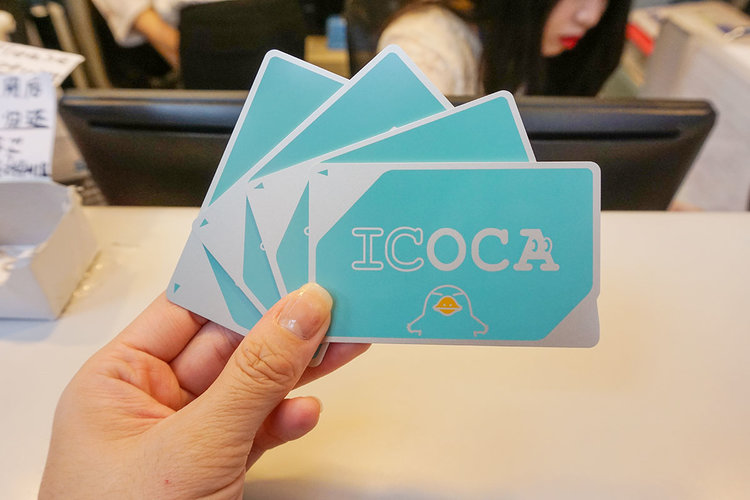
Image Credits: Klook
The ICOCA card (IC Operating Card) is a rechargeable, contactless smart card issued by JR West. It functions as both a transport card and a cashless payment method across Japan.
🍡 Fun fact: The name also plays on the Kansai dialect phrase “ikoka” meaning “let’s go”!
What you can use ICOCA for:
- Transport: Access to JR trains, subways, buses, and some ferries across Japan’s IC card network.
- Shopping: Convenience stores, vending machines, restaurants, cafes, and shops displaying the IC card logo.
- Lockers: Payment for coin lockers at stations and tourist areas.
- Parking: Some parking facilities accept ICOCA payments
Powered by FeliCa NFC technology, ICOCA lets you tap and go – no fumbling for tickets or coins.
📖 Related Guide: Suica Card Japan Guide (2025): How To Use, Where To Buy & Tourist Tips
Where does the ICOCA Card Work in Japan?
Image Credits: Rakuten Travel Experience
Although ICOCA is issued by JR West, it’s accepted nationwide thanks to Japan’s integrated IC network. You can use ICOCA anywhere you see IC logos like Suica, PASMO, TOICA, or Kitaca.
This makes ICOCA a great all-in-one card even if your trip spans multiple cities.
Using ICOCA in Osaka, Kyoto & Kansai
If you’re travelling to Osaka, Kyoto, Kobe, Nara, or Himeji, ICOCA is the default local IC card. It works on:
- JR West lines
- Osaka Metro
- Kyoto buses
- Private railways like Hankyu and Keihan
For Kansai trips, ICOCA is the most convenient option – especially for sightseeing-heavy itineraries.
📖 Related Guide: Welcome Suica Mobile App Guide: Your Solution To Getting Around Japan (2025)
Does the ICOCA Card Work in Tokyo?
Yes! While Tokyo’s local card is Suica, ICOCA works on:
- JR East trains
- Tokyo Metro
- Toei Subway
- Buses and IC-accepted shops
If you’re landing in Osaka and ending in Tokyo, there’s no need to switch cards.
📖 Related Guide: Best Time To Visit Japan: Your Ultimate 2025-2026 Guide
How to Get a Virtual ICOCA Card on Apple Wallet
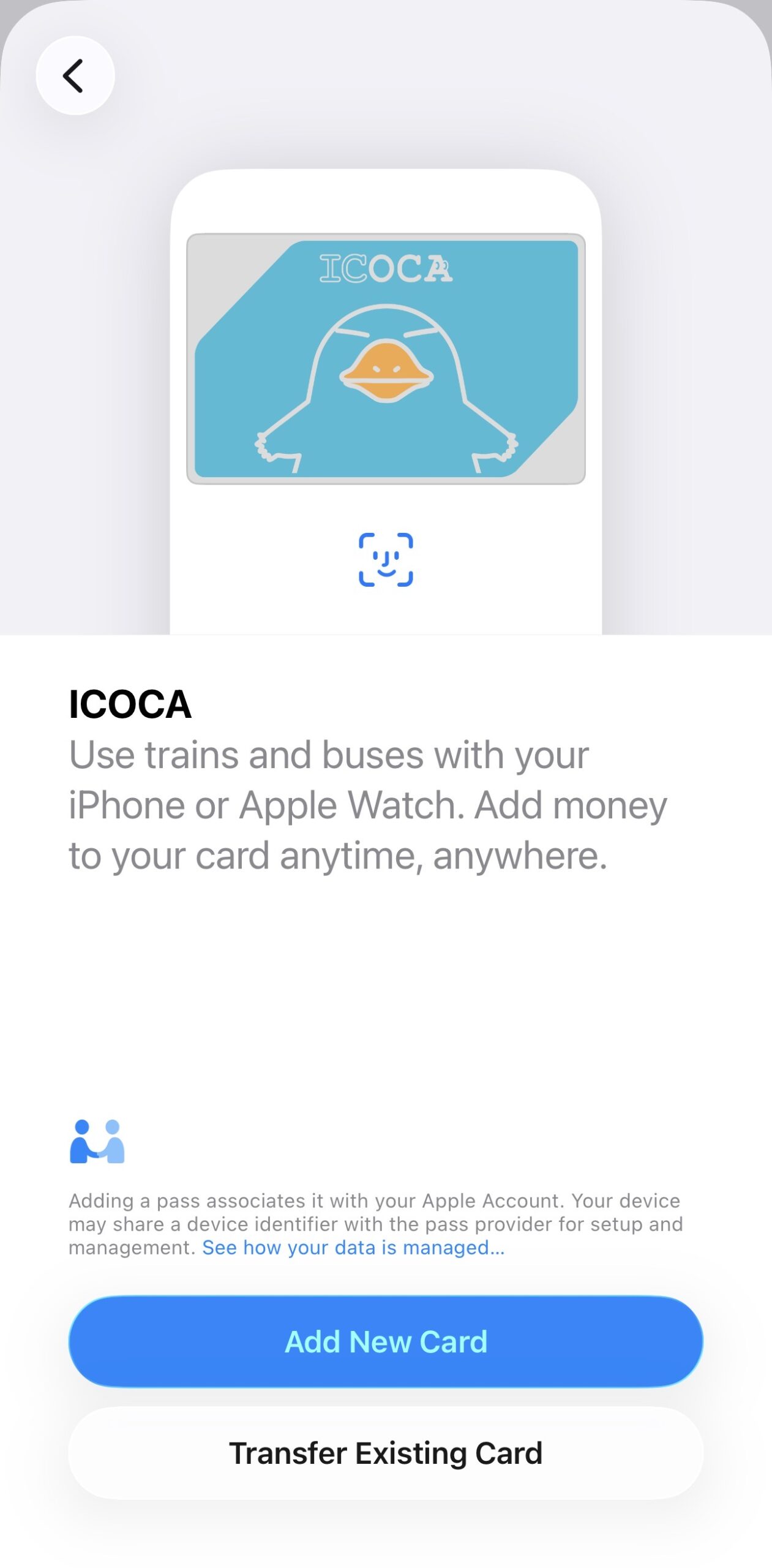
You can set up a virtual ICOCA card on your iPhone or Apple Watch and top it up using YouTrip via Apple Pay for competitive JPY exchange rates.
Step-by-step guide:
- Open your Wallet app > Tap the ‘+’ icon on the top right corner
- Select ‘Travel Card’ > Key in ‘ICOCA’
- Tap ‘Continue’ > Key in your desired JPY amount
- Scan through the T&Cs > Select ‘Agree’
- Double-click the side button to top up your ICOCA card with YouTrip via Apple Pay
- 🎉 Your virtual ICOCA card is ready to use in Japan!
⭐ Bonus: You can also add Suica and PASMO to your Apple Wallet!
🧠 Pro Tip: Enable Express Mode in Wallet to tap in/out of train stations without Face ID, Touch ID, or passcode delays.
📖 Related Guide: Japan Rail Pass (JR Pass) 2025: Prices, Calculator, Map & Full Guide
ICOCA for Android Users
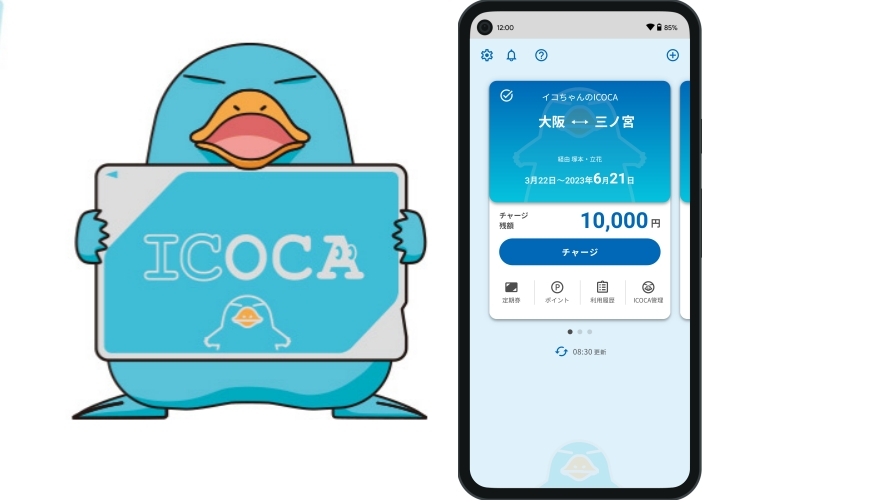
Image Credits: Funliday
Most foreign Android phones can’t add ICOCA because they lack the FeliCa chip required for Japan’s transit systems. This hardware is usually only found in Japan-market Android devices.
Mobile ICOCA on Android only works if:
- Your Android phone was purchased in Japan
- It supports Osaifu-Keitai (mobile wallet for FeliCa)
- You have a Japanese address
- You may need a JR West–issued card for top-ups
👉 For most tourists, this isn’t practical. The easiest option is getting a physical ICOCA card, which is widely available again in 2025.
📖 Related Guide: SGD To Yen Guide: Capitalising On The Japanese Yen
Where to Buy a Physical ICOCA Card?
You can buy an ICOCA card at:
- Kansai International Airport (KIX)
Kansai International Airport is one of the most convenient places to buy an ICOCA card, especially if you’re landing in Osaka or the Kansai region.
Available at:
- JR West ticket offices inside the airport terminal
- ICOCA ticket vending machines near train station entrances
- JR West Travel Service Centres (Terminal 1 & 2)
Tip: Buy your ICOCA before leaving the airport so you can use it right away on the Haruka Airport Express, Nankai lines, or local trains.
- Major Cities
▶️ Osaka: ICOCA cards are widely available at all major JR West stations, including:
- Osaka Station
- Shin-Osaka Station
- Tennoji Station
- Namba Station
▶️ Kyoto:
- Sold at all major JR stations
- Kyoto Station is the most convenient with English-speaking staff
▶️ Tokyo:
- Available at select JR stations
- Suica is more commonly promoted, but both work the same nationwide
- Ticket Machines
ICOCA cards can be purchased at JR West ticket vending machines displaying the ICOCA logo.
How it works:
- Select English (or another language)
- Choose ‘ICOCA card’
- Insert 2,000 JPY (1,500 JPY balance + 500 JPY deposit)
- Receive your card instantly
Most machines support English, Chinese, and Korean.
📖 Running out of cash? Read this Japan ATM Withdrawal Guide: Fees, Locations, Exchange Rates 2025
How to Top Up Your Physical ICOCA Card
- Ticket machines: Cash only
- Convenience stores: 7-Eleven, FamilyMart, and Lawson (cash)
- Station ticket offices: Staff-assisted cash top-ups
- Digital ICOCA: Top up with YouTrip via Apple Pay
ICOCA Card Expiry & Refunds
- Expiry: 10 years from last use
- Refund: Available at JR West counters (220 JPY | ~S$1.83 fee)
📖 Related guide: Shinkansen Tokyo To Osaka Guide: Fares, Trains, Tickets, Alternatives (2025)
ICOCA vs Suica: What’s the Difference?
| Feature | ICOCA | Suica |
| Issuer | JR West | JR East |
| Main region | Kansai | Tokyo |
| Nationwide use | ✅ Yes | ✅ Yes |
| Tourist usability | Identical | Identical |
💡 Bottom line: They work the same. Choose based on where you land.
📖 Check out this ultimate Tokyo Disneyland + Tokyo DisneySea guide for tickets, rides, food, hotels & more!
ICOCA Card Japan: Key Tips For Tourists
✔️ Buy your ICOCA early: Get it at Kansai International Airport or your first major station so you can start using trains, buses, and vending machines immediately.
✔️ One card works nationwide: ICOCA can be used across Osaka, Kyoto, Tokyo, and most of Japan, so you don’t need different cards for different cities.
✔️ Always keep some balance: Exit gates won’t open if your balance is too low. Top up regularly to avoid getting stuck at the gates.
✔️ Use Apple Wallet + YouTrip for easy top-ups: If you’re on iPhone, add ICOCA to Apple Wallet and top up via YouTrip using Apple Pay to avoid poor exchange rates and hidden FX fees.
✔️ Avoid refunding too early: Refunds are only available at JR West counters. Keep your card until the end of your trip in case you need it for transport or small purchases.
✔️ Check phone compatibility before going digital: iPhones generally support ICOCA in Apple Wallet. Most foreign Android phones do not.
✔️ Use ICOCA beyond transport: Pay at convenience stores, vending machines, and station shops to reduce coins and speed up purchases.
📖 Discover 40 Best Things To Do In Osaka (2025): Attractions, Activities, Day Trips
Get The Best JPY Rates With YouTrip!

And there you have it, a seamless way of travelling through the Land of the Rising Sun with the best JPY rates all day!
Not a YouTrooper yet? Singapore’s go-to multi-currency wallet helps you save with great FX rates and zero fees. Skip the money changer and get a free YouTrip card + S$5 YouTrip credits with code <YTBLOG5>.
Then, head over to our YouTrip Perks page for exclusive offers and promotions — we promise you won’t regret it. Join our Telegram (@YouTripSG) and Community Group (@YouTripSquad) for travel tips, event invites, and more!
Happy travels!
FAQ: ICOCA Card Japan
Q: Is the ICOCA card still available in 2025?
A: Yes. ICOCA is fully available and widely used in 2025.
Q: Is ICOCA the same as Suica?
A: Functionally, yes — same usage, different issuing regions.
Q: Can I use ICOCA for airport transfers?
A: Yes, including JR Haruka (Kansai), Narita Express, and IC-accepted airport lines.
Q: Can tourists buy an ICOCA card?
A: Yes, tourists can purchase ICOCA at airports and stations.
Q: Do children need separate ICOCA cards?
A: Children under 6 ride free on most Japanese transit. Children aged 6–11 can get child ICOCA cards with 50% fare discounts.
Q: Can I use ICOCA in Kyoto and Tokyo?
A: Yes, ICOCA works in both cities.
Q: Does ICOCA expire?
A: Yes, after 10 years of inactivity.
Q: What happens if my balance is too low?
A: Exit gates won’t open — top up at fare adjustment machines or counters.
Q: Can I use YouTrip to top up my ICOCA card?
A: Yes, digital ICOCA cards can be topped up using YouTrip via Apple Pay.
Related Japan Travel Guides
Nagano Travel Guide 2025: Things To Do, Weather, Ski Resorts & More
Autumn in Japan 2025: Fall Foliage Forecast & Best Viewing Spots
Okinawa, Japan Travel Guide 2025: Best Things to Do, Itinerary & Tips