



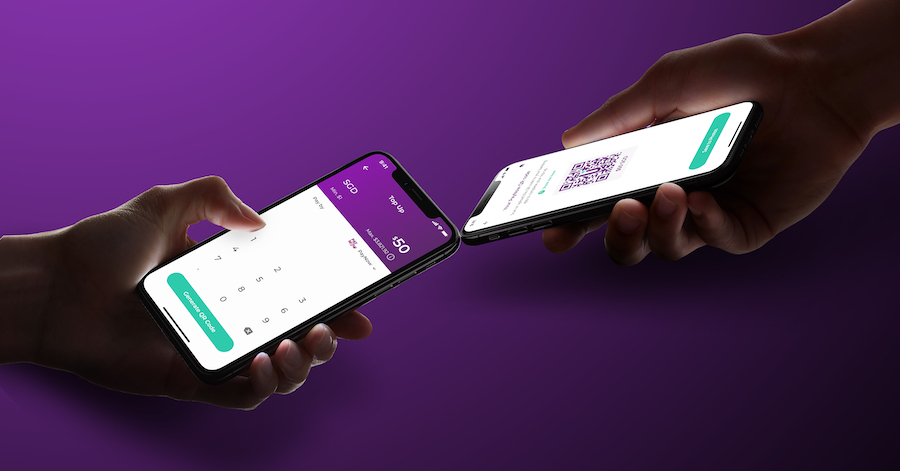

With just S$1 minimum top-up and no need for a linked bank card, you can now make PayNow QR top-ups with ease!
Hey YouTroopers!
Good news, there’s a new way to top up your YouTrip wallet! With PayNow, you can now top up your wallet directly through your mobile banking app of choice.
What is PayNow?
PayNow is a service that allows customers of nine participating banks in Singapore to send/receive money to/from other parties through a linked bank account. PayNow transfers are instant and, much like YouTrip, have no fees associated with them.
The nine participating banks are:
- DBS Bank / POSB
- OCBC Bank
- Standard Chartered Bank
- UOB
- Citibank Singapore Limited
- HSBC
- Maybank
- Bank of China
- Industrial and Commercial Bank of China Limited
Why Should I Use PayNow to Top Up?
PayNow top-ups will be really useful to anyone who doesn’t have a bank credit or debit card, or prefers not to link their card details. By using PayNow, you won’t need to input any card nor bank details, as you’ll be making the transfer through your mobile banking app (step-by-step guide below).
Even if you’ve already linked a bank card to your account, there are still benefits to topping up with PayNow. Since PayNow lets you top up directly from a bank account, with just S$1 minimum top-up, as compared to the minimum S$20 for bank card top-ups. So if you’re on the go and just want to make a small purchase with your YouTrip card, topping up with PayNow could be your preferred option!
How Do I Top Up With PayNow?
PayNow top-ups are fast, simple, and secure. Follow these steps to start topping up your wallet:
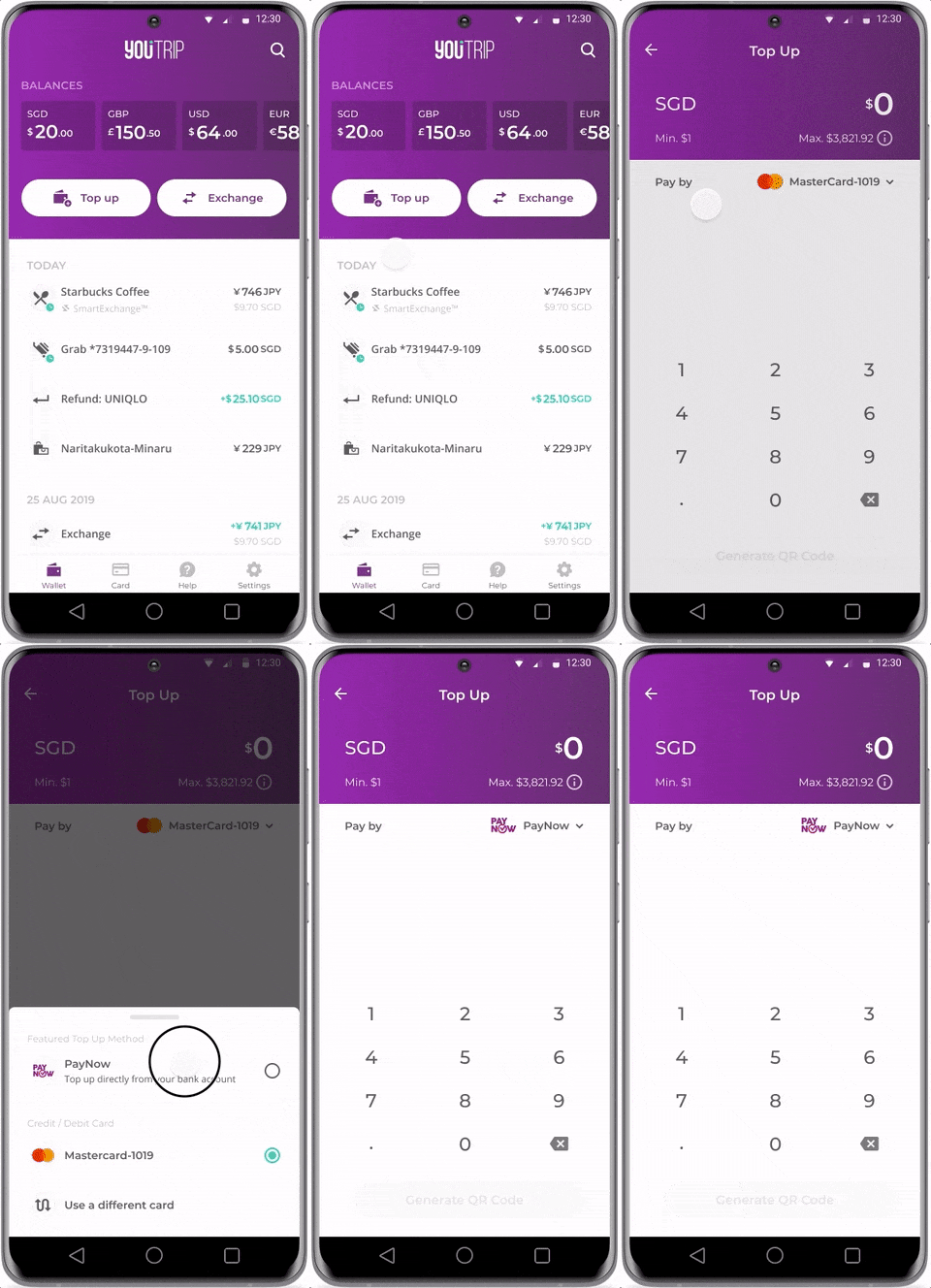
Step 1: Press Top Up & Select PayNow
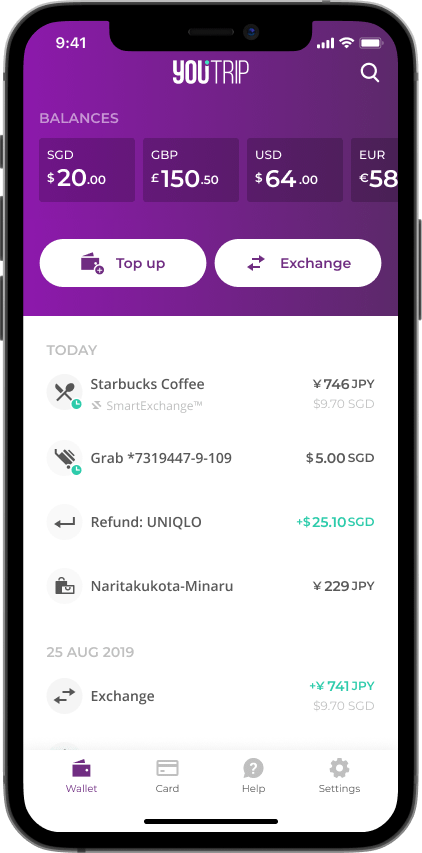
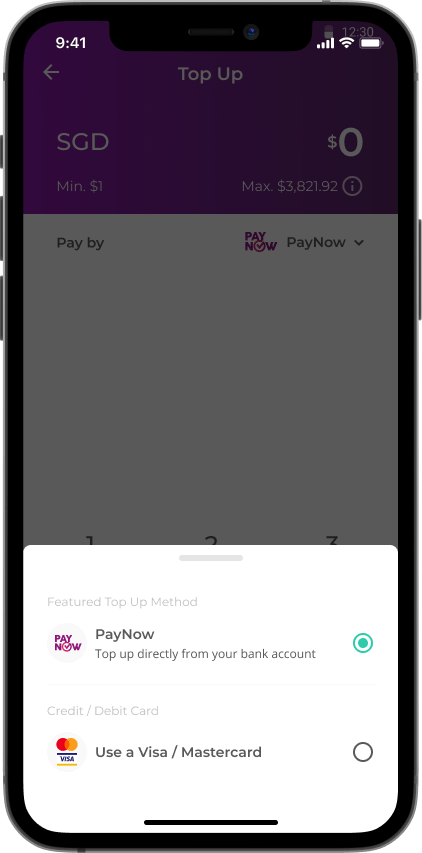
A panel should slide up, with the PayNow option at the top. You can also switch your top-up option by tapping the drop-down arrow.
Step 2: Enter Top-Up Amount and Save QR Code
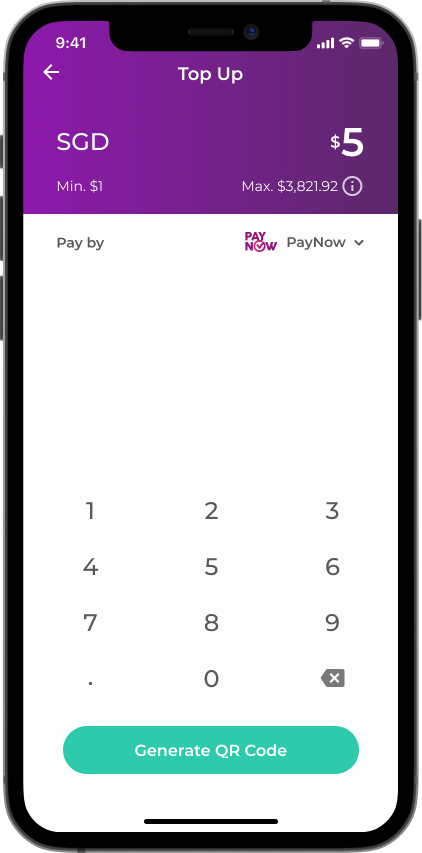
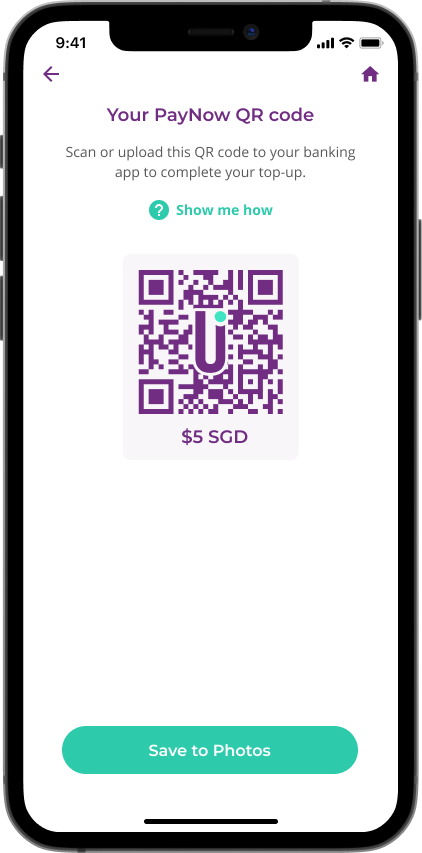
Tap ‘Generate QR Code’ after entering your desired top-up amount and either save the code to your photo gallery, or take a screenshot of the page before opening your banking app. Do take note that your code will only be valid for five minutes.
Step 3: Scan QR Code in Banking App
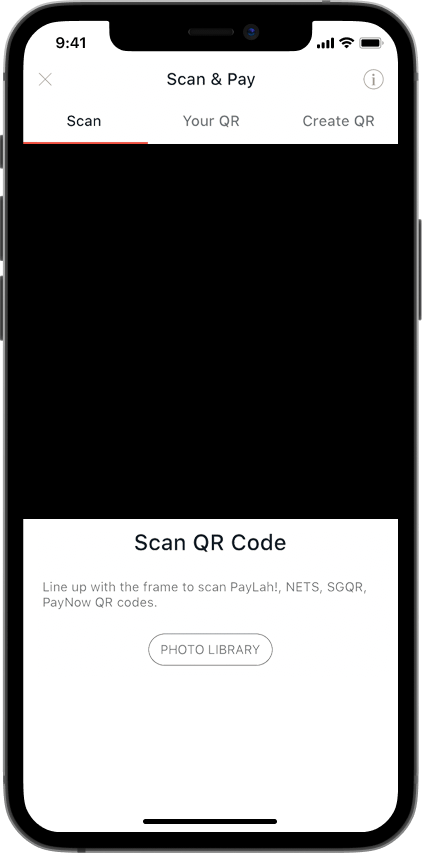
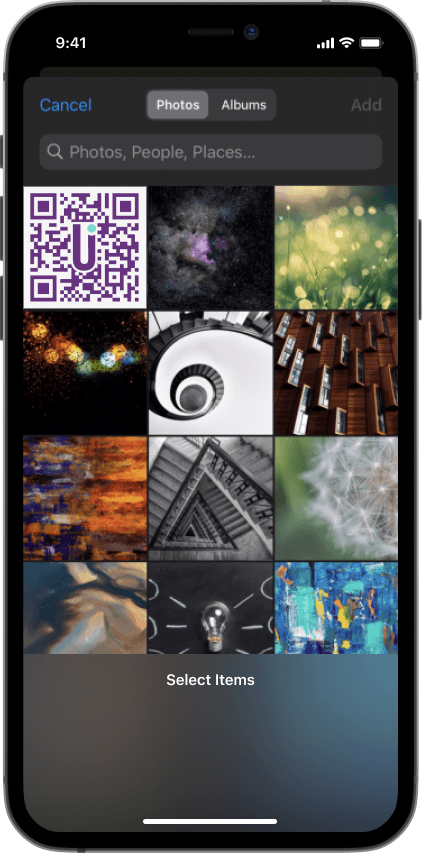
Launch the PayNow QR code scanner in your banking app and upload your YouTrip QR code into the scanner.
Step 4: Verify Top-Up Information
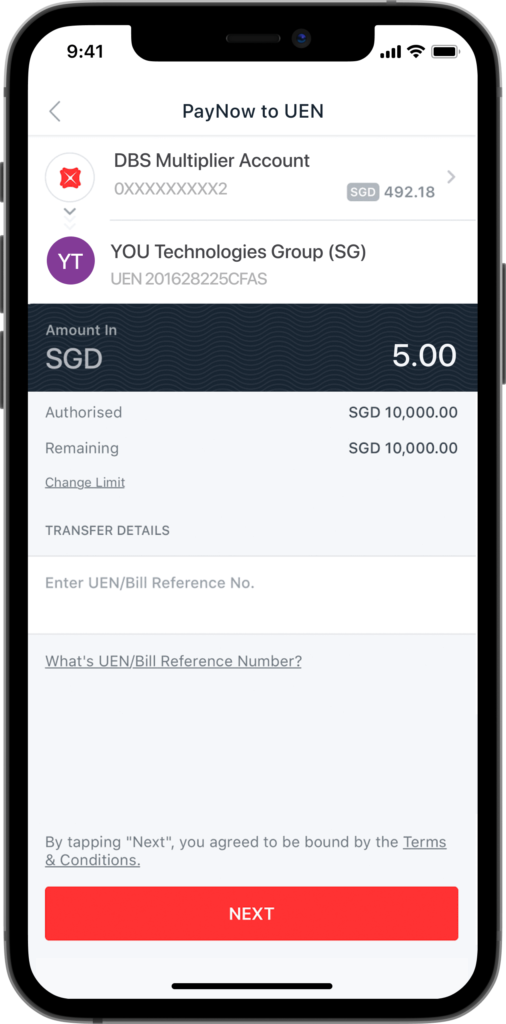
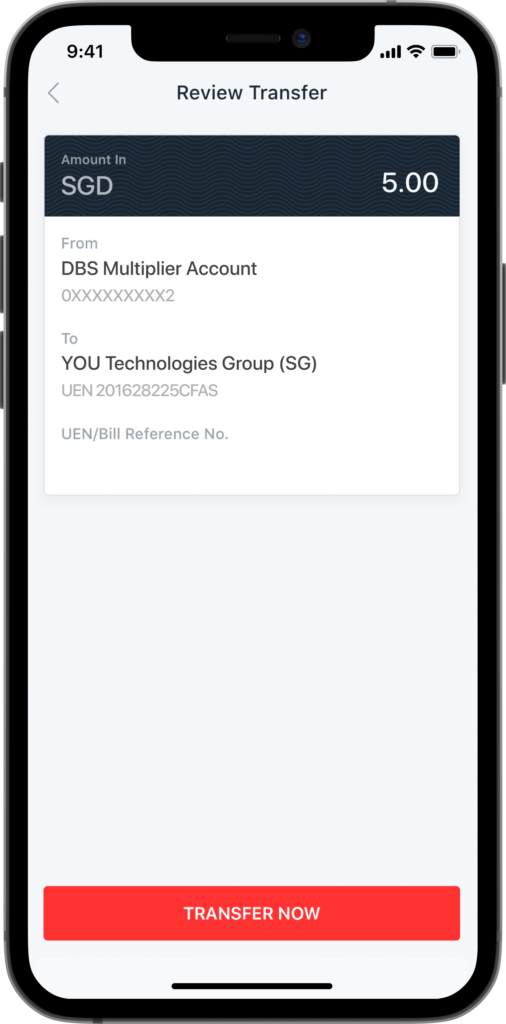
Check to ensure that your top-up amount is correct, and that the payee name is listed as You Technologies Group (SG) – which is the name we use for legal purposes, even though we like YouTrip better!
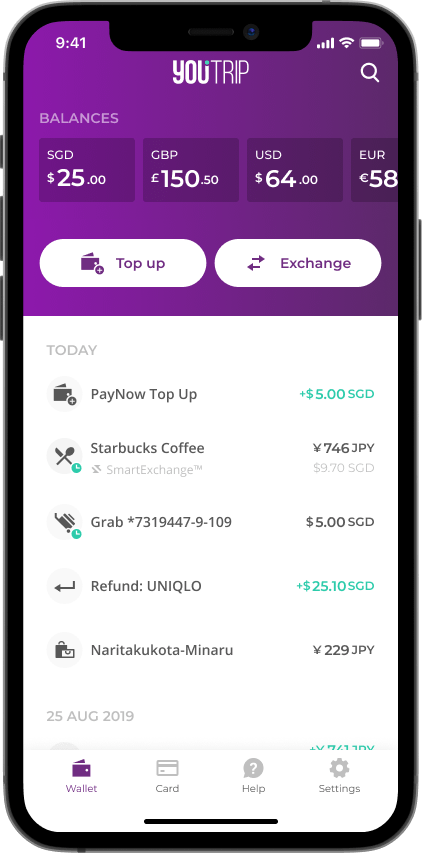
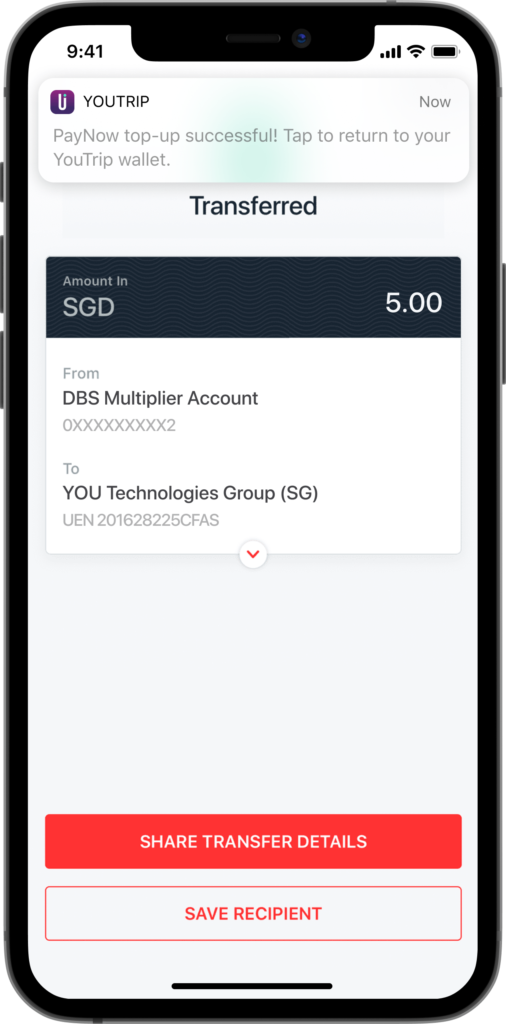
If you want to make a top-up to someone else’s YouTrip wallet, you can now simply do so by simply scanning their YouTrip QR code with your banking app and following the steps above. Do take note that each QR code will only be valid for five minutes after it’s generated.
Try Topping Up With PayNow!
PayNow is designed to be a fuss-free way to transfer funds to your YouTrip wallet, and you can now start trying it out!
If you still haven’t gotten your free YouTrip card yet, sign up with promo code <BLOG5> to receive a sweet S$5 in your account.
For more great tips and guides like this, join our Telegram (@YouTripSG) and subscribe to our free weekly newsletter here or down below!
Related articles
YouTrip New Feature: Transaction Search
YouTrip New Feature: 3DS Authorisation For Payments
YouTrip New Feature: Online Payment & ATM Alert