



Hey YouTroopers!
While everything around us is changing, some things remain the same. Online shopping remains one of our favourite past times, especially since… well, 2020. Given that more and more of us are choosing to make purchases from overseas online stores, it’s all the more important that your YouTrip card is protected from online fraud.
Enter 3D Secure, a verification step which helps to ensure that you’re really the one behind the screen when making a purchase.
How Do I Use The 3DS Function?
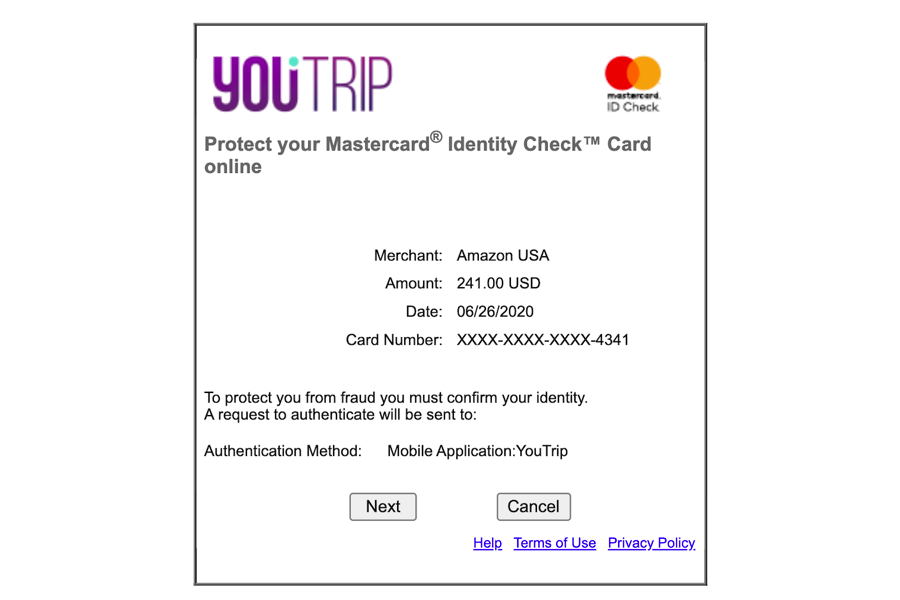
Say you’ve decided to get cheaper AirPods from Amazon US or cheaper A&F clothing directly from its US store. After entering your YouTrip card details and confirming the purchase, you should see a page that looks like this on your screen:
Step 1: Push Notification to Launch App
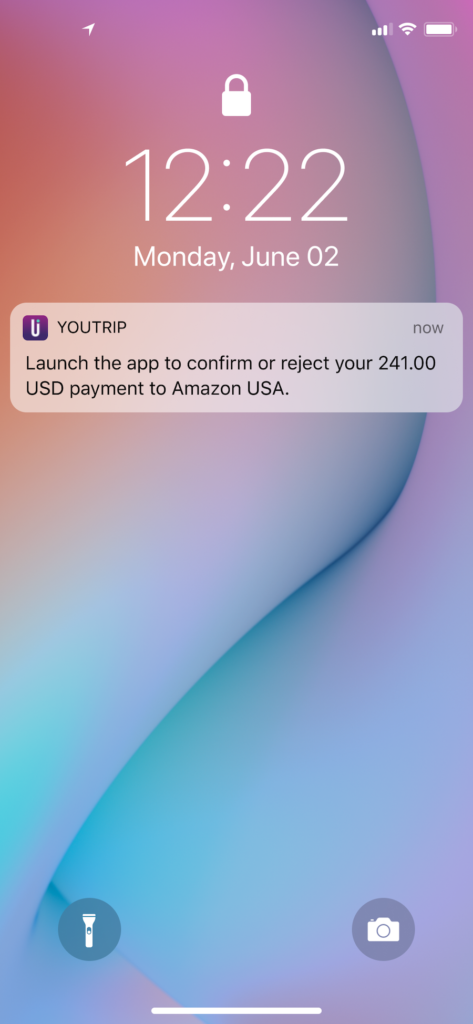
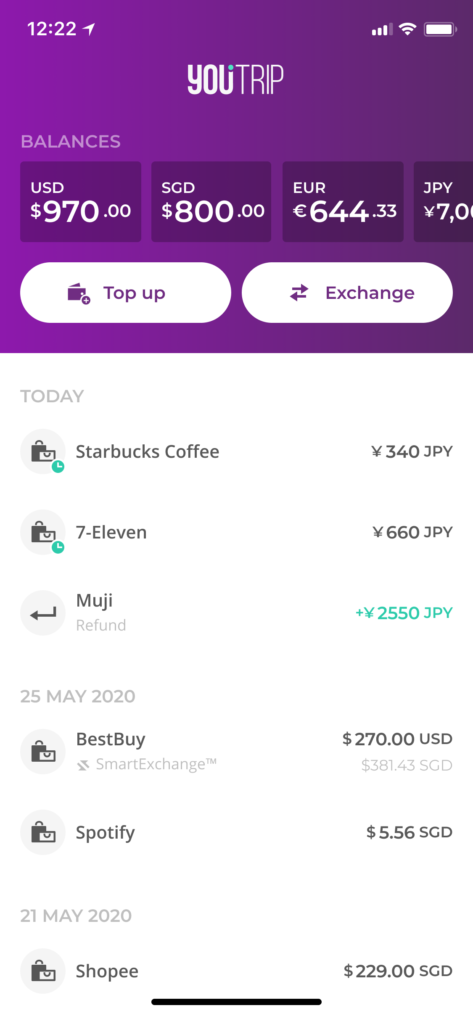
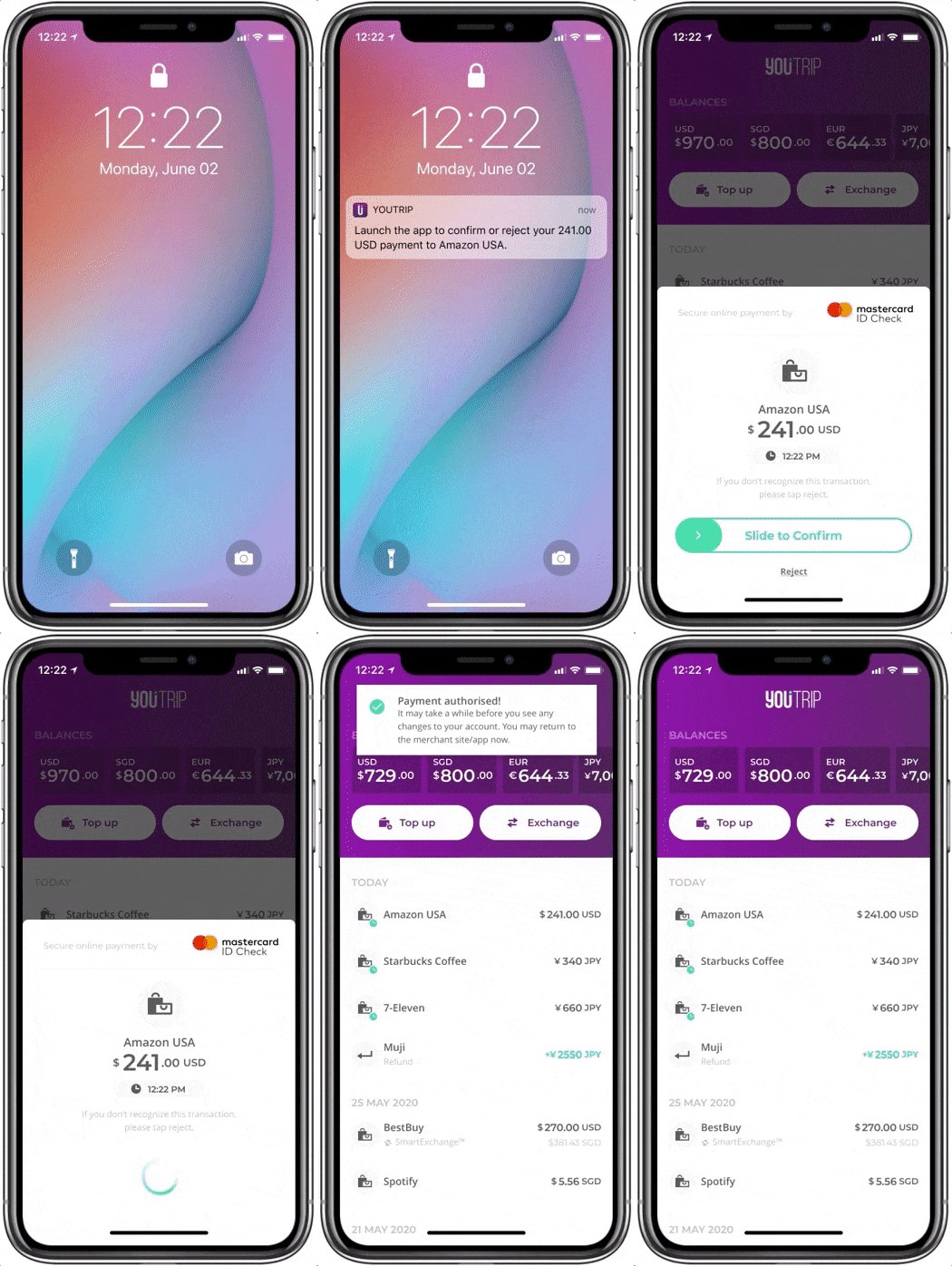
Upon which, you’ll then be prompted via a push notification on your phone to authenticate the payment on your YouTrip app. All you’ll need to do is log in to the app, where you’ll be greeted with a pop-up window that allows you to verify and either approve or reject the payment.
Step 2: Authorise Your Payment
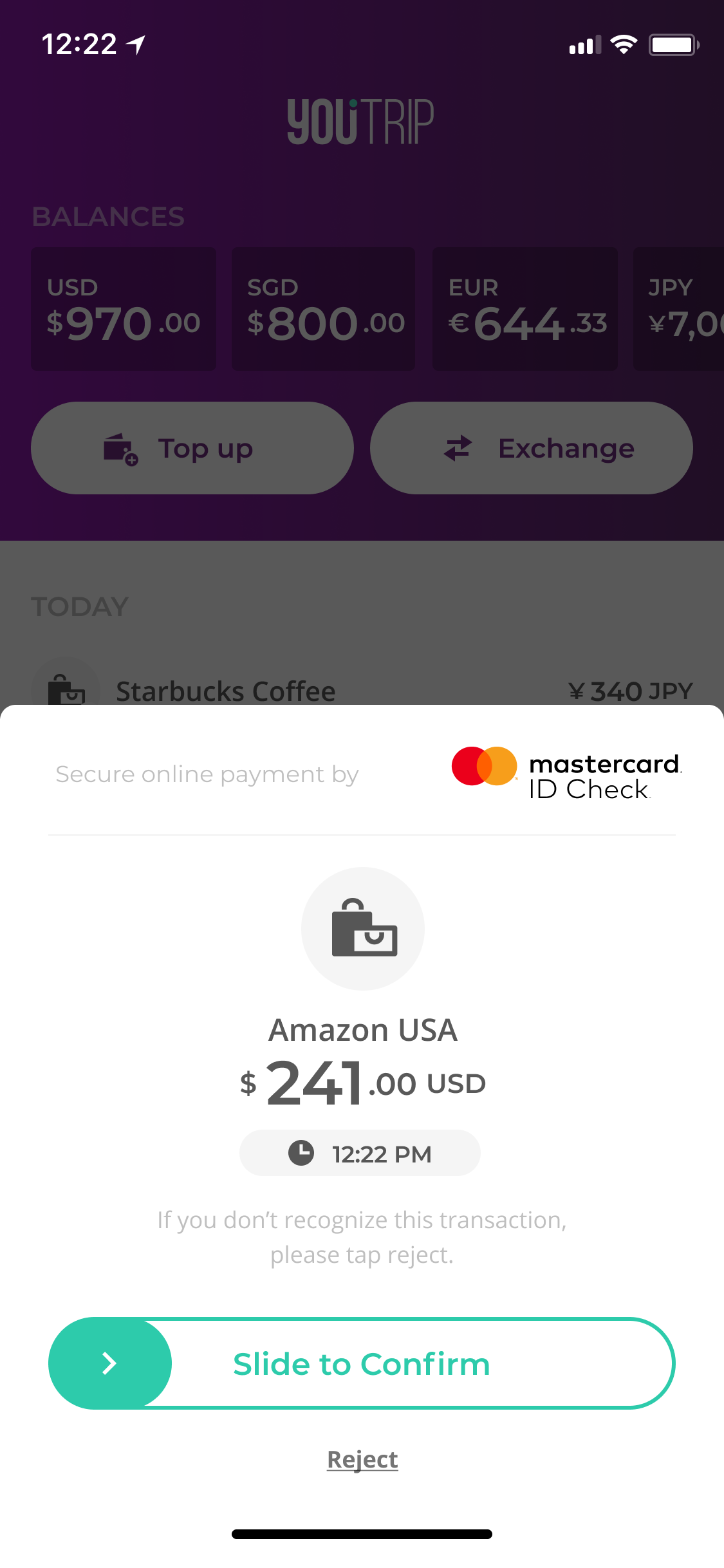
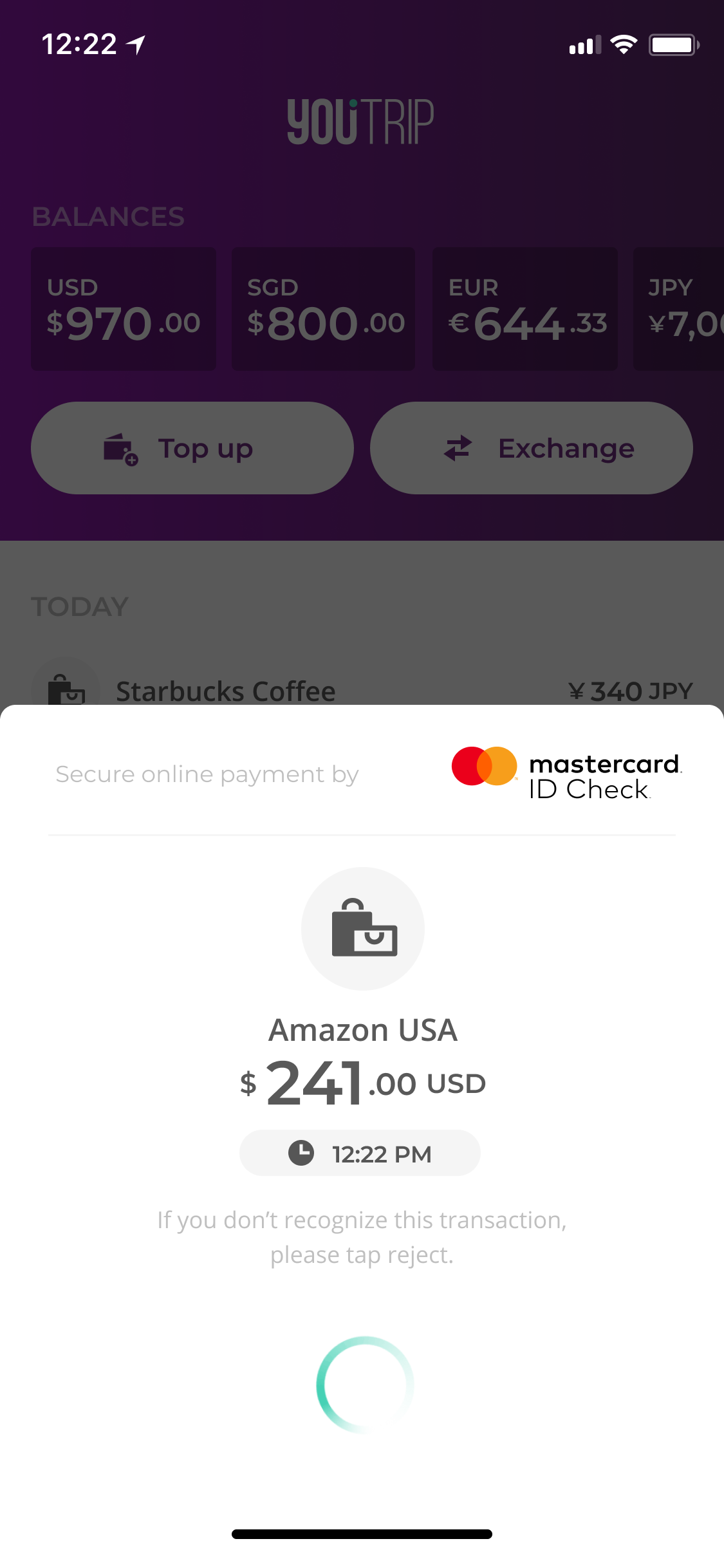
Once you’ve checked that the merchant’s name and payment amount is correct, slide the ‘Confirm’ bar to approve the payment.
Step 3: Check Confirmation
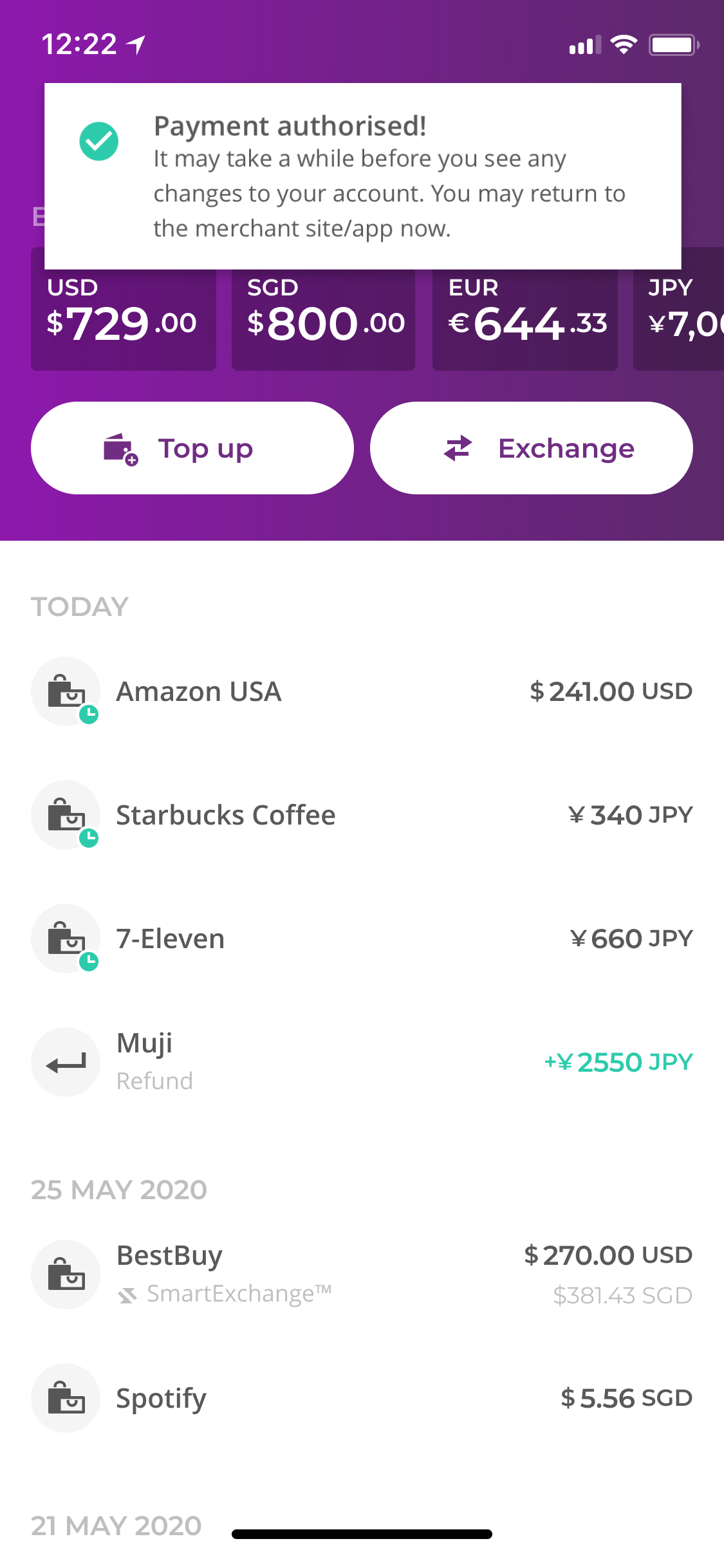
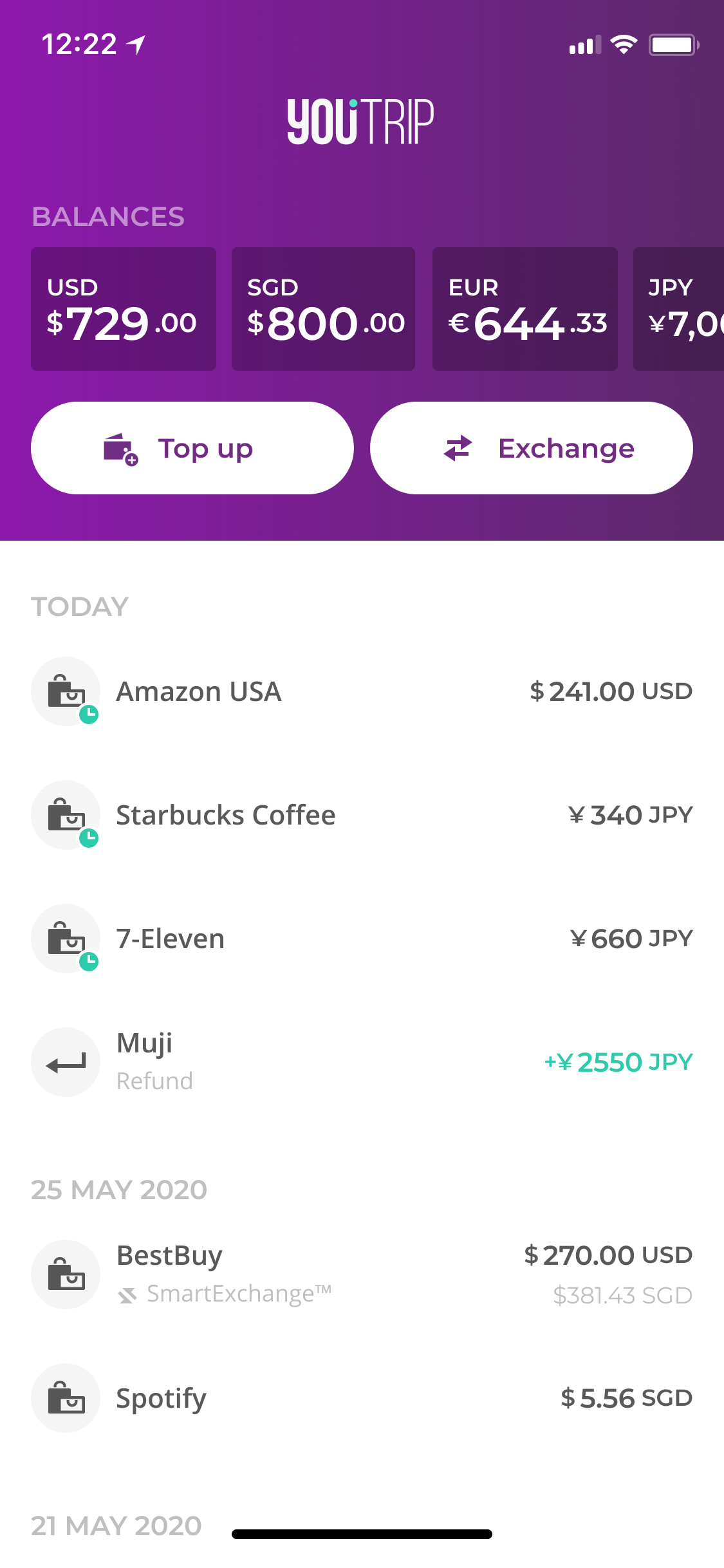
When the payment is authorised, you’ll see a drop down notification on your YouTrip app, and the amount will be reflected in your transactions list. You can then head back to the online store to check for any confirmation provided by the store.
That’s it! This entire process shouldn’t take you more than a few seconds – or less time than it took for you to read these steps, actually.
Why Do We Need 3DS?
Beyond being a security enhancement for your YouTrip card, having 3DS enabled also expands your online shopping options. Because while YouTrip is enabled with 3DS, whether or not you’ll have to use it at checkout is entirely up to the merchant. So even though some stores don’t require it just yet, popular merchants like Shopee, Lazada, and Qoo10, are already adding 3DS steps to their checkout processes – so you can bet that this is a welcome addition to the YouTrip card.
With online fraud becoming more prevalent, shopping online securely is more important than ever before, and 3DS can help with just that. And while it’s designed to be as simple and seamless as possible, you can always get in touch with our Customer Experience team at customer@you.co if you do have any questions.
Happy (secure) shopping! 💜
Read: Introducing Our App’s New Look
Read: YouTrip Wins Startup Of The Year & Best Fintech Startup
Read: YouTrip Guide to Unfamiliar Transaction Scenarios
Read: YouTrip New Feature: Online Payment & ATM Alert
Read: YouTrip New Feature: $5,000 Wallet Limit
Enjoy overseas payment with no fees worldwide!