

PayNow Corporate turned eight in August 2026, and registering still costs nothing at every major bank
PayNow Corporate links your company’s Unique Entity Number (UEN) to its Singapore dollar bank account, so a customer can pay you instantly using that UEN instead of your account number. The Association of Banks in Singapore launched it on 13 August 2018, just over a year after the personal version, and the Monetary Authority of Singapore regulates the payment rails it runs on. No bank charges a fee just to register.
For an SME, that means a client can settle an invoice or a customer can pay for stock, all without asking for your account number. The money lands in seconds, not the one to two banking days a cheque takes.
What’s less obvious is what happens after you register. One bank gets you live faster than another. The UEN suffix matters once you’re running more than one account. And a business account like YouBiz sits alongside your bank’s own PayNow setup, not instead of it.
Quick Answers: Registration, Fees and How It Works
| Question | Short Answer |
|---|---|
| Is PayNow available for businesses? | Yes, it’s called PayNow Corporate, live since 13 August 2018. |
| What do I need to register? | A Singapore UEN and an SGD account at a participating bank. |
| Does it cost anything? | No fee to register. Some banks charge small per-transaction fees on outgoing transfers, and these are waived from time to time. |
| How is it different from personal PayNow? | Personal PayNow uses your mobile number or NRIC. PayNow Corporate uses your UEN. |
| Is PayNow the same as PayPal? | No. PayNow moves SGD directly between Singapore bank accounts. PayPal is a global e-wallet that holds funds and charges processing fees. |
Most business owners register PayNow Corporate once during onboarding, generate a QR code, and never think about it again. The sections below cover registration, fees, and the parts that trip people up most: running multiple accounts, foreign eligibility, and what changes next.
Table of Contents
- What Is PayNow Corporate?
- PayNow Corporate vs Personal PayNow
- Is PayNow the Same as PayPal?
- How to Register for PayNow Corporate
- How Customers Pay Your UEN via PayNow
- PayNow Corporate Fees
- Can Non-Singaporeans Use PayNow Corporate?
- What’s Next for PayNow Corporate
- PayNow Corporate and Your YouBiz Account
- FAQs
What Is PayNow Corporate?
PayNow Corporate is the business version of PayNow. It links your company’s UEN to your SGD bank account, so customers can pay you instantly instead of typing in your account number.
Who runs it: The Association of Banks in Singapore built the scheme on top of the existing FAST transfer network, and the Monetary Authority of Singapore regulates the underlying payment infrastructure.
Who can register: Any company, LLP, sole proprietorship, partnership or society with a UEN can register, along with government agencies, as long as they hold an SGD account at a participating bank. DBS/POSB, OCBC and UOB were among the seven original banks at launch, alongside Citibank, HSBC, Maybank and Standard Chartered. HL Bank also offers it today.
What it replaces: Businesses used to share their account number with every customer, then wait for a cheque to clear. PayNow Corporate skips both steps.
If you’re not sure your business even has a UEN yet, it’s issued automatically the moment ACRA registers your entity. It sits on the same Bizfile page as your SSIC code.
PayNow Corporate vs Personal PayNow: What’s the Difference?
The identifier is the difference: personal PayNow uses your mobile number or NRIC/FIN, and PayNow Corporate uses your company’s UEN.
A corporate UEN cannot link to a personal bank account, and a personal identifier cannot register for PayNow Corporate. The two systems run on the same FAST infrastructure, but a business and an individual each register separately, with their own bank.
Multiple accounts: if you bank at more than one institution, or want a separate PayNow address for a different part of the business, add a 3-character alphanumeric suffix to your UEN, for example 123456789X plus a suffix such as A12. Banks differ on suffix case (some require uppercase), so follow the format your own bank’s registration screen asks for rather than copying an example from elsewhere. The base UEN stays the same, so every suffix is still recognisably your company, and each one links to a different account.
Is PayNow the Same as PayPal?
No. PayNow is a domestic instant-transfer scheme run by Singapore’s banks under MAS oversight. PayPal is a global third-party payment processor that holds funds in its own wallet.
PayNow moves SGD directly from a customer’s bank account into yours in seconds, with no PayNow-branded fee charged to the person paying. PayPal works differently. It supports many currencies and countries, but it takes a processing fee from the recipient. The money also settles into a PayPal balance you then have to transfer out separately.
For a Singapore customer paying you in SGD, PayNow gets the money into your actual bank account faster and without a processing fee. PayPal still earns its place if you’re taking card payments or collecting from customers overseas, which is a different job.
How to Register for PayNow Corporate
Registration happens entirely inside your own bank’s business banking platform, in four steps. How fast it activates varies by bank. Some confirm on the spot; others process your application before it goes live.
- Look up your UEN
It’s on your Bizfile business profile or your ACRA notice of incorporation.
- Log in to your bank’s business banking portal or app
That’s DBS IDEAL, the OCBC Business app or OCBC Velocity, UOB Infinity or the UOB SME app, Maybank2u Business, or HLB ConnectFirst. POSB business accounts register the same way. POSB doesn’t run a separate business banking portal, so you log into DBS IDEAL too: DBS’s own PayNow Corporate page lists “DBS Bank/POSB” as one entry among the participating banks.
- Find PayNow in the payments or settings menu
Some banks bundle it with SGQR label management. Select the SGD current account you want the money to land in.
- Enter your UEN, add a suffix if needed, and submit
OCBC confirms online registration instantly, with a paper form taking about five business days; other banks process your submission for approval rather than activating it on the spot, so check your own bank’s registration screen for its stated turnaround.
| Bank | Where to Register | Typical Turnaround |
|---|---|---|
| DBS / POSB | DBS IDEAL (same portal for POSB business accounts — POSB has no separate one) | Submitted instantly, activates on approval |
| OCBC | OCBC Business app or OCBC Velocity | Immediate online, ~5 business days by form |
| UOB | UOB Infinity or UOB SME app | Self-service, approval-based (no stated turnaround) |
| Maybank | Maybank2u Business | Self-service (confirm turnaround with the bank) |
| HL Bank | HLB ConnectFirst | Confirm turnaround with the bank |
Government payouts: register your UEN without a suffix if you want grants and payouts routed to it (per OCBC’s own registration guidance above). Government agencies pay out to the base UEN, not a suffixed one, so a company running several suffixed accounts should still keep one unsuffixed registration active.
Whether you’ve registered as a sole proprietorship or a Pte Ltd, the process is identical once ACRA has issued your UEN.
How Customers Pay Your UEN via PayNow
A customer pays your UEN one of two ways: typing it into their own banking app as a transfer, or scanning your PayNow QR code. Either way, the money lands in seconds.
Day-to-day customer payments to a UEN run over FAST, capped industry-wide at S$200,000 per transaction (individual banks can set their own limits below that). GIRO is used for some recurring or larger transfers instead, but it’s slower and not the rail a customer scanning your QR code would typically use.
Your PayNow QR code is usually issued as part of an SGQR label, bundling PayNow with whichever other e-payment schemes your bank supports into one scannable code. Print it and display it on an invoice, at your counter, on your storefront, or on your website. A customer never has to type your UEN manually at all.
PayNow Corporate Fees
Registering costs nothing at every major bank. What you might pay, if anything, is on outgoing transfers, and the standard rate differs by bank.
At OCBC, outgoing FAST is S$0.50 per transaction and outward GIRO is S$0.20 per item; a PayNow transfer rides on whichever of those two rails it uses, plus a S$0.20 PayNow lookup fee that’s currently waived until 31 December 2028. Business accounts on OCBC Velocity also get a bundled allowance of 80 free FAST payments and 80 free outward GIRO transactions a month before standard charges apply.
At UOB, outgoing FAST costs S$0.50 per item with the PayNow lookup fee waived, and outward GIRO is S$0.40 per transaction (S$1.00 per returned item).
UOB’s own PayNow Corporate page currently advertises a fee waiver on incoming PayNow transactions, but the waiver window stated on that page has already lapsed as of this writing. That’s more likely a sign the page hasn’t been refreshed than that the fee has quietly resumed, so confirm the current status with UOB directly rather than trusting the date on the page.
Incoming PayNow is typically free or covered by an extended waiver across most banks, with promo end-dates that shift often. Outgoing PayNow and FAST transfers carry a small per-transaction charge unless your account bundle covers it, and DBS, Maybank and HL Bank each publish their own separate pricing guide if their fees matter to your decision.
Fee schedules and promo windows change often. The safest move is to check your own bank’s current business banking pricing guide before assuming a number, rather than relying on a figure you read somewhere else, including this one.
Keeping a clear record of what came in and when matters more than the fee itself. That record is what your bookkeeping reconciles against invoices at the end of the month.
Can Non-Singaporeans Use PayNow Corporate?
Yes, if your business is registered in Singapore with a UEN. The rule is about your company’s registration, not your own nationality.
A foreign-owned Pte Ltd, LLP, or registered branch office incorporated in Singapore is issued a UEN the same way a locally owned entity is. Once it holds an SGD account with a participating bank, it can register for PayNow Corporate like any other entity. What doesn’t qualify is a foreign company with no Singapore registration and no local UEN.
Personal PayNow works differently. What it actually needs is a Singapore bank account with a mobile number or NRIC/FIN linked to it, and that mobile number doesn’t have to be a Singapore one. A short-term visitor with no Singapore bank account generally can’t use it.
What’s Next for PayNow Corporate
MAS and the Association of Banks in Singapore are studying a PayNow “Generation 2” upgrade. The goal is one QR code that works at any merchant, regardless of which payment scheme it runs on.
Two enhancements sit closest to going live.
The first improves QR interoperability between PayNow and NETS QR, targeted for a pilot by end-2026. A customer would then be able to scan and pay without checking which scheme a merchant uses.
The second deep-links PayNow QR codes into online checkout, cutting the steps a customer takes to pay online, and it’s targeted within a year of the announcement. The study frames that second change as fewer abandoned carts for merchants.
Neither change requires you to do anything now. Both are worth knowing about if you’re weighing whether to build a QR-heavy checkout flow this year or wait for the smoother version.
PayNow Corporate and Your YouBiz Account
A YouBiz account collects PayNow payments the same way a bank account does, through a static QR code that never expires. That sits alongside the card and cashback features built around it.
YouBiz is built for spending and collecting, not outgoing PayNow transfers. For paying suppliers or payroll, you’d use a bank transfer from the same account instead.
Two different references apply depending on how someone pays you. A customer paying your UEN directly via PayNow, rather than scanning your QR code, enters your YouBiz UEN plus the suffix for the account they’re paying into. A manual bank transfer works differently: use that account’s own Payment Code, shown on its account details page, in the transfer’s reference field instead of your UEN.
What you get alongside PayNow collection:
- S$0 a month. No monthly fee
- Unlimited 1% cashback on eligible card spend, with no cap
- Real 0% FX fees on foreign card spend, at the Mastercard wholesale rate
- 8 currency wallets to hold, exchange and receive: SGD, USD, EUR, GBP, JPY, HKD, AUD and CHF
- Virtual and physical cards with per-card spend limits
If you’re paying overseas suppliers in the same business that’s collecting local payments via PayNow, the FX side is where a bank card usually costs more. Our breakdown of how YouBiz’s exchange rates compare to a bank’s covers that gap in practice. The best business account in Singapore comparison sets out the alternatives if you want to weigh more than one.
FAQs
Your UEN is the same number on your ACRA business profile and your Bizfile Entity Information page. It doesn’t change once ACRA issues it, so it’s also printed on your original notice of incorporation.
Find PayNow in your bank’s business banking payments menu, select the account you want to receive into, then submit your UEN with an optional suffix. Online applications typically go live immediately; see the registration steps above for the exact menu path at each bank.
There isn’t one. PayNow Corporate isn’t a standalone platform with its own portal; you register, manage and view it entirely inside your existing bank’s business banking login.
Not automatically. Participating banks are building the ability to turn an InvoiceNow invoice directly into a PayNow payment request. That would let a customer pay straight from the invoice instead of typing your UEN in separately, but for now the two are separate systems.
Any Singapore-registered business can apply, subject to our account screening criteria. The application takes under five minutes to submit via Singpass, and we review and email you within 1 to 2 business days.
Register Once, Then Let PayNow Do the Collecting
Registering for PayNow Corporate takes minutes inside your bank’s own business banking app, and it costs nothing. From there, it runs quietly in the background every time someone pays your UEN instead of asking for your account number.
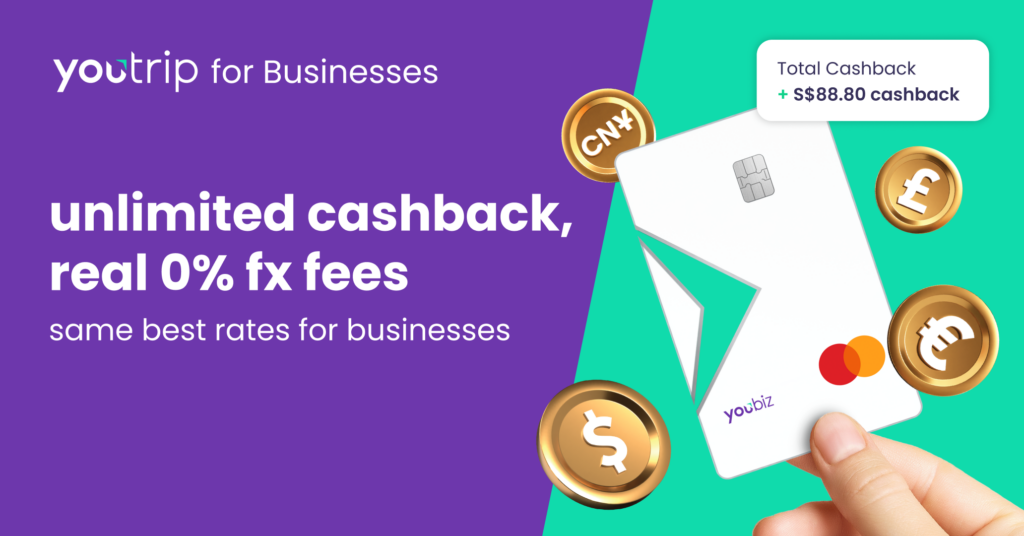
A YouBiz account picks up from the collecting itself. Alongside a static PayNow QR code for incoming payments, you get a business account with S$0 monthly fees, unlimited 1% cashback and real 0% FX fees on card spend. That covers billing local clients and paying suppliers overseas from the same account.
Apply for a YouBiz account in under five minutes via Singpass. We review your application and email you within 1 to 2 business days. Your virtual Mastercard is live in the app straight after, and the physical card follows in 5 to 7 business days. The full YouBiz guide covers what the account does in detail, and the corporate card comparison for SMEs shows how it stacks up against the alternatives.
Happy spending!