




Yes! Zero fees, wholesale rates, and it even works on the NYC subway
YouTrip works anywhere Mastercard is accepted, which covers virtually every shop, restaurant, hotel, and online merchant across the United States.
Even better, you can pre-load USD directly in the app at wholesale exchange rates with zero FX fees, so you’re never hit with sneaky markups when you spend. Below, we break down everything Australians need to know about using YouTrip in the US. From loading USD and withdrawing cash, to how YouTrip’s AUD/USD rate stacks up against the competition.
⚡ TL;DR: Using YouTrip in the US
| Feature | Details |
|---|---|
| Works in the US? | Yes — anywhere Mastercard is accepted |
| USD wallet currency? | Yes — pre-load and lock in USD rates in-app |
| FX fee on USD spend | 0% — no markups, no foreign transaction fees |
| ATM withdrawals | Free up to A$1,500/month overseas; 2% after |
| Transport (subway, buses) | Yes — tap-to-pay works on most major US transit |
| Apple Pay / Google Pay | Supported |
| Exchange rate | Wholesale (mid-market) rate |
| Card network | Mastercard |
| Monthly fee | None |
📚 Table of Contents
- Can YouTrip Be Used in the US?
- How to Use YouTrip in the US
- YouTrip USD Exchange Rate
- Can You Use YouTrip at ATMs in the US?
- Can YouTrip Be Used for Transport in the US?
- Why Use YouTrip in the US?
- USD Rate Comparison: Best Travel Card for the USA
- FAQs
Can YouTrip Be Used in the US?
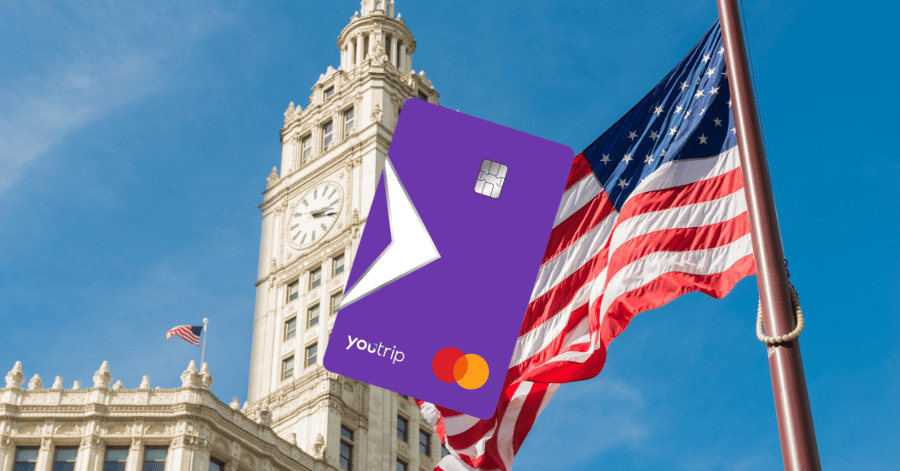
Yes! YouTrip works throughout the United States, wherever Mastercard debit cards are accepted.
That covers virtually every retailer, restaurant, hotel, and online merchant in the country. Shopping on Fifth Avenue, grabbing a coffee in San Francisco, or sorting accommodation before you fly out — your YouTrip card has you sorted.
Key things to know for Aussie travellers:
- No pre-loading required — if you haven’t exchanged USD ahead of time, YouTrip auto-converts your AUD balance at the real-time wholesale rate when you tap
- USD is one of YouTrip’s 10 dedicated wallet currencies, so you can exchange AUD to USD directly in the app and hold it before you travel
- Zero foreign transaction fees and zero exchange rate markups when you spend in USD
How to Use YouTrip in the US
Getting set up takes about three minutes. Here’s the rundown:
- Top up in AUD via debit or credit card through the YouTrip app
- Exchange to USD in-app whenever the rate looks good and lock it in
- Pay in USD in the US — YouTrip automatically uses your USD wallet if you’ve pre-exchanged
- Didn’t pre-exchange? No stress, YouTrip auto-converts at wholesale rates with zero FX fees
- Grab cash from an ATM when you need it
Use any ATM showing the Mastercard, Maestro, or Cirrus logo. Free withdrawals up to A$1,500 per calendar month; 2% applies on anything over that.
Note: the ATM operator may charge their own fee too — it’ll show on screen before you confirm.
YouTrip USD Exchange Rate

YouTrip uses wholesale exchange rates — also known as mid-market or interbank rates — for USD and all other currencies. These are the same real-time rates you’d see on Google or XE.com, with no markup added.
Why does this matter for Aussies heading to the US?
- Most Australian bank cards charge 2–3.5% in foreign transaction fees on every overseas purchase
- On an A$8,000 US trip, that’s up to A$280 gone before you’ve even ordered something on the Vegas Strip
- With YouTrip, that fee is zero
You can check the live AUD/USD rate in the app at any time. USD is one of YouTrip’s 10 wallet currencies — alongside EUR, GBP, JPY, NZD, SGD, CAD, HKD, and CHF — and you can hold, exchange, and spend any of them whenever suits you.
💡 Pro tip: Keep an eye on the AUD/USD rate in the weeks before your trip. When it ticks up, lock in your USD early and pocket the difference.
Can You Use YouTrip at ATMs in the US?
Details | |
|---|---|
| Free monthly limit | A$1,500 per calendar month (overseas) |
| Fee above limit | 2% on the withdrawn amount |
| Third-party ATM fee | Set by the ATM operator — shown on screen before you confirm |
While Australia is largely tap-and-go these days, the US still has situations where cash comes in handy: tipping at restaurants, local markets, food trucks, and some smaller regional spots.
Tips for withdrawing cash in the US:
- Withdraw in fewer, larger chunks — if the ATM charges a flat fee, one bigger withdrawal beats three smaller ones
- Always choose USD, not AUD — if the ATM asks which currency to charge you in, pick USD. Choosing AUD means the ATM applies its own rate (DCC), not YouTrip’s
- Stick to bank ATMs — Chase, Bank of America, and Wells Fargo ATMs tend to have lower surcharges than standalone machines in convenience stores or tourist areas
Can YouTrip Be Used for Transport in the US?
Good news if you’re using public transport — YouTrip’s contactless Mastercard works on most major transit systems in the cities Aussies typically visit.
Cities where YouTrip tap-to-pay works:
- New York City (MTA Subway and Buses): OMNY contactless readers accept Mastercard debit cards. No MetroCard needed; just tap and go. (MetroCard sales ended in 2026, so OMNY is now the standard way to pay).
- Chicago (CTA): Ventra accepts contactless Mastercard at turnstiles and on buses.
- Washington D.C. (Metro): WMATA’s “Tap. Ride. Go.” system accepts contactless Mastercard at all fare gates and bus fareboxes.
- San Francisco (BART): BART’s Tap & Ride (launched August 2025) accepts contactless debit and credit cards at all fare gates — no Clipper card required.
- Los Angeles (Metro): Open contactless payment (tap directly with your bank card) rolled out across the TAP network in 2026. Check the current status at the time of your trip, as the rollout was tied to the World Cup preparations.
- Rideshare (Uber and Lyft): Add YouTrip as a payment method and it works like any other Mastercard
Where you might still need cash:
- Some older transit systems may not have contactless readers at every entry point
- Smaller regional bus services and rural routes often require exact cash fares
Why Use YouTrip in the US?

The US can be a costly destination with the wrong card. Here’s what makes YouTrip worth packing:
- New customer offer — earn 2% cashback on international purchases for your first five months, capped at A$40/month. For a solid US trip, that adds up fast
- Zero FX fees — no foreign transaction fee on any USD purchase
- Wholesale exchange rates — the same rate banks use for large institutional transactions, with no margin added
- Lock in USD before you fly — exchange AUD to USD when the rate suits you, rather than converting at the point of sale
- A$1,500/month in free ATM withdrawals — one of the most generous free ATM limits available to Australian travellers
- Apple Pay and Google Pay support — link YouTrip to your phone and tap away, from Whole Foods to the NYC subway
- No monthly fees — no account fee, no annual fee, no subscription
USD Rate Comparison: Best Travel Card for the USA

Here’s how YouTrip stacks up against the travel cards Aussies commonly bring to the States:
| Card | FX Fees | USD Rate | AUD Charged for 100 USD |
|---|---|---|---|
| YouTrip | No fees | 0.7157 USD | A$139.72 |
| Wise | From 0.63% variable | 0.7132 USD | A$140.21 |
| Revolut | 1% on weekends | 0.7156 USD | A$139.74 |
| Up Bank | No FX fee | 0.7127 USD | A$141.95 |
| Credit Card | Up to 3.25% | 0.7012 USD | A$142.61 |
Rates as of 23 April 2026.
Verdict: For Australians who want the simplest, lowest-cost way to spend USD in America, YouTrip delivers: no FX fees, no monthly costs, wholesale rates, and a genuinely useful ATM allowance.
FAQs
Yes. YouTrip works anywhere Mastercard debit is accepted across the United States — in-store, online, and at ATMs.
No. YouTrip charges 0% FX fees on all foreign currency transactions including USD. You get the wholesale exchange rate with no added markup.
Yes. USD is one of YouTrip’s 10 wallet currencies. Exchange AUD to USD in the app at any time and hold it in your wallet until you’re ready to spend.
Open the YouTrip app, tap “Exchange,” and select AUD → USD to see the current wholesale rate in real time.
Yes. YouTrip’s contactless Mastercard works with OMNY (NYC’s tap-to-pay system) on the subway and MTA buses. MetroCard sales ended in 2026, so OMNY is now the standard way to pay.
Yes, at any ATM showing the Mastercard, Maestro, or Cirrus logo. Free up to A$1,500/month; a 2% YouTrip fee applies after that. Individual ATM operators may charge their own surcharge.
Yes. Add YouTrip as a payment method in the Uber or Lyft app — it works like any other Mastercard.
YouTrip automatically converts from your AUD balance at the real-time wholesale rate with zero fees. You won’t be declined just because your USD pocket is empty.
Head to the Land of the Free

YouTrip works seamlessly across the US — from tapping onto the NYC subway to withdrawing cash at a Chase ATM in Chicago to locking in your AUD/USD rate before you even board the flight. Zero fees, wholesale rates, A$1,500/month in free ATM withdrawals, and 2% cashback on international spends for your first five months (capped at A$40/month): it’s one of the smartest travel cards Aussies can pack for America.
Not on YouTrip yet? Sign up for your free YouTrip card today and start spending smarter in the US — and every other destination after that.
Happy travels! 🇺🇸
Related Guide:
– Best Time to Visit Bali: A Month-by-Month Guide for Australians (2026)
– YouTrip Australia Exchange Rates: Everything You Need To Know
– Best Travel Cards for Australians (2026): Comparing 8 Travel Money Cards