


The one field that holds up many cross-border payments
You’re invoicing an overseas client, or paying a supplier abroad, and the form asks for a SWIFT code. Here’s what it is, how to find yours in seconds, what that wire actually costs your business, and how to get paid across borders without the fees eating your margin.
| Quick answer | Details |
|---|---|
| What it is | A SWIFT code (also called a BIC) identifies a specific bank for international transfers |
| Length | 8 or 11 characters, letters and numbers, never “8 digits” |
| DBS / POSB | DBSSSGSG |
| The catch | Standard Chartered and HSBC use codes that differ from the obvious one |
| Can you derive it? | No, you can’t get it from your account number, and Singapore doesn’t use IBAN |
| The hidden cost | A wire passes through correspondent banks that each take a cut, on top of your bank’s FX margin |
| Getting paid | A YouBiz account gives you a SWIFT/BIC in 8 currencies to receive overseas payments directly |
Bank SWIFT codes verified against each bank’s own site, August 2026. ⚠️ Confirm the code with your bank before sending or receiving a large sum.
Table of Contents
- What Is a SWIFT/BIC Code?
- How to Read a SWIFT Code (8 or 11 Characters)
- How to Find Your SWIFT Code
- SWIFT/BIC Codes for Major Singapore Banks
- You Can’t Get a SWIFT Code From Your Account Number
- Do US Accounts Have a SWIFT Code?
- How to Use a SWIFT Code to Pay a Supplier Overseas
- What Happens If You Use the Wrong SWIFT Code
- Receiving Overseas Payments Into Your Business Account
- A Better Way to Handle Cross-Border Payments
- FAQs
What Is a SWIFT/BIC Code?
A SWIFT code is a string of 8 or 11 characters that identifies a specific bank in an international transfer. It’s how the banking network knows exactly which institution, in which country, should receive the money.
SWIFT stands for the Society for Worldwide Interbank Financial Telecommunication, the network banks use to message each other about payments. The code itself is technically a BIC, or Bank Identifier Code. That’s the part worth clearing up first.
Is a SWIFT Code the Same as a BIC?
Yes. SWIFT code and BIC are two names for the exact same thing. “BIC” is the official term under the international standard; “SWIFT code” is what most people call it because SWIFT is the network that assigns and routes them. If a form asks for one and your bank gives you the other, you’re already holding the answer.
Think of it as the bank’s address in the global payments system. Your account number says which account; the SWIFT code says which bank. Every cross-border payment needs both.
How to Read a SWIFT Code (8 or 11 Characters)
A SWIFT code is 8 or 11 characters made of both letters and numbers, not “8 digits.” That’s a common mix-up, and it matters, because a real code almost always has letters in it. If someone hands you a string of pure numbers, it isn’t a SWIFT code.
The parts break down like this, using DBS Singapore’s code DBSSSGSG as a worked example:
| Part | Characters | Meaning | In DBSSSGSG |
|---|---|---|---|
| Bank code | First 4 (letters) | The institution | DBSS = DBS Bank |
| Country code | Next 2 (letters) | The country | SG = Singapore |
| Location code | Next 2 | The city or head office | SG |
| Branch code | Last 3 (optional) | A specific branch | none = head office |
Why Some Codes Are 8 Characters and Some Are 11
An 8-character code points to a bank’s head office. An 11-character code adds a 3-character branch code on the end to point at one specific branch. When you see an 11-character version like DBSSSGSGXXX, the XXX simply means “main office”, the default branch. For most business transfers in and out of Singapore, the 8-character head-office code is all you need, and it’s what the bank itself tells you to use.
How to Find Your SWIFT Code
The fastest way to find your bank’s SWIFT code is on the bank’s own website or in your business banking portal, under international or overseas transfer details. You don’t need a third-party finder tool for a Singapore bank, and the official source is the one that can’t be out of date.
Three reliable ways to get it:
Step 1: Check your business banking portal.
Log in and look under “Overseas Transfer”, “Receive funds”, or “Account details”. Most Singapore banks list the SWIFT code right there, often with the full inward-transfer instructions to hand to a client.
Step 2: Search the bank’s official website.
Type the bank name plus “SWIFT code” and open the result on the bank’s own domain, not an aggregator. The banks publish a dedicated page for exactly this, and it’s the version to trust.
Step 3: Use a SWIFT code finder only to double-check.
To look up a foreign bank’s code, pick country, then bank, then branch. It works in reverse too: paste a code a client or supplier sent you and the finder tells you which bank and country it belongs to, a quick sanity check before you send. For your own Singapore bank, skip the finder and go straight to the source above.
One practical tip that saves a lot of second-guessing: if a finder tool can’t match your exact branch, the head-office code works for incoming international transfers anyway. Singapore banks route inbound wires on the head-office SWIFT code plus your account number, no branch code required.
📖 Related Guide: Setting up the accounts behind all this? Our best business account in Singapore guide covers fees, features and what to look for.
SWIFT/BIC Codes for Major Singapore Banks
Here are the SWIFT/BIC codes for Singapore’s major banks, each taken from the bank’s own website. Two of them have a catch that costs businesses rejected payments, so read the notes.
| Bank | SWIFT/BIC code | Note |
|---|---|---|
| DBS / POSB | DBSSSGSG | Same code for both; DBS has no IBAN, routing number or sort code |
| OCBC | OCBCSGSG | Head-office code for inward transfers |
| UOB | UOVBSGSG | Head-office code |
| Standard Chartered | SCBLSG22 | ⚠️ Use this, not the old SCBLSGSG |
| HSBC (corporate) | HSBCSGSG | ⚠️ Business accounts, see note below |
| HSBC (personal) | HSBCSGS2 | Personal accounts only |
| Maybank | MBBESGS2 | Maybank Singapore Limited |
| CIMB | CIBBSGSG | CIMB Bank Berhad, Singapore |
| Bank of China | BKCHSGSG | Head-office code |
Codes verified against each bank’s official site, August 2026. ⚠️ Banks occasionally update codes, confirm on your bank’s page before a large transfer.
One Note on Standard Chartered
Standard Chartered moved its Singapore business to a local subsidiary, and the old branch code SCBLSGSG is no longer the one to use. For telegraphic transfers, the bank asks senders to use SCBLSG22. Use the old code and the payment can be rejected, so double-check this one if your company banks with Standard Chartered.
The HSBC Corporate vs Personal Split
HSBC uses HSBCSGSG for corporate accounts and HSBCSGS2 for personal accounts, so a business account takes the corporate code. HSBC’s own guidance is blunt about the reverse case: don’t use the corporate code on a personal account, or the payment may be rejected and extra charges deducted. If you’re giving a client your company’s HSBC details, the code you want is HSBCSGSG.
One more thing worth knowing: a bank’s SWIFT code changes by country. DBS Singapore is DBSSSGSG, but DBS in India is a completely different code. If you’re paying “the same bank” overseas, look up the code for that country, not the one you use at home.
You Can’t Get a SWIFT Code From Your Account Number
No, you can’t work out a SWIFT code from an account number. The two are separate: your account number identifies your account, and the SWIFT code identifies your bank. You get the SWIFT code from the bank, never by decoding the digits of an account.
This may be confusing because of IBAN, which does bundle a bank identifier into the number.
Singapore Doesn’t Use IBAN
Singapore doesn’t use IBAN at all. (Example: DBS has no IBAN, routing number or sort code). IBAN (International Bank Account Number) is mainly a European and Middle Eastern format. So if an overseas client’s form asks you for a Singapore IBAN, the honest answer is there isn’t one. Give them your SWIFT code and account number instead.
A Sort Code Isn’t An Option For Singapore Accounts
A sort code is a 6-digit code for UK bank transfers, and Singapore doesn’t use it. Same story as IBAN: if a form offers “sort code” as an option, it’s not relevant to a Singapore account. SWIFT code plus account number is the pairing that moves money into Singapore.
Do US Accounts Have a SWIFT Code?
Yes, but with a catch. US banks have SWIFT codes for international wires, so if you’re paying a US supplier from Singapore, you’ll use one. For transfers inside the US, Americans use a 9-digit ABA routing number.
Hence, the answer depends on direction. Money crossing a border into the US needs a SWIFT code; money moving between two US accounts uses the routing number. Smaller US banks and credit unions sometimes don’t have their own SWIFT code and route international payments through a larger correspondent bank, in which case you use that bank’s code.
How to Use a SWIFT Code to Pay a Supplier Overseas
To pay a supplier overseas with a SWIFT code, you log into your bank, start an international or telegraphic transfer, and enter the recipient’s details: their name, account number, the bank’s SWIFT code, and the amount. Your bank messages the recipient’s bank over the SWIFT network, and the money follows.
The steps are simple. The cost is the part worth slowing down for.
What a SWIFT Wire Actually Costs
A SWIFT transfer rarely costs just one fee. There are three layers, and only the first one is shown to you upfront:
- Your bank’s transfer fee. Most banks charge a telegraphic transfer fee plus cable and agent charges on an outward wire. Reasonable on paper.
- Correspondent bank cuts. A wire often hops through one or more middlemen banks. OCBC’s own inward-transfer details, for instance, route US-dollar payments through JP Morgan Chase in New York. Each bank in that chain can deduct its own fee before passing the money on, and you don’t see it coming.
- The FX margin. When your bank converts the money, the rate it gives you sits above the wholesale rate (the rate banks use between themselves). That gap is quiet profit, and on a large supplier payment it dwarfs the flat fees.
Even receiving money can carry a fee: banks often charge a handling commission to credit an incoming international transfer. Add it up, and a wire billed as one flat fee can quietly cost several times that once the middle banks and the exchange-rate margin are counted.
📖 Related Guide: New to moving money across borders? Our what is remittance guide breaks down how international transfers work and where the fees hide.
What Happens If You Use the Wrong SWIFT Code
If you use the wrong SWIFT code, the payment usually bounces or gets delayed, and the fees still bite. A code that doesn’t match a real bank is rejected outright; a valid code for the wrong bank can send the money to the wrong institution, which is far harder to unwind.
In the best case, the payment is returned to you, minus whatever the banks in the chain charged along the way, so you’re out the fees even though nothing arrived.
That’s exactly why the Standard Chartered and HSBC notes above matter: the code has to match the recipient’s bank and account type, not just look plausible.
When in doubt, ask your client or supplier to confirm their SWIFT code from their own bank before you send.
Receiving Overseas Payments Into Your Business Account
To receive a payment from overseas, give your client your business name as it appears on your bank records, your account number, your bank’s name and SWIFT code, and the bank’s address. You don’t need a branch name or branch code, incoming international transfers land on the head-office SWIFT code plus your account number.
A quick checklist to send your overseas payer:
- Your business name exactly as registered with the bank
- Your account number
- Bank name and SWIFT code (see the table above for yours)
- Bank address and country (Singapore)
Get the name and account number right, and the head-office SWIFT code does the rest.
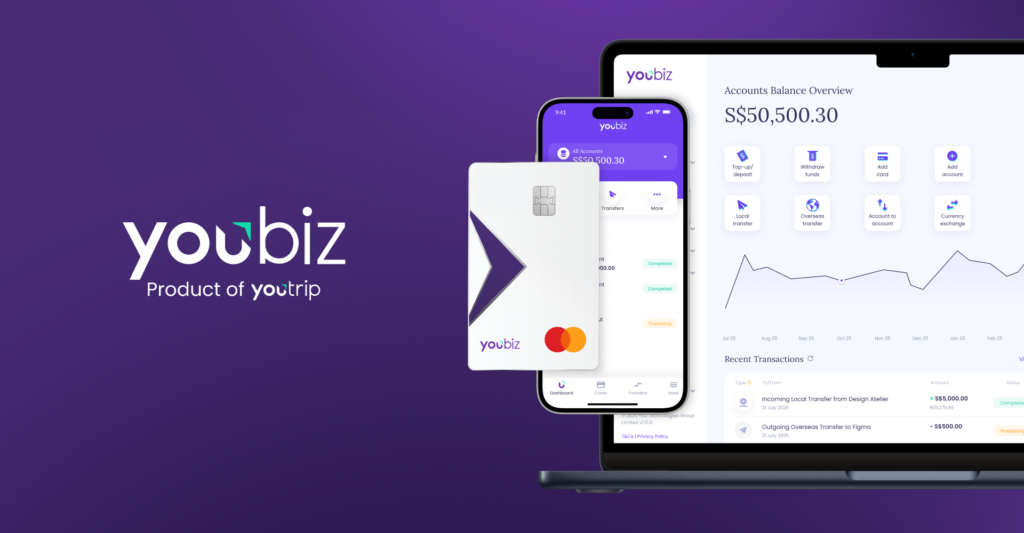
This is one place a YouBiz account earns its keep. Each YouBiz currency account comes with its own account details, including the Bank Name and SWIFT/BIC code, so you can receive money in 8 currencies (SGD, USD, EUR, GBP, JPY, HKD, AUD, CHF) directly from overseas clients. You share the account’s details the same way you would a bank’s, and incoming payments come in with no YouBiz fee on your side.
📖 Related Guide: Want the full picture on holding and receiving foreign currency? See our multi-currency business account page.
A Better Way to Handle Cross-Border Payments
A SWIFT wire is the right tool for some jobs: large one-off payments, or a supplier who only takes a bank transfer. But if your business regularly pays and gets paid across borders, the correspondent-bank chain and the FX margin add up fast.
That’s the gap a YouBiz account closes.
With YouBiz you can hold, exchange and receive in 8 currencies, so a US client’s dollars can sit in your USD account instead of being converted the moment they land.
When you do pay out, overseas transfers cover 20 currencies at the Mastercard wholesale rate, which closely tracks the mid-market rate (the rate banks use between themselves), with no FX fee added on top. It’s built for the everyday flow most SG businesses run: Stripe payouts, AWS invoices, contractor payments, and supplier bills abroad.
On the spending side, YouBiz corporate cards charge real 0% FX fees on foreign spend and earn unlimited 1% cashback on eligible spend, with virtual cards you can issue to the team in seconds. It’s a business account and a corporate card in one, at S$0 a month.
Does YouBiz Have a SWIFT Code?
Yes. Each YouBiz currency account comes with its own account details, and those details include a Bank Name and SWIFT/BIC code you can hand to an overseas client to get paid.
YouBiz itself isn’t a bank, it’s a major payment institution licensed under the Payment Services Act by the Monetary Authority of Singapore and a Principal Member of Mastercard. But your currency accounts still give you the SWIFT/BIC and account number a sender needs.
📖 Related Guide: See how the card side works in our corporate cards overview, 0% FX and 1% cashback on every eligible spend.
FAQs
Mostly, yes. Most banks use one head-office SWIFT code for all incoming international transfers, and Singapore banks route inbound wires on that code plus your account number, no branch code needed. Some large banks have branch-specific 11-character codes, but the 8-character head-office code works for business transfers.
Yes, it’s safe. A SWIFT code identifies your bank, not you, and it’s public information published on the bank’s website. Sharing it, along with your account number, lets a client pay you; it doesn’t let anyone take money out. Combine it with your business name and you’re set to get paid.
Usually one to five business days. The exact time depends on the destination country, the currencies involved, and how many correspondent banks sit in the middle. Transfers to major markets in common currencies are faster; less common routes with more middlemen take longer.
No. For transfers between Singapore accounts, use PayNow or FAST with a UEN, mobile number, or account number, no SWIFT code involved. SWIFT codes are only for international transfers crossing between banks in different countries.
Yes. Each of your YouBiz currency accounts comes with its own account details, including a Bank Name and SWIFT/BIC code, so overseas clients can pay you directly in any of the 8 supported currencies. We don’t charge a fee on incoming payments on your side.
Get Paid Across Borders Without the Fees Eating Your Margin
A SWIFT code is just your bank’s address in the global payments network, 8 or 11 characters, straight off your bank’s own site. The trickier bit is what a wire costs once the middle banks and the exchange-rate margin take their share, and that’s exactly the cost a multi-currency business account is built to cut.
YouBiz is one business account and corporate card for the way you actually move money: hold and get paid in 8 currencies, send to 20 at wholesale rates, spend at real 0% FX with 1% cashback, all at S$0 a month. Sign up at you.co/biz in under 5 minutes via Singpass. Approval lands within 1–2 business days, and your virtual Mastercard is live in the app right after.